Built with Irish Nursing Homes

The Intelligent Workforce Operating System for Modern Care Homes

Always be ready for HIQA inspection. One Irish system for staff training, records, breaks, rotas, policies, and audits – with instant evidence when you need it. Free for homes with up to 20 staff.

Used daily by New Ross Community Care Home to manage 24/7 staffing.

Full Professional Plan free for up to 20 staff – all features included
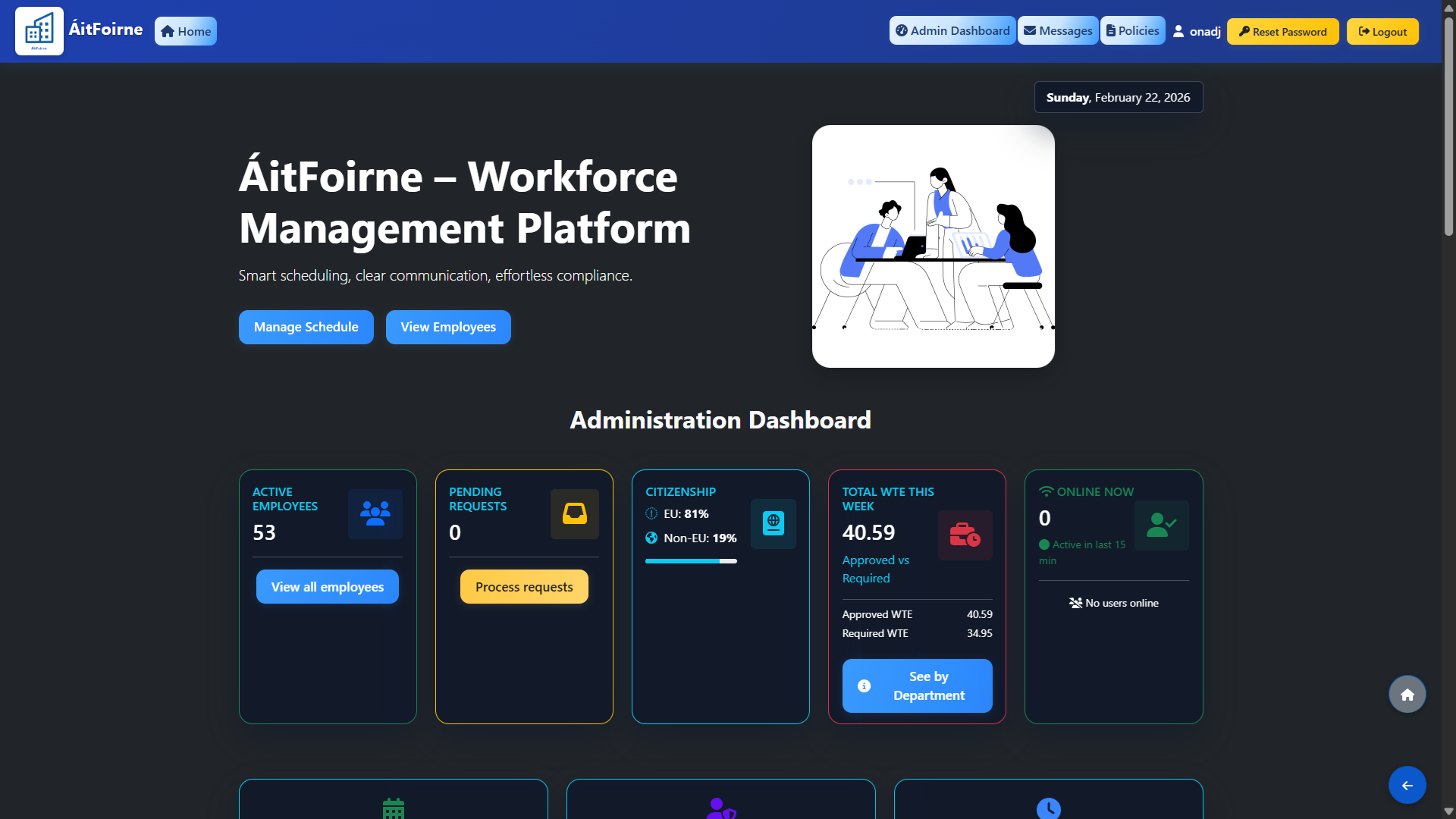
ÁitFoirne interface
HIQA‑ready evidence Rotas, breaks, policies, certificates & vetting in one place
Smart rotas for mixed hours and departments.

Rotas, breaks, policies, certificates & vetting in one place.

Staff app for rotas, breaks, holidays & messages.

Designed for Care Homes

ÁitFoirne is built around real nursing home patterns – mixed weekly hours, multiple departments, nights, weekends and bank holidays.

No generic “restaurant” logic. Everything matches how Irish care homes actually staff their units.

Compliance without spreadsheets

Digital audits, action plans, policy acknowledgements, PIN time clock with optional GPS, and live break tracking give you clear evidence for every inspection.

One system to show who worked, who took breaks, who signed which policy, and where staff were clocking in from when you need extra assurance.

Pricing that fits single‑site homes

Big vendors charge 5–10 € per employee or large site fees – ÁitFoirne starts from around half of that, with no setup charges.

Simple per‑employee pricing, cancel anytime, built and supported in Ireland.

6+

Months in daily use in pilot home

53

Active staff managed in one site

24/7

Rotas, time clock & alerts

8%

Auto annual leave accrual in hours

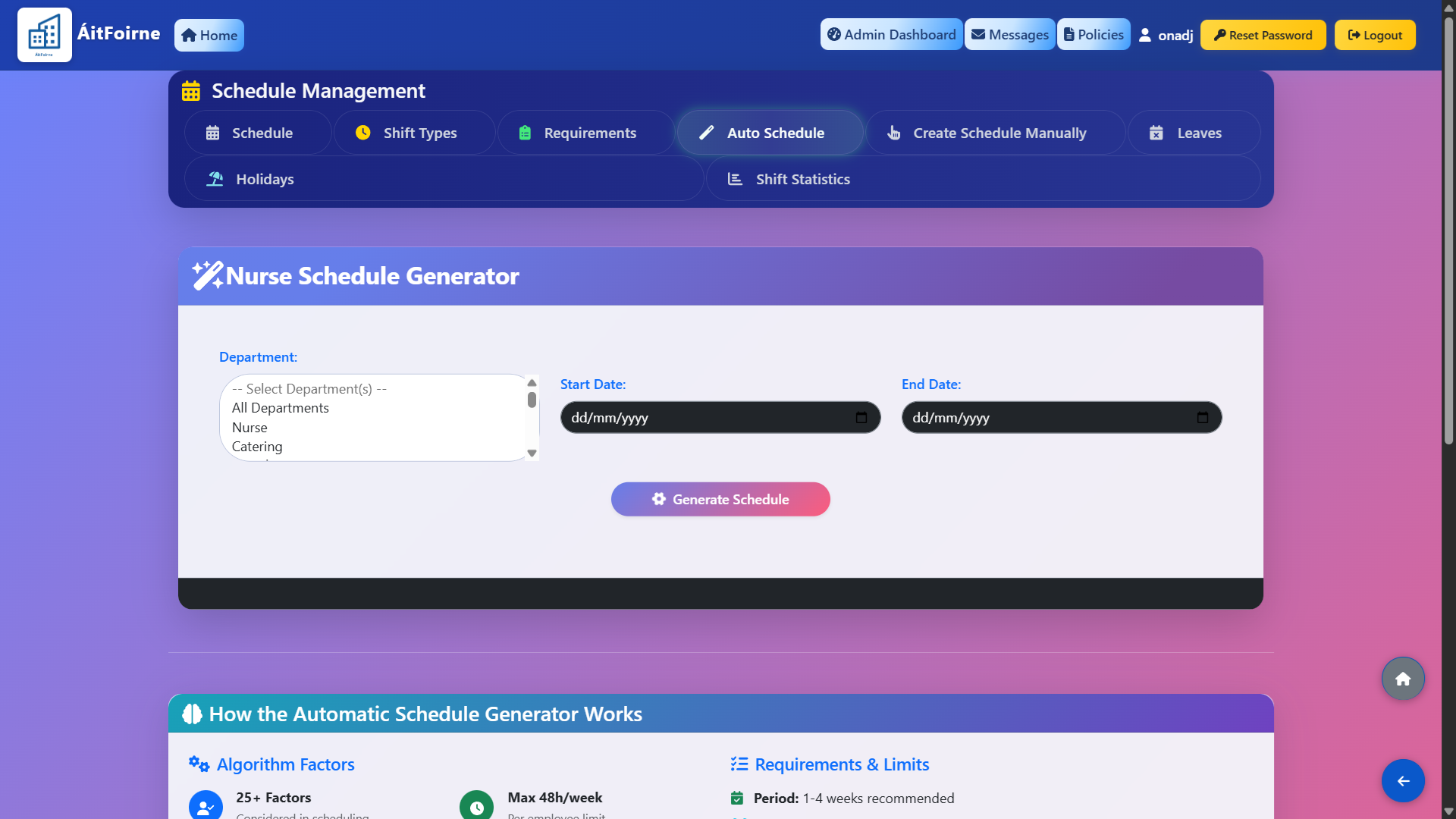
Automatic rotas that follow your rules

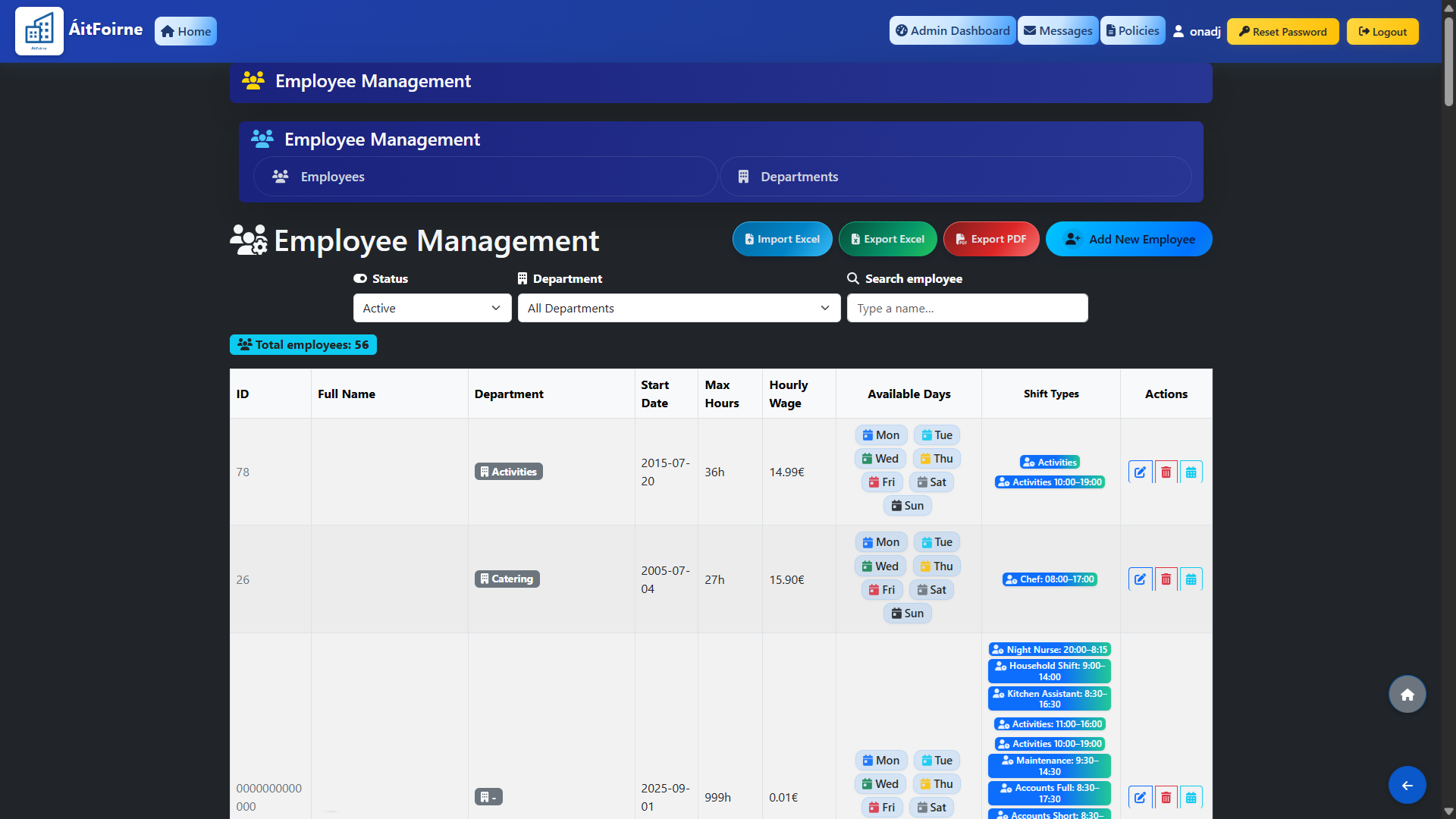
ÁitFoirne was built for homes where every person has different weekly hours – 12, 18, 23, 38+ – and can only work in certain departments or units.

For each employee you set max weekly hours, which days of the week they can work, which shift types they can cover, and which departments they are allowed to work in.

The scheduler then fills shifts for 2–4 weeks ahead in seconds, automatically skipping booked holidays and sick leave while still respecting max hours and your staffing targets.

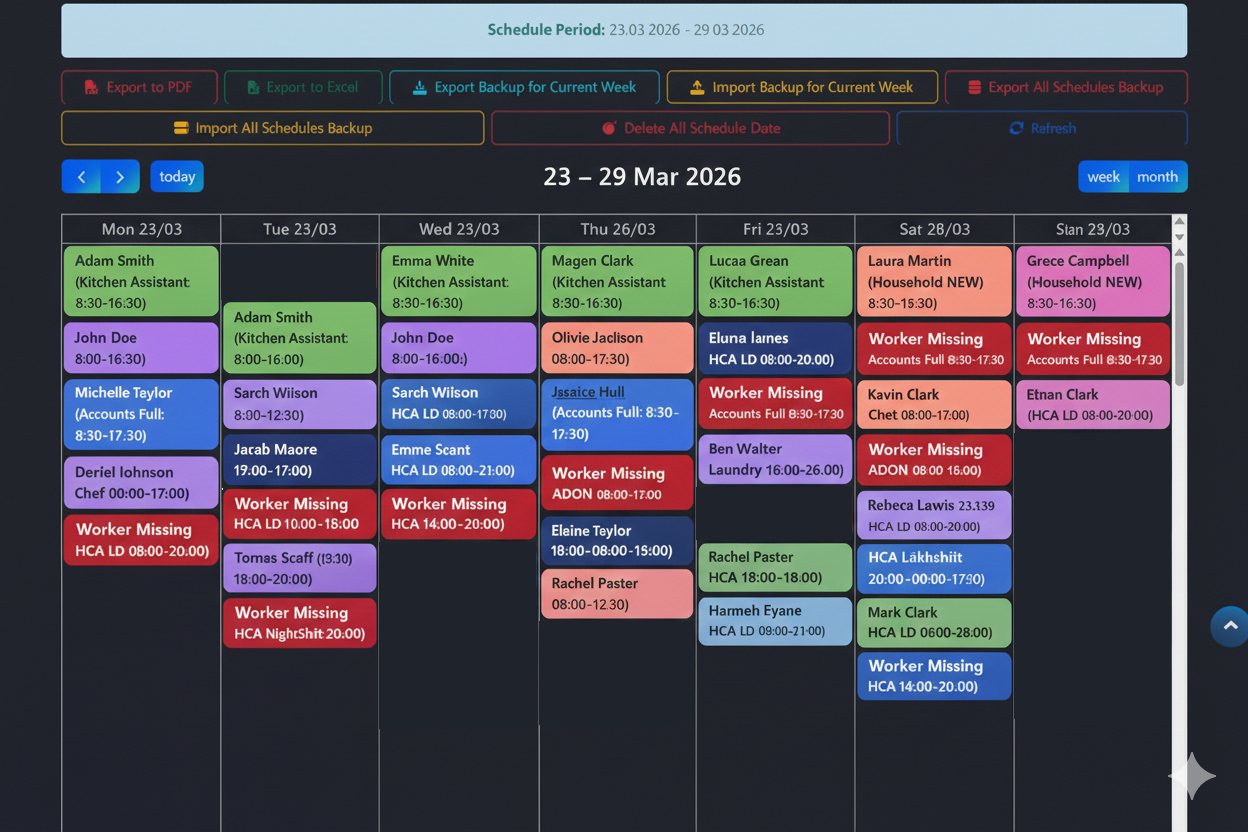
If a shift cannot be fully covered, the rota clearly marks it as “Worker missing” with the exact shift type, so managers know where they still need to decide or adjust manually.

What the auto‑scheduler takes into account

  • Max weekly hours per employee (e.g. 12, 18, 23, 38+).
  • Days of the week each employee is available to work.
  • Allowed departments and roles for each employee.
  • Allowed shift types per employee (early, late, night, etc.).
  • Required staffing per shift and per department.
  • Existing booked leave (annual leave, sick leave, training days).
  • Fair spread of weekends and night shifts across the team.
  • Clear “Worker missing” warnings when a shift still needs cover.
Why Care Homes choose ÁitFoirne

Everything you need to run
a safe, well‑staffed home

Rostering & Intelligent Scheduling

Auto Schedule Generation

Automatically generate schedules that respect requirements, shift types, staff preferences, contractual hours, and mandatory rest periods.

Auto Schedule Generation

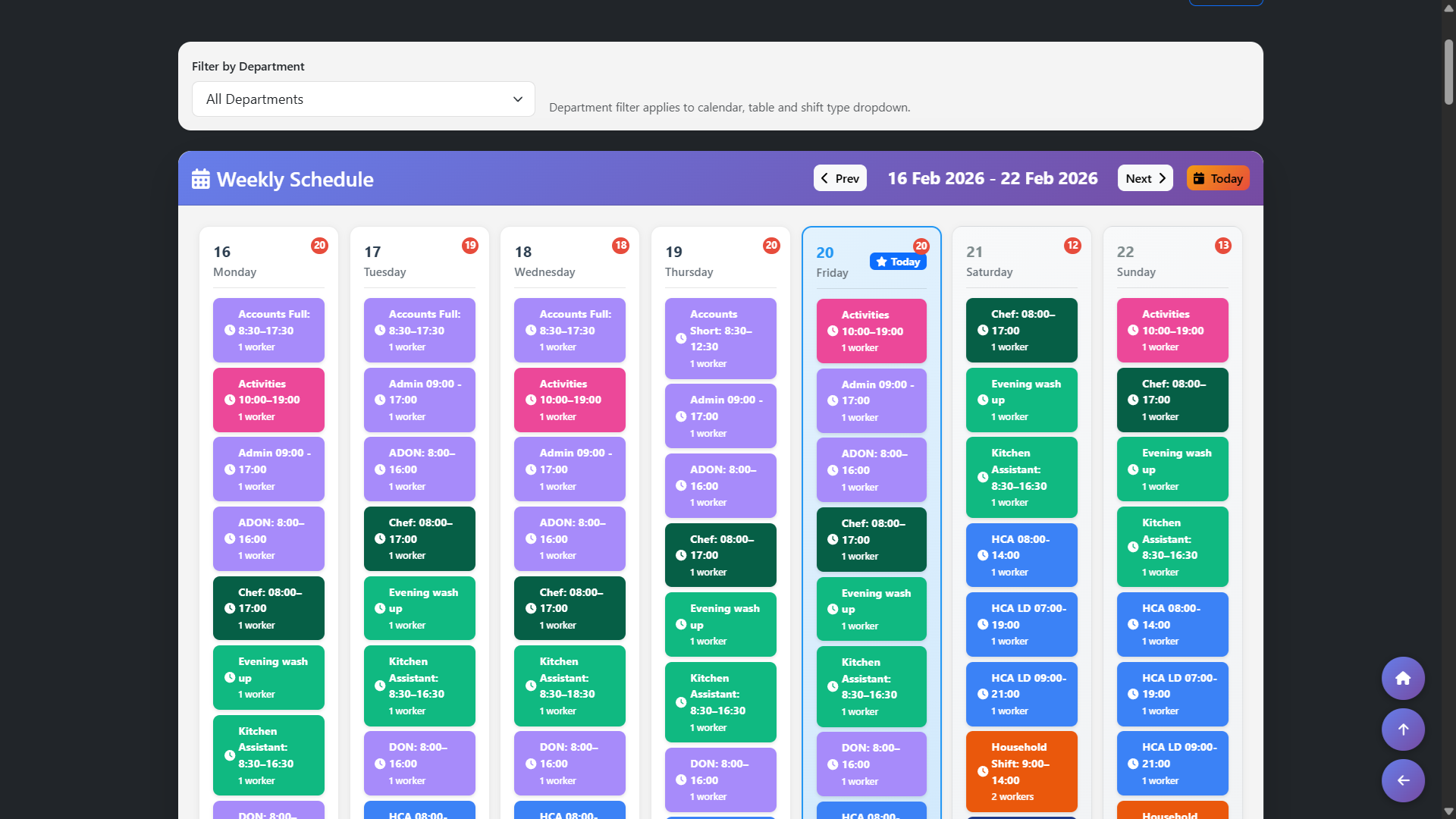
Manual Schedule Generation

Start with a clean weekly view that shows only departments and weeks where staffing requirements exist, so managers focus on the exact rota that needs attention instead of hunting through empty dates.

Manual Schedule Generation

Shift Requirements

Define exact staffing levels per shift and role to ensure you never fall below compliant ratios.

Shift Requirements

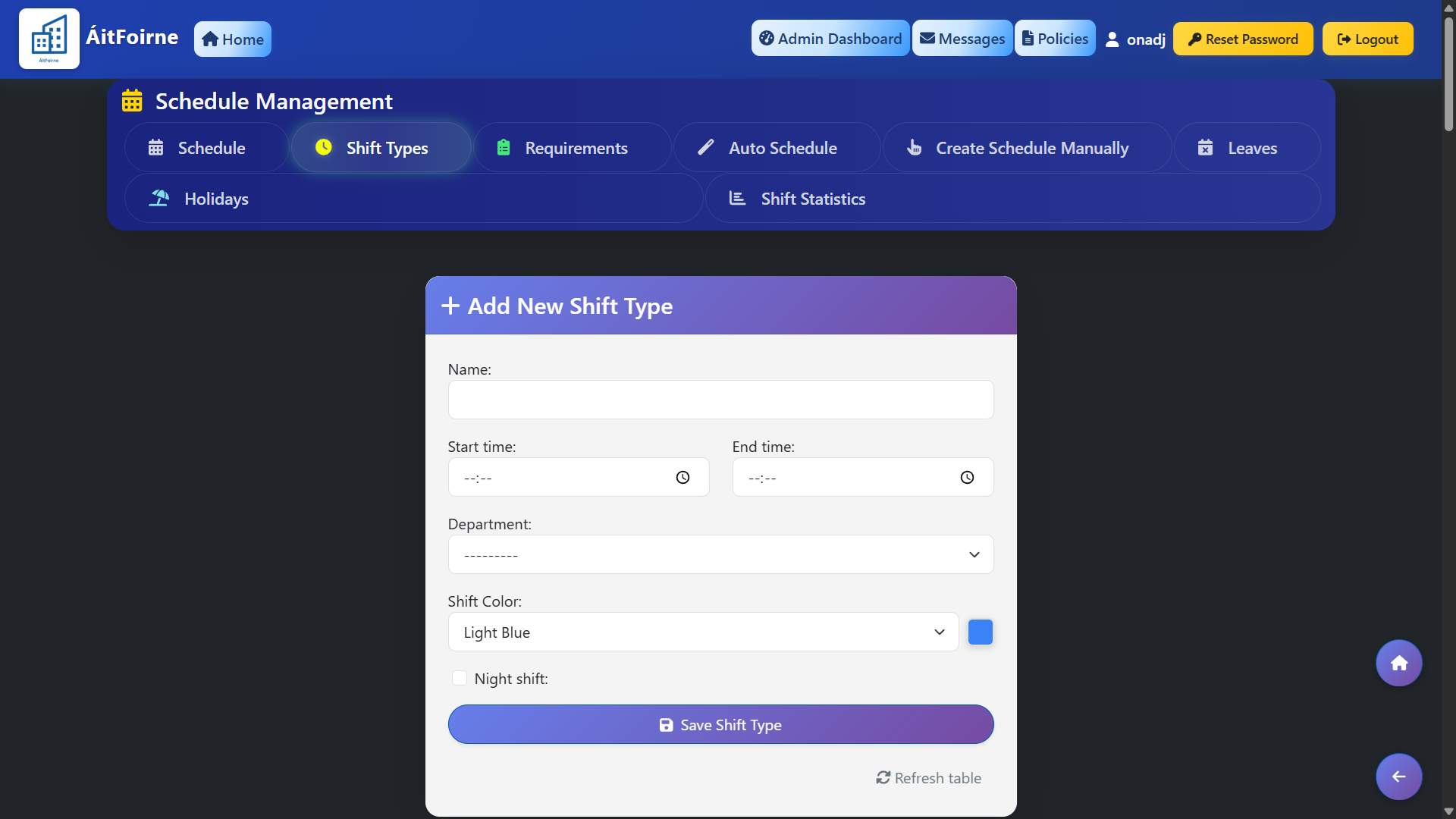
Custom shift types

Create your own shift types with custom names and colours so rotas are easy to read at a glance (e.g. HCA LD, ADON, Kitchen, Night, Late).

Custom shift types

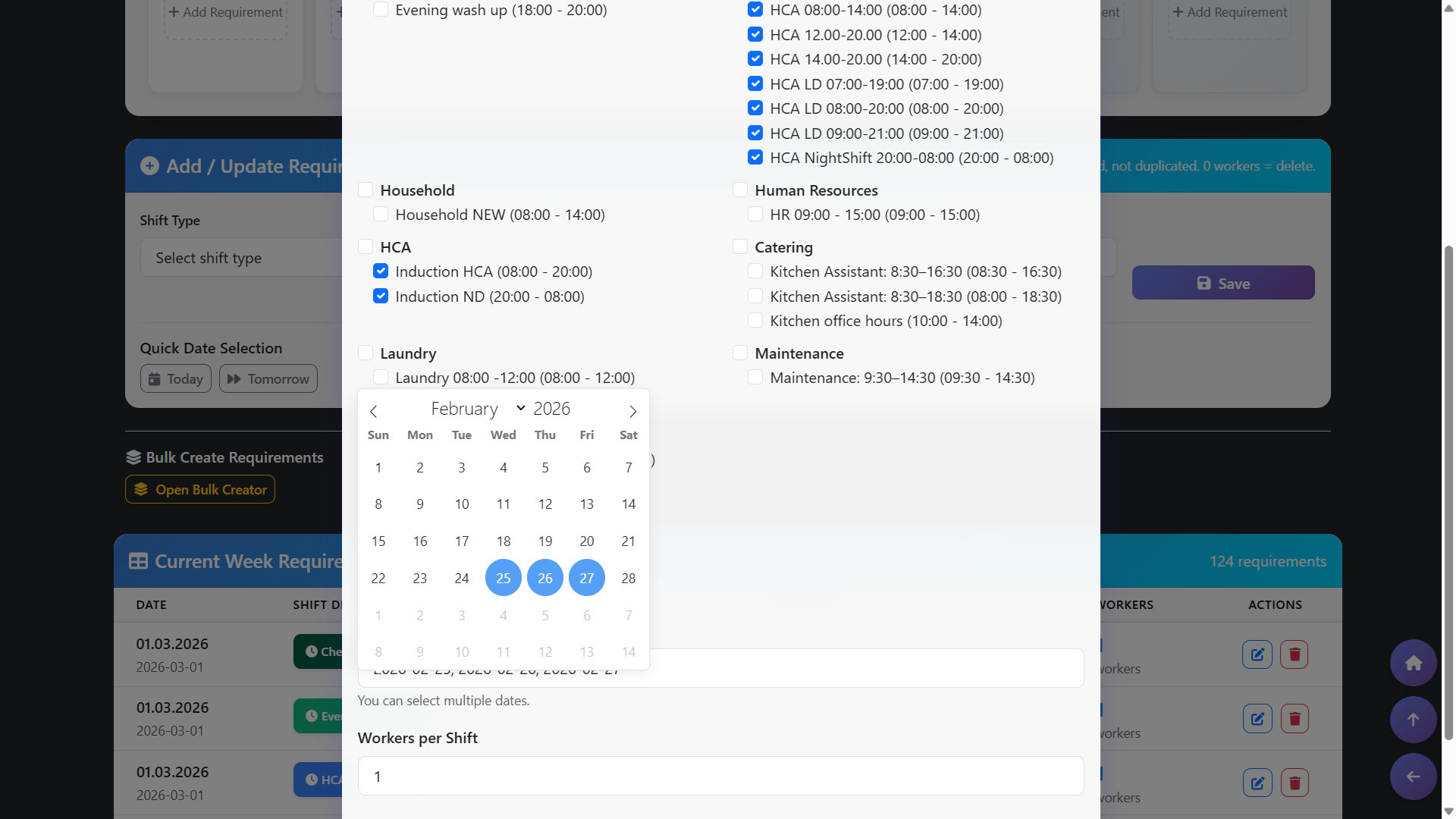
Bulk Shift Requirements

Define staffing requirements for a single shift type across multiple days in one action, so managers can set consistent rota coverage in seconds instead of repeating the same setup day by day.

Bulk Shift Requirements

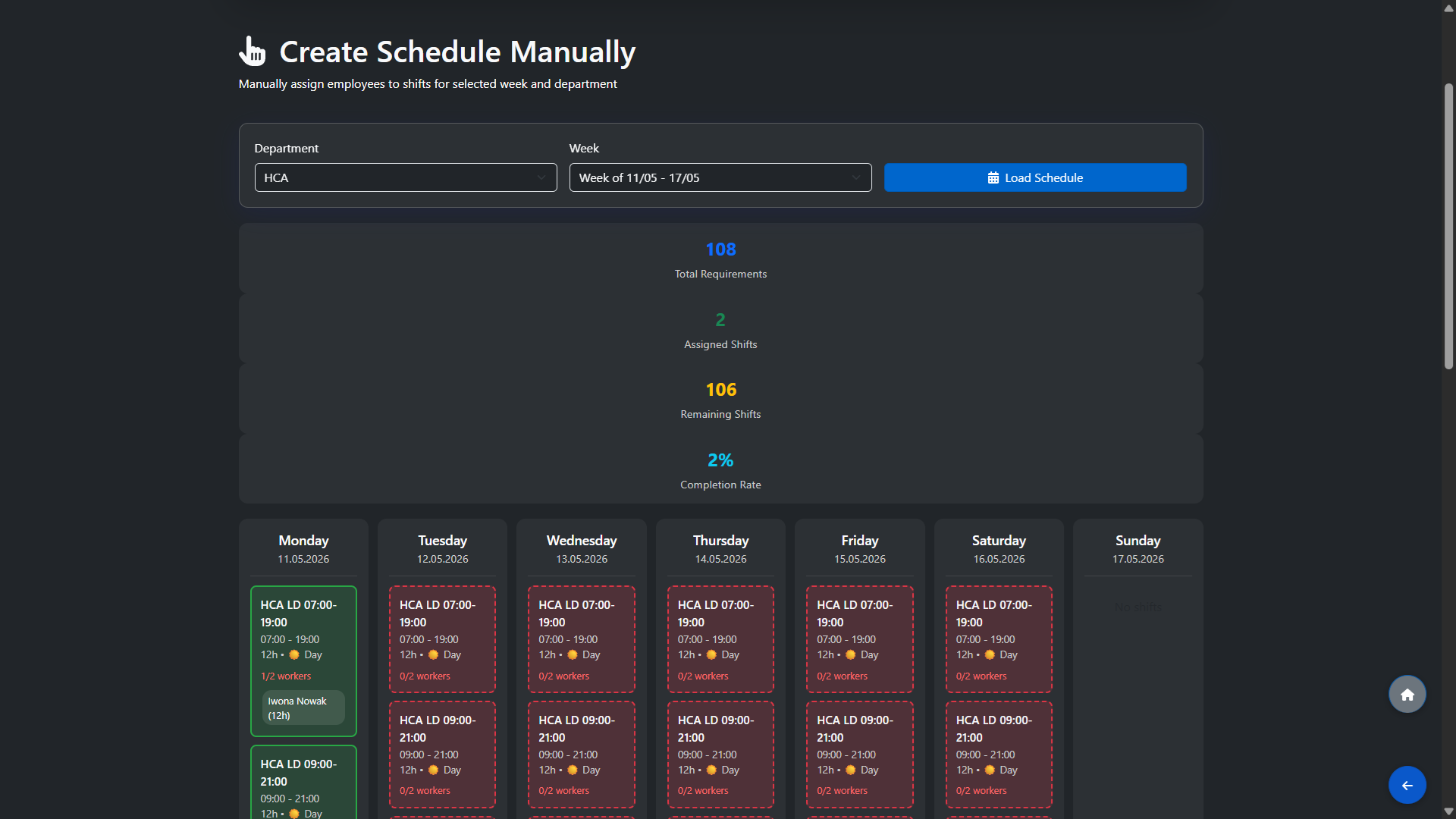
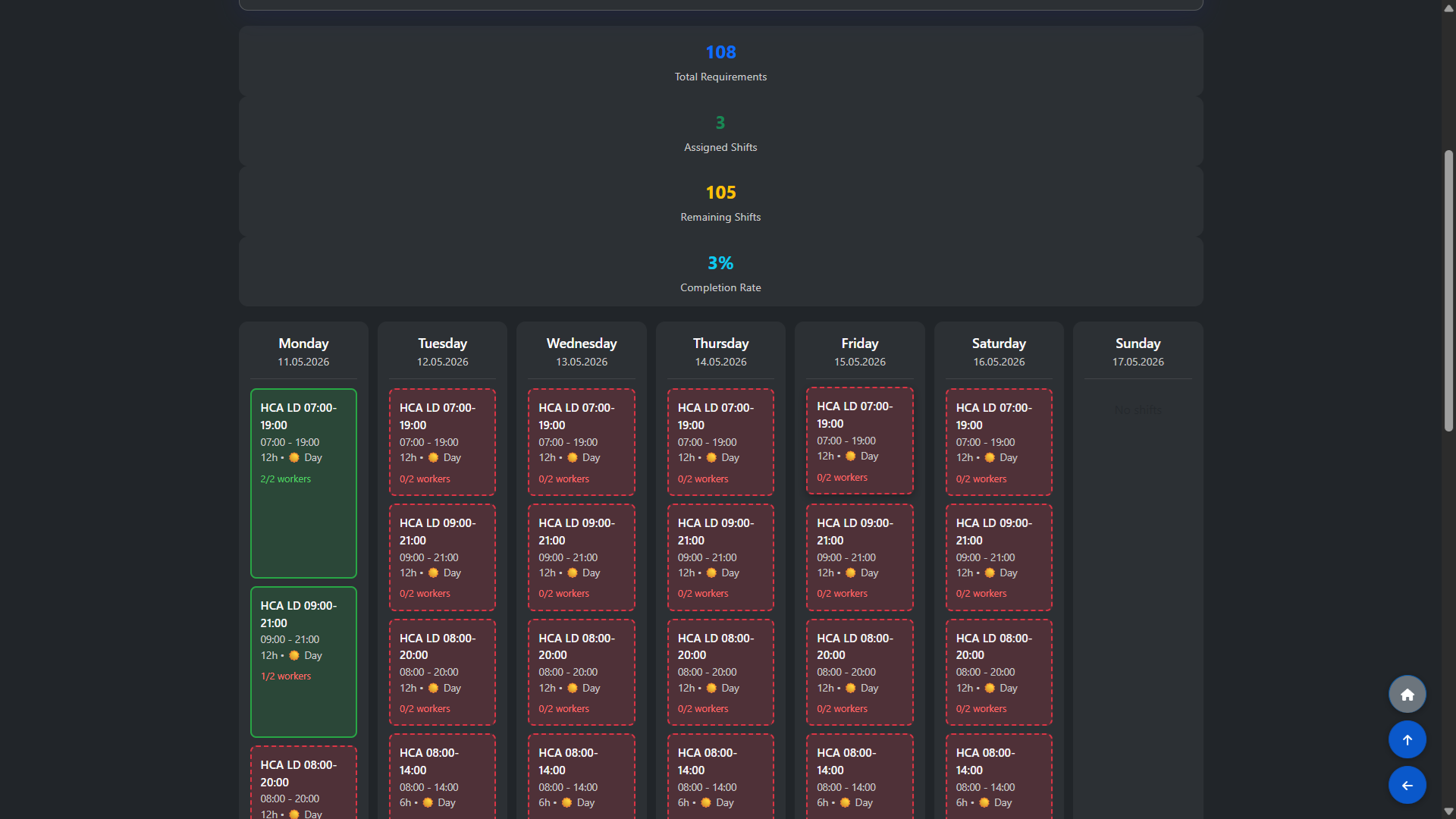
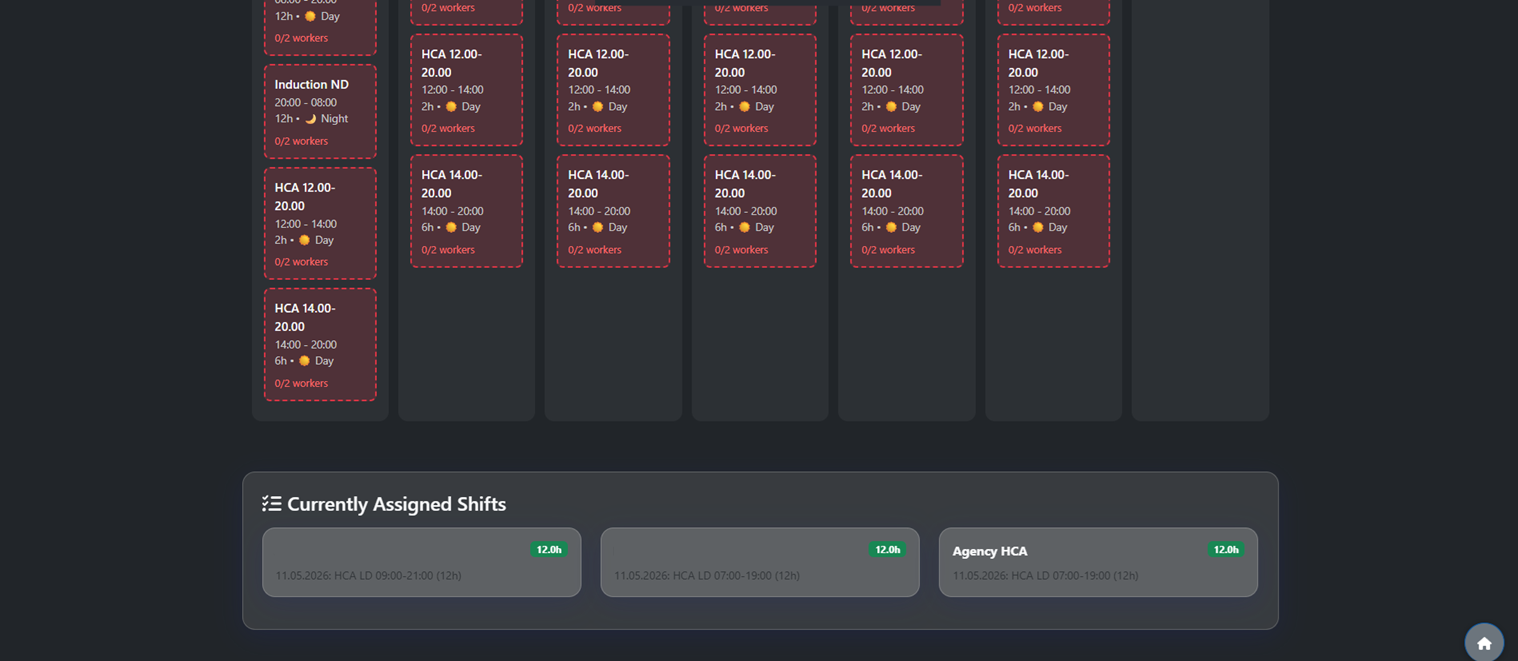
Live Staffing Counters

See total required, assigned, remaining shifts and completion rate for the selected week in one place, so you always know how far you are from a fully staffed rota as you assign people.

Live Staffing Counters

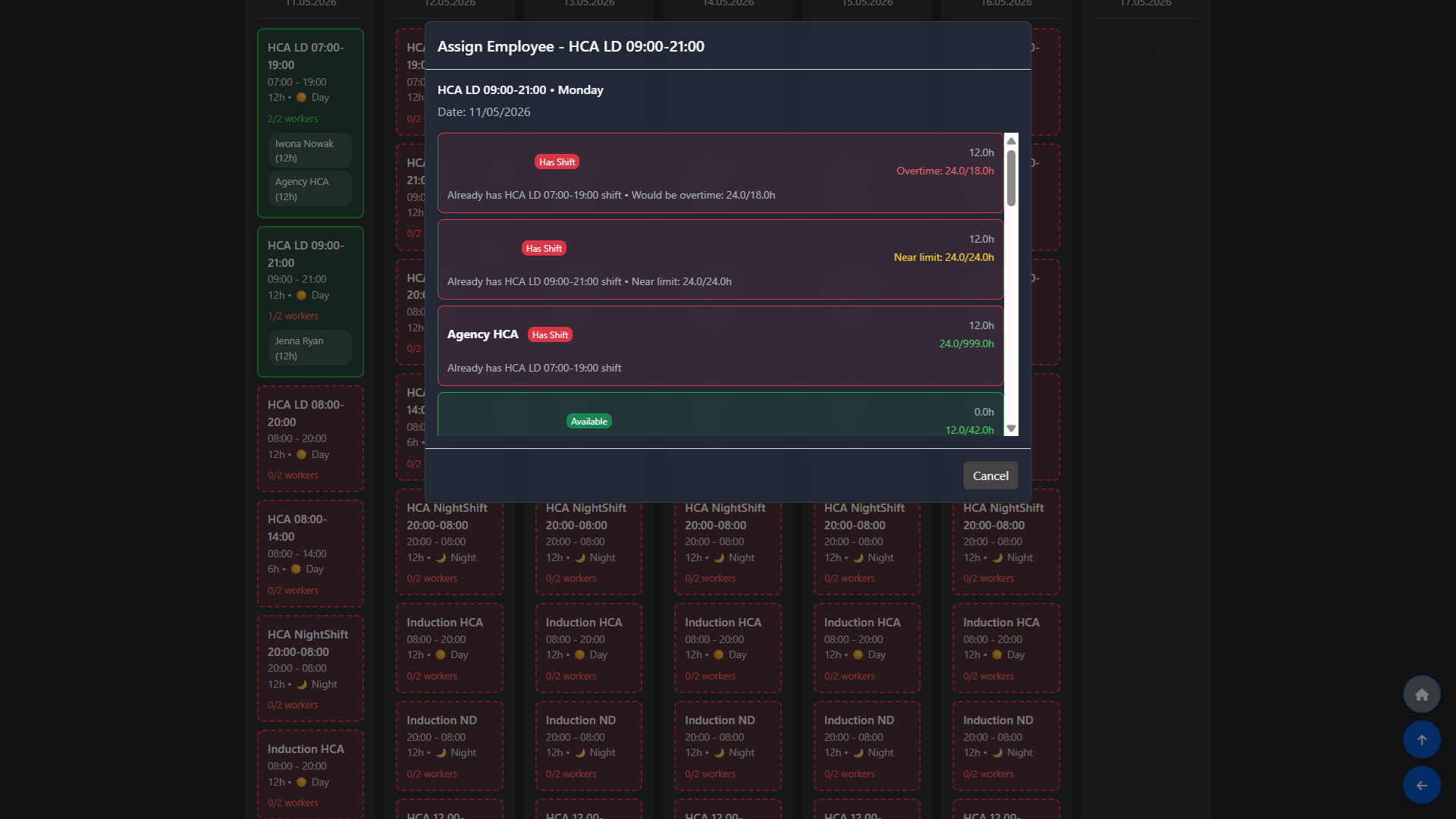
Availability‑Aware Assignment

Click any shift card to open a list of employees who are available, qualified for that role and within their rules for hours and patterns, so every assignment is compliant before you press “Assign”.

Availability‑Aware Assignment

Real‑Time Hours & Overtime Checks

As you assign shifts, each employee’s weekly hours update instantly with clear warnings when a new shift would push them into overtime or above their contracted hours, helping you prevent breaches before they happen.

Real‑Time Hours & Overtime Checks

Missing Coverage Detection

Instantly spot gaps in your rota with visual alerts for missing workers by shift type.

Missing Coverage Detection

Auto-Update from Requests

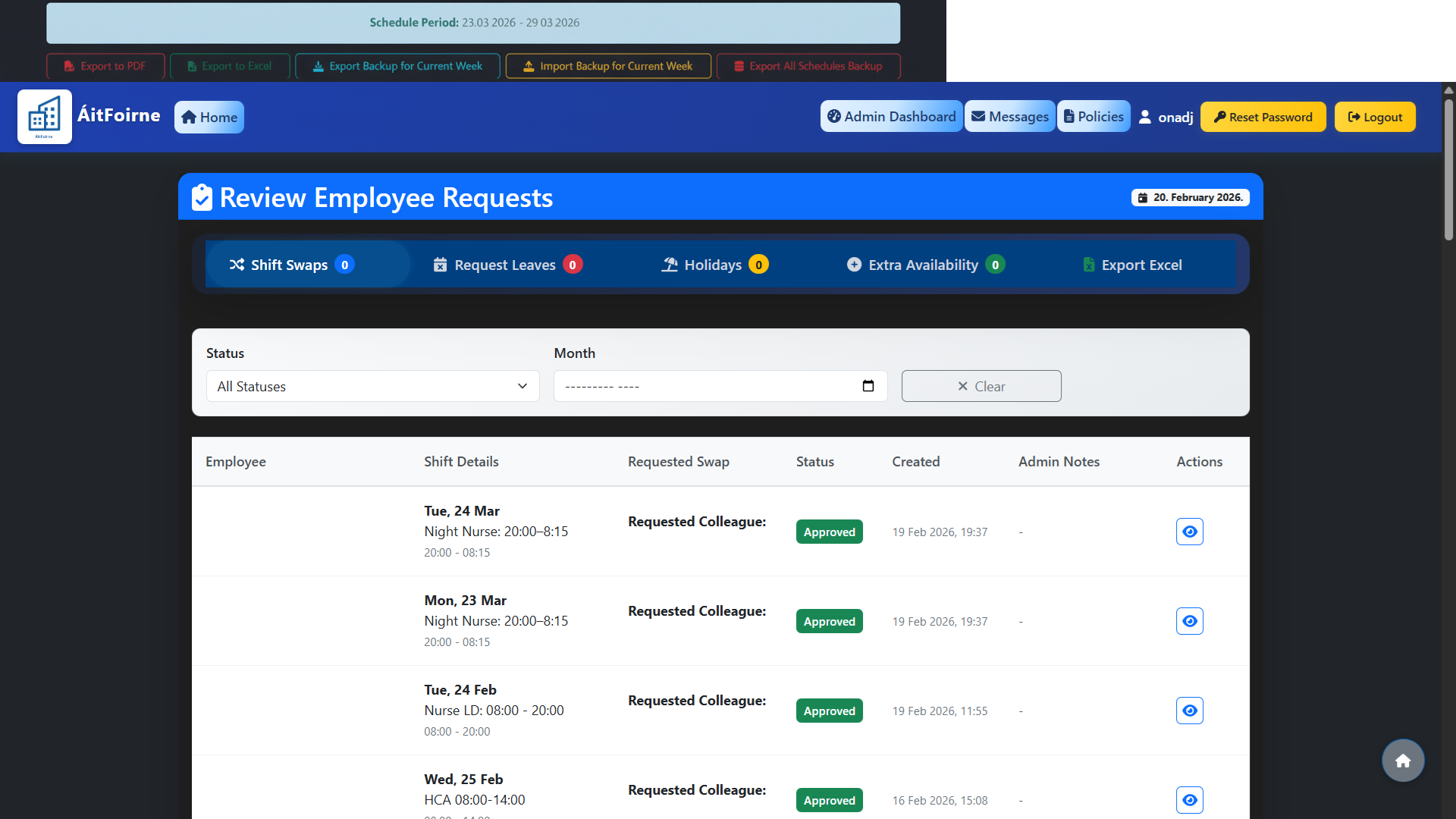
Approved leave and shift swaps automatically update the live schedule, keeping everyone in sync instantly.

Auto-Update from Requests

Holiday management

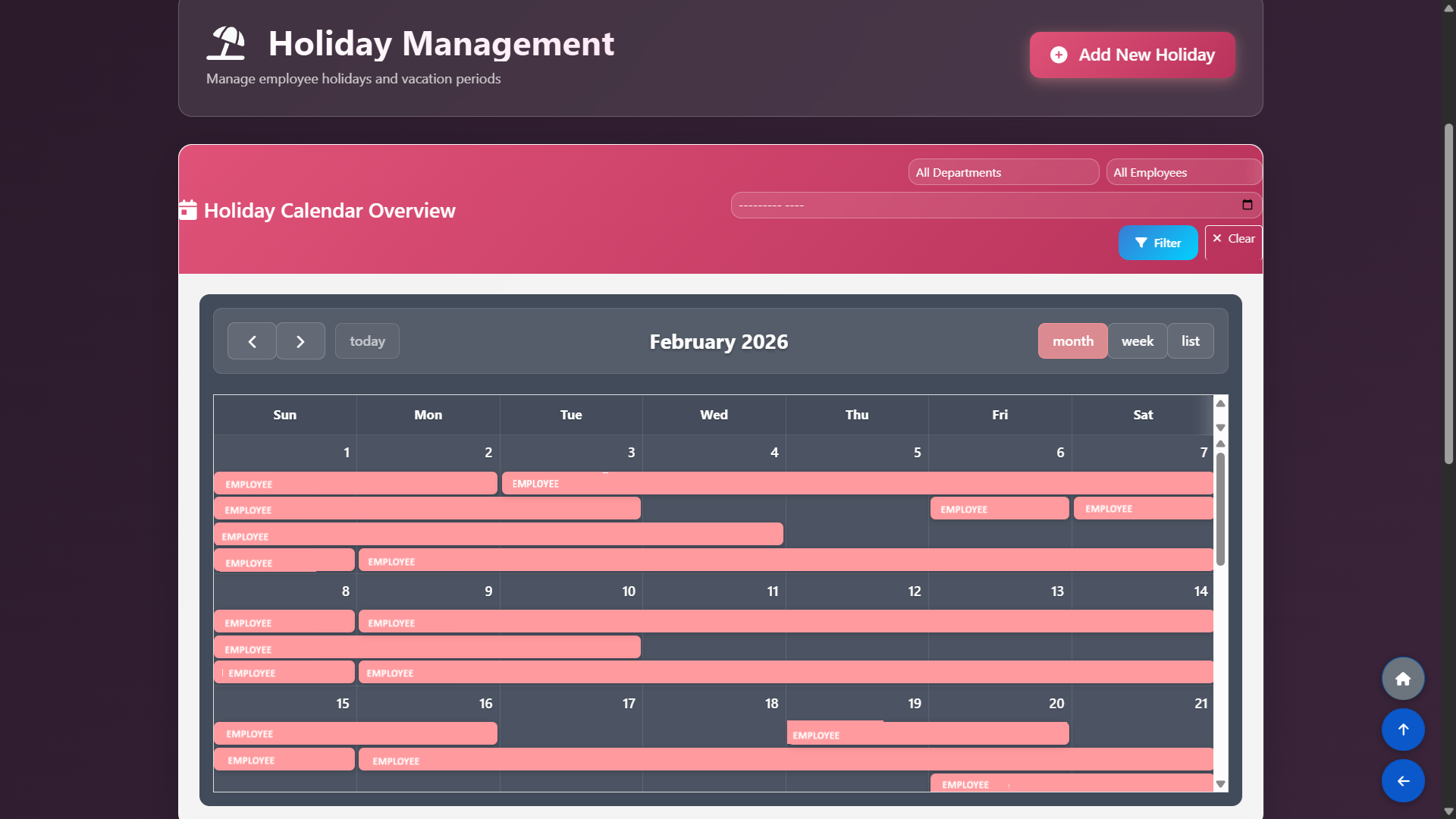
See all approved holidays directly in the rota so you never schedule someone who is off, and keep an instant overview of who is on holiday each day.

Holiday management

Holiday Capacity Management

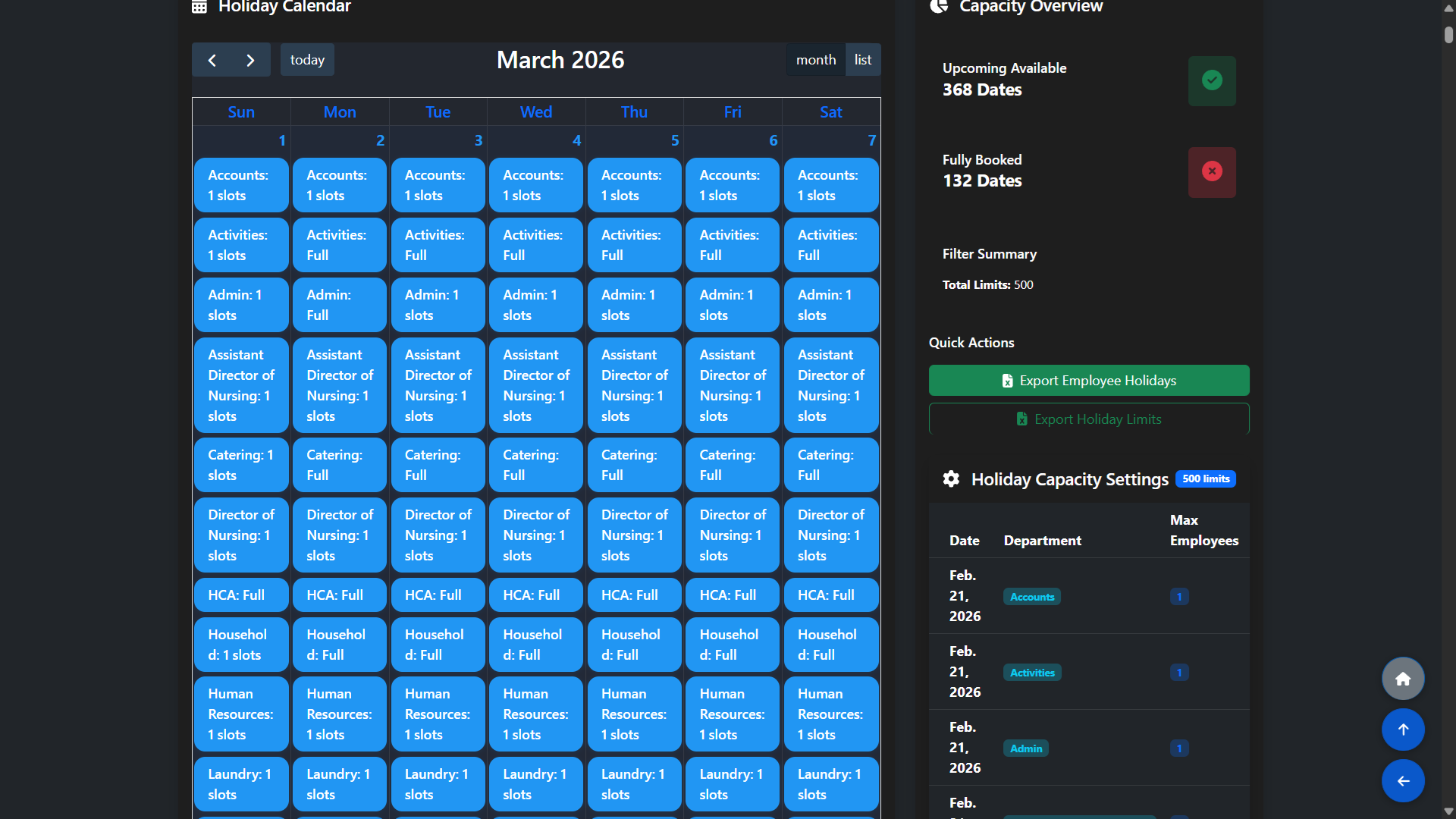
Define how many staff can be on leave per department and day; employees see clear feedback when a date is already full, so they cannot book holidays that would leave the home under‑staffed.

Holiday Capacity Management

HR Operations & Recruitment

Recruitment Pipeline

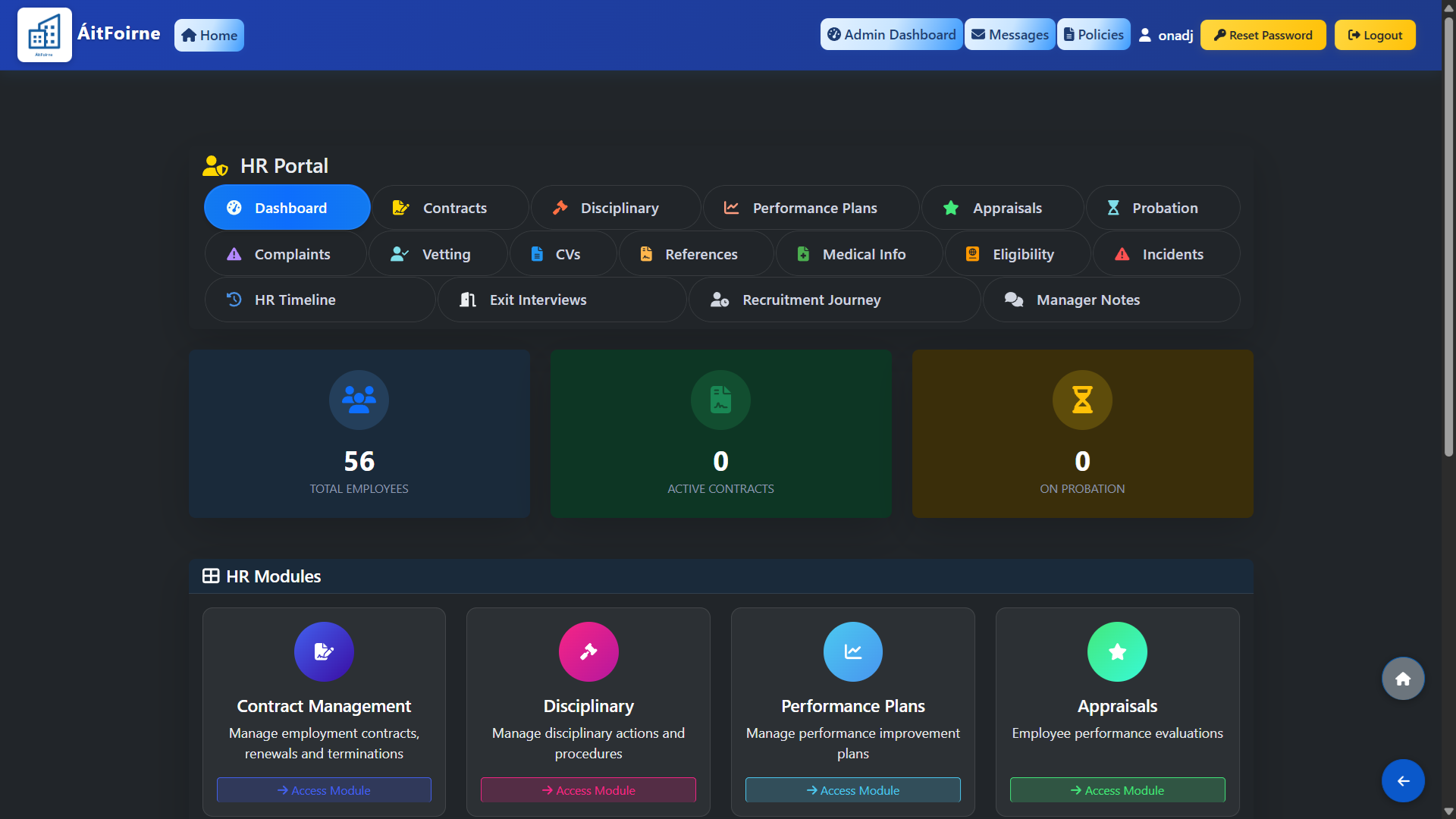
Manage the entire hiring process with built-in tools for candidate tracking, scored interviews, Garda vetting, and reference checks.

Recruitment Pipeline

Compliance & Safety

Policy Management

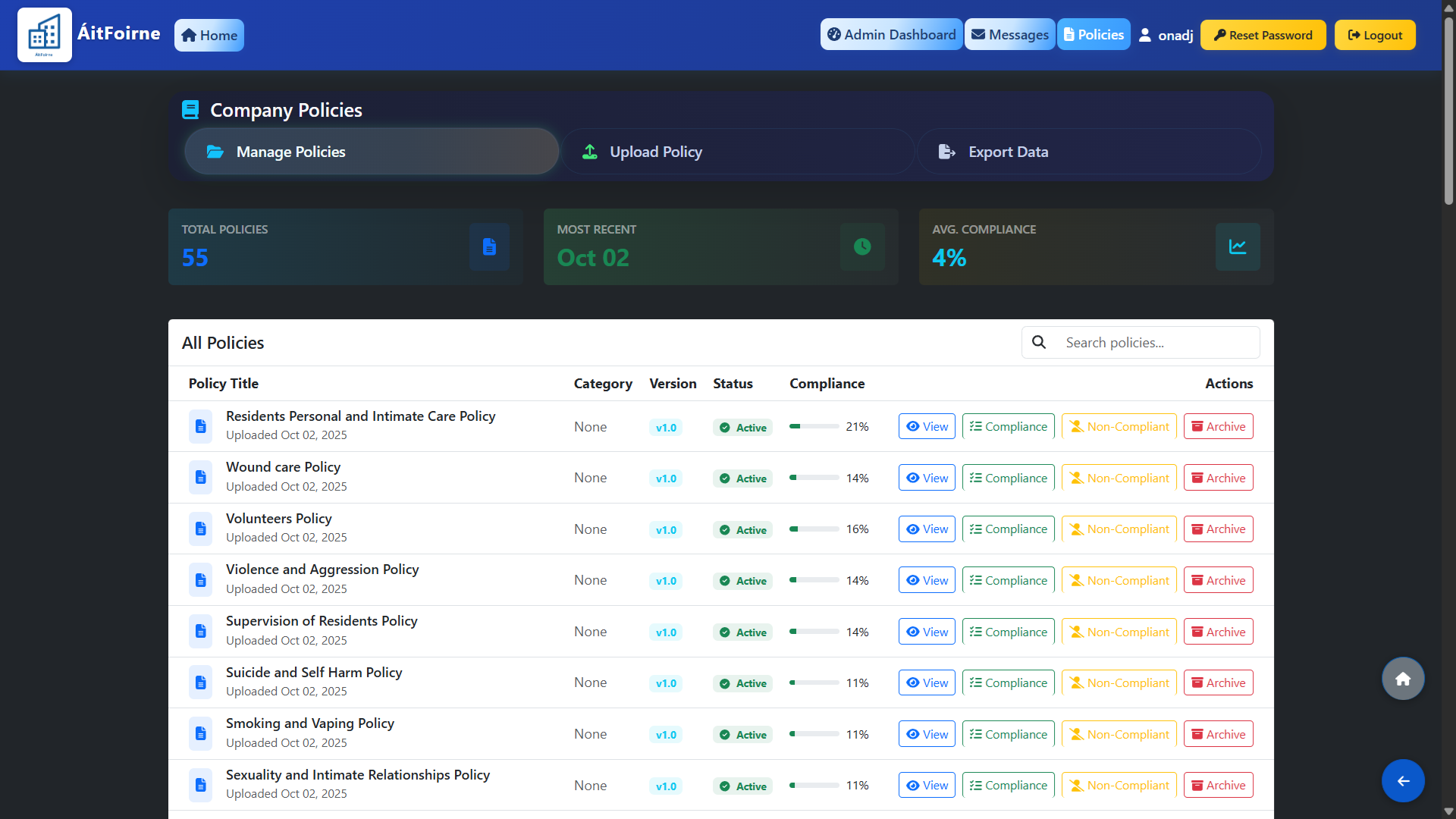
Digitally distribute policies and track acknowledgments. Includes basic policies ready to use out-of-the-box.

Policy Management

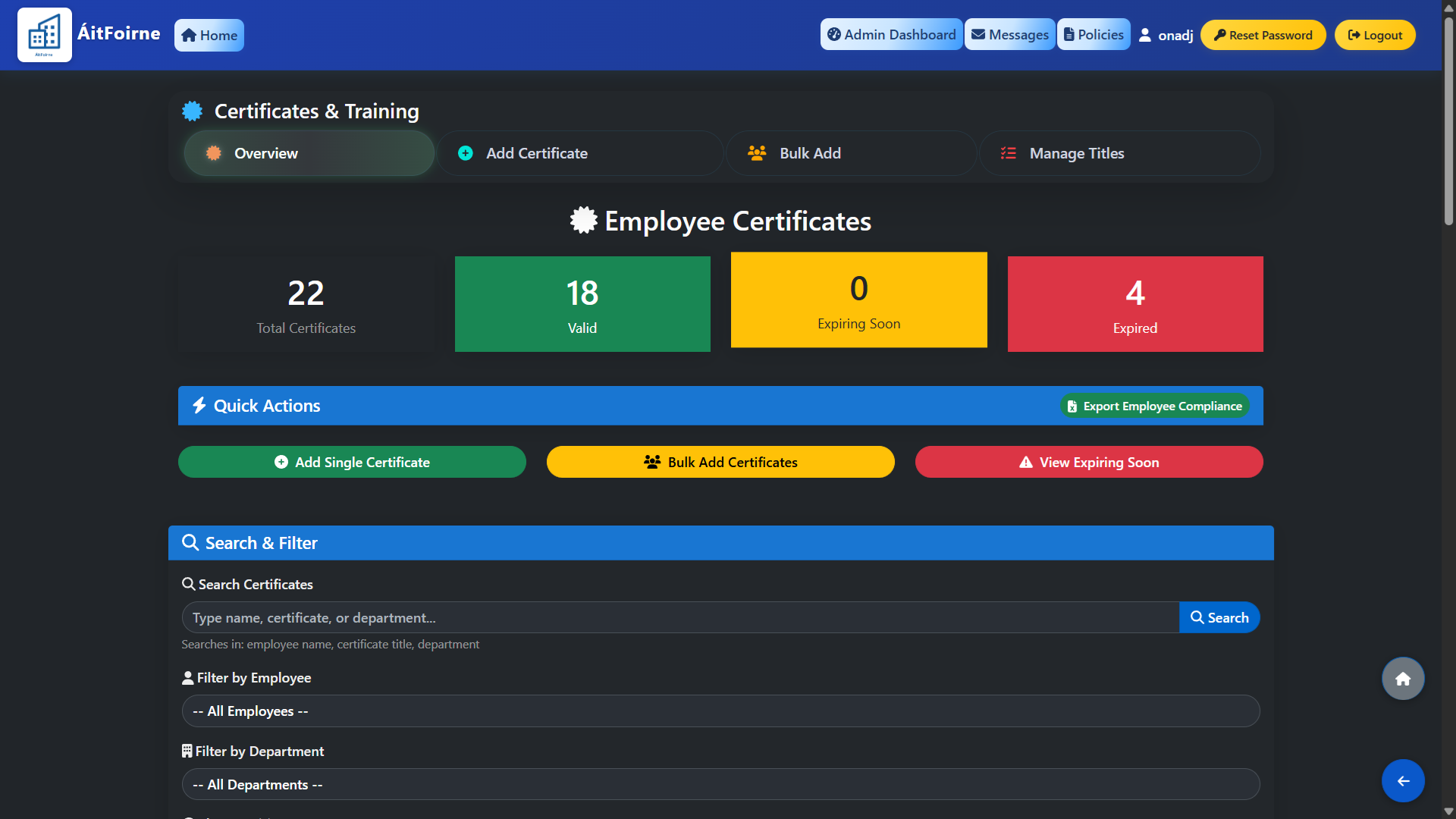
Certificates & Training

Monitor staff qualifications with automated alerts for expiring certificates like Manual Handling or Medication Training.

Certificates & Training

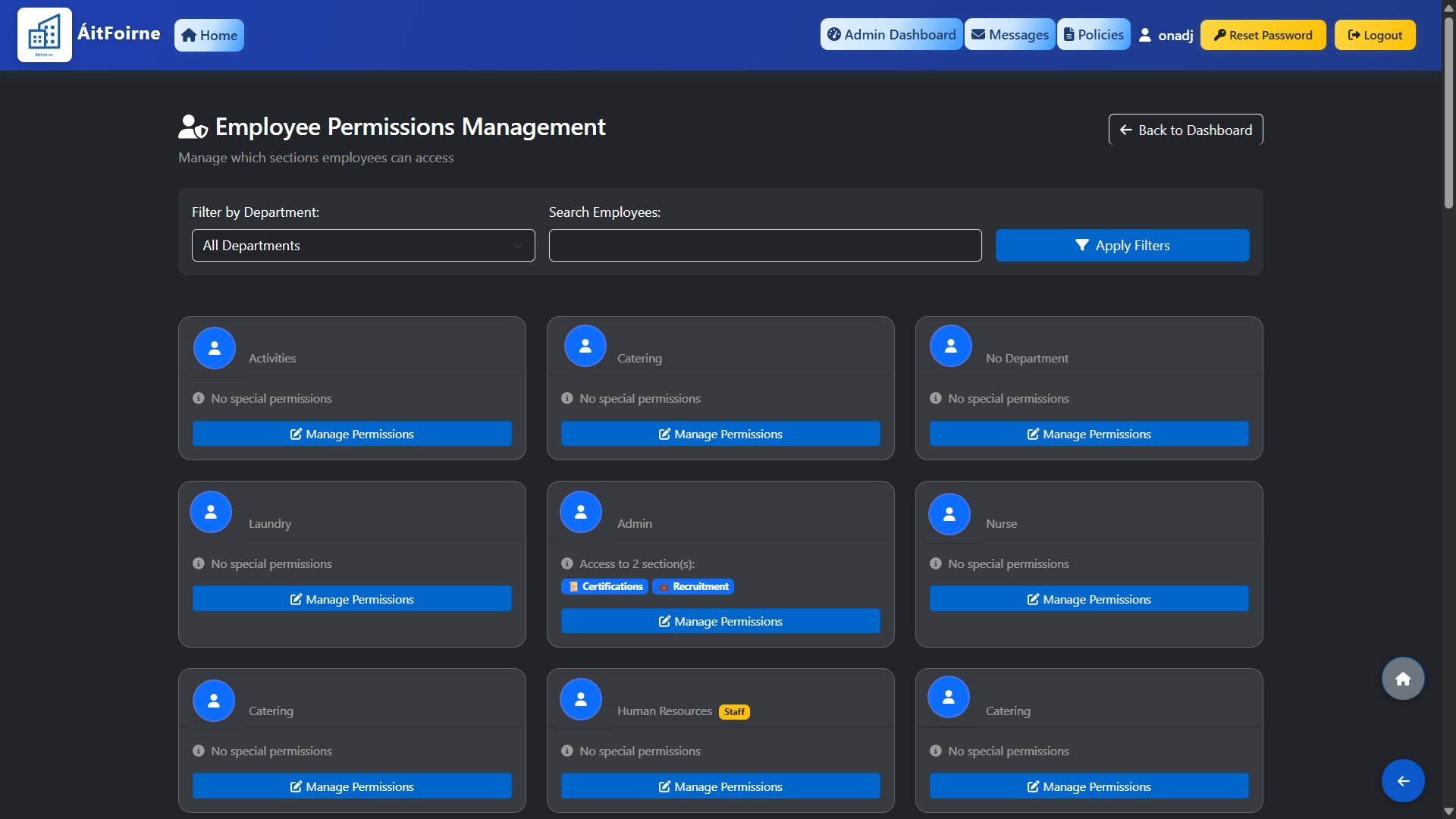
Role-Based Access Control

Granular permission settings ensure staff only access the data and tools relevant to their specific role.

Role-Based Access Control

Communication & Engagement

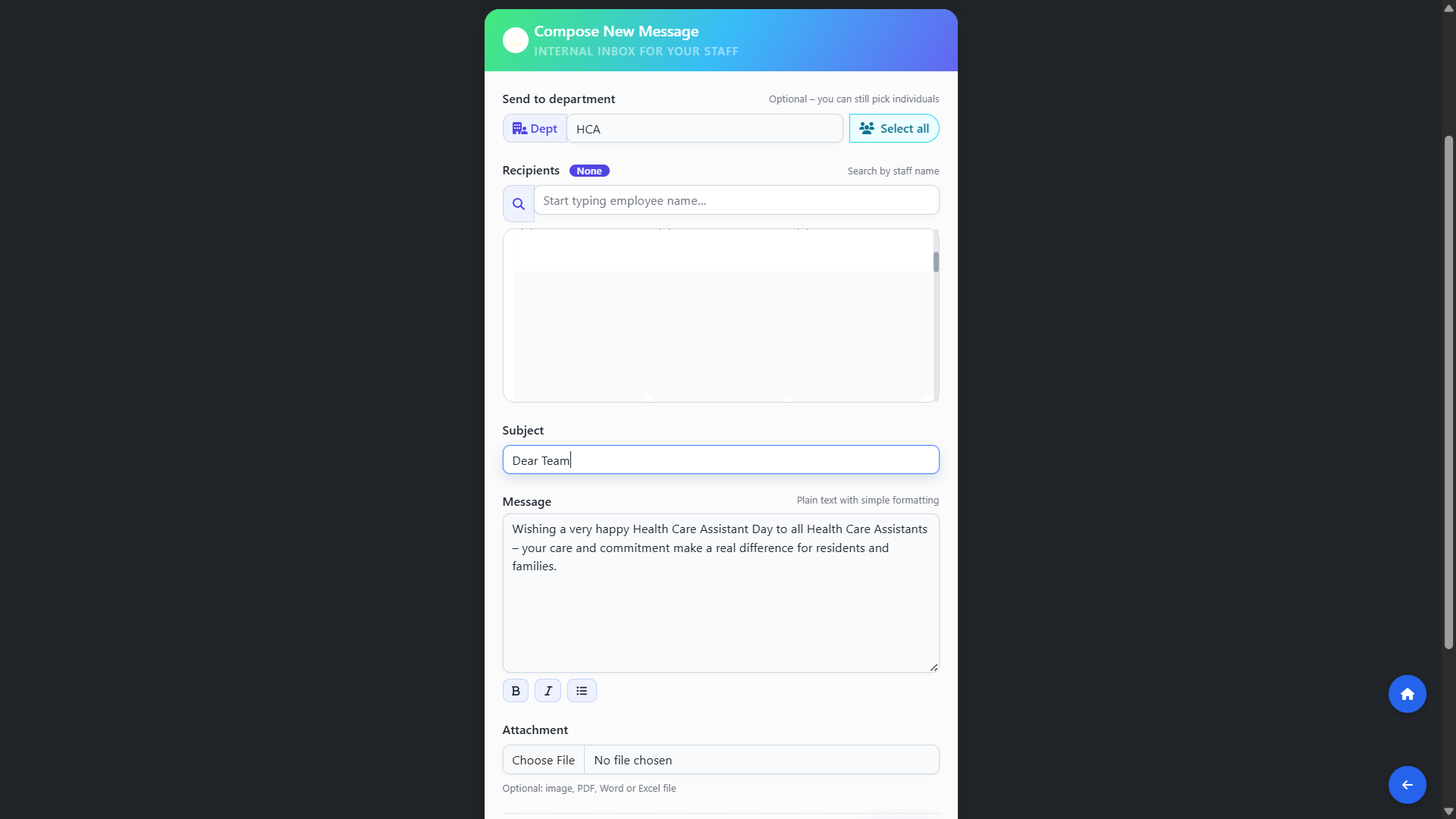
Message Center

Send individual, group, or department-wide messages with read receipt tracking.

Message Center

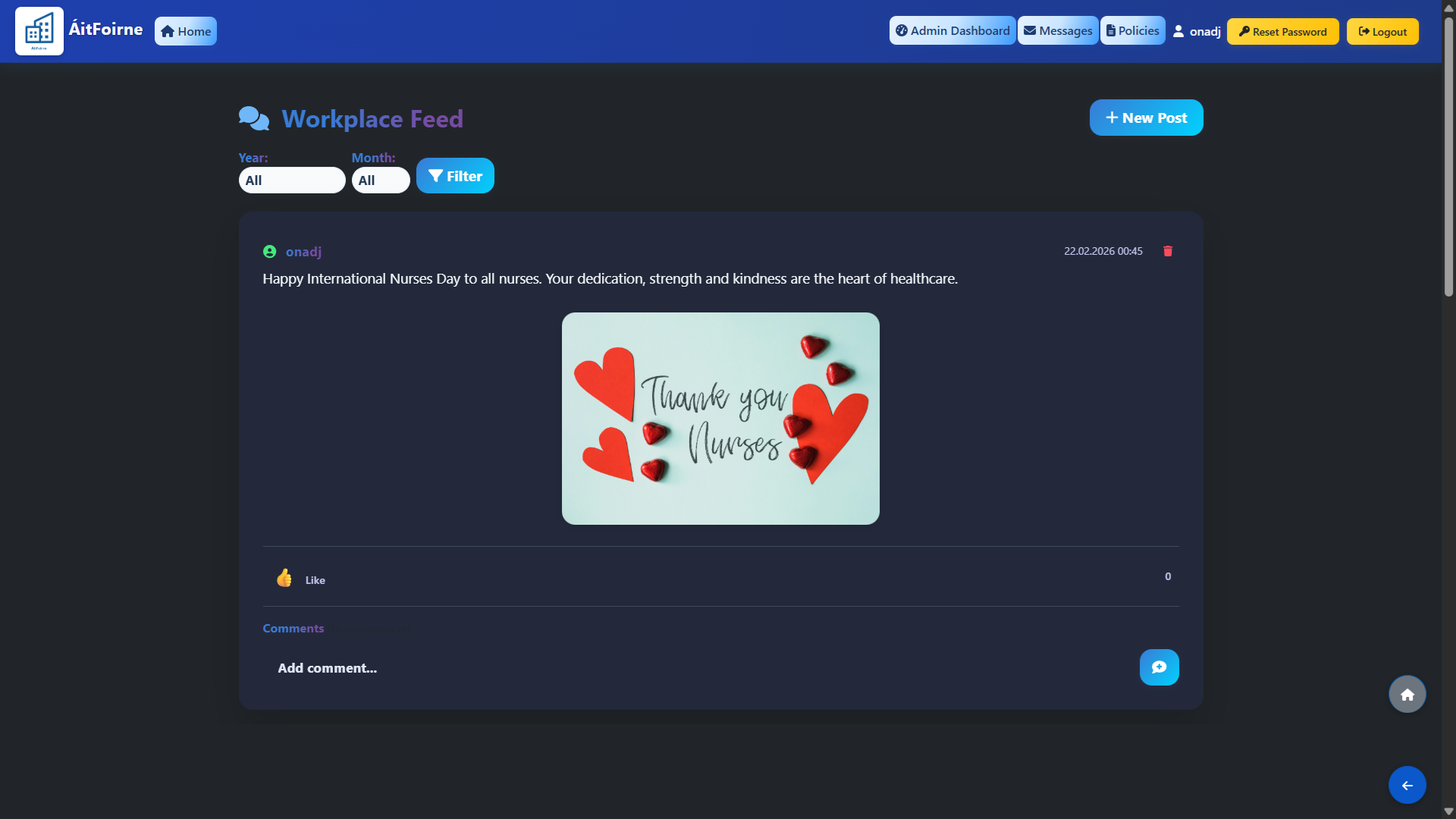
Social Wall

Boost morale with an internal social feed for team updates, photos, and recognition.

Social Wall

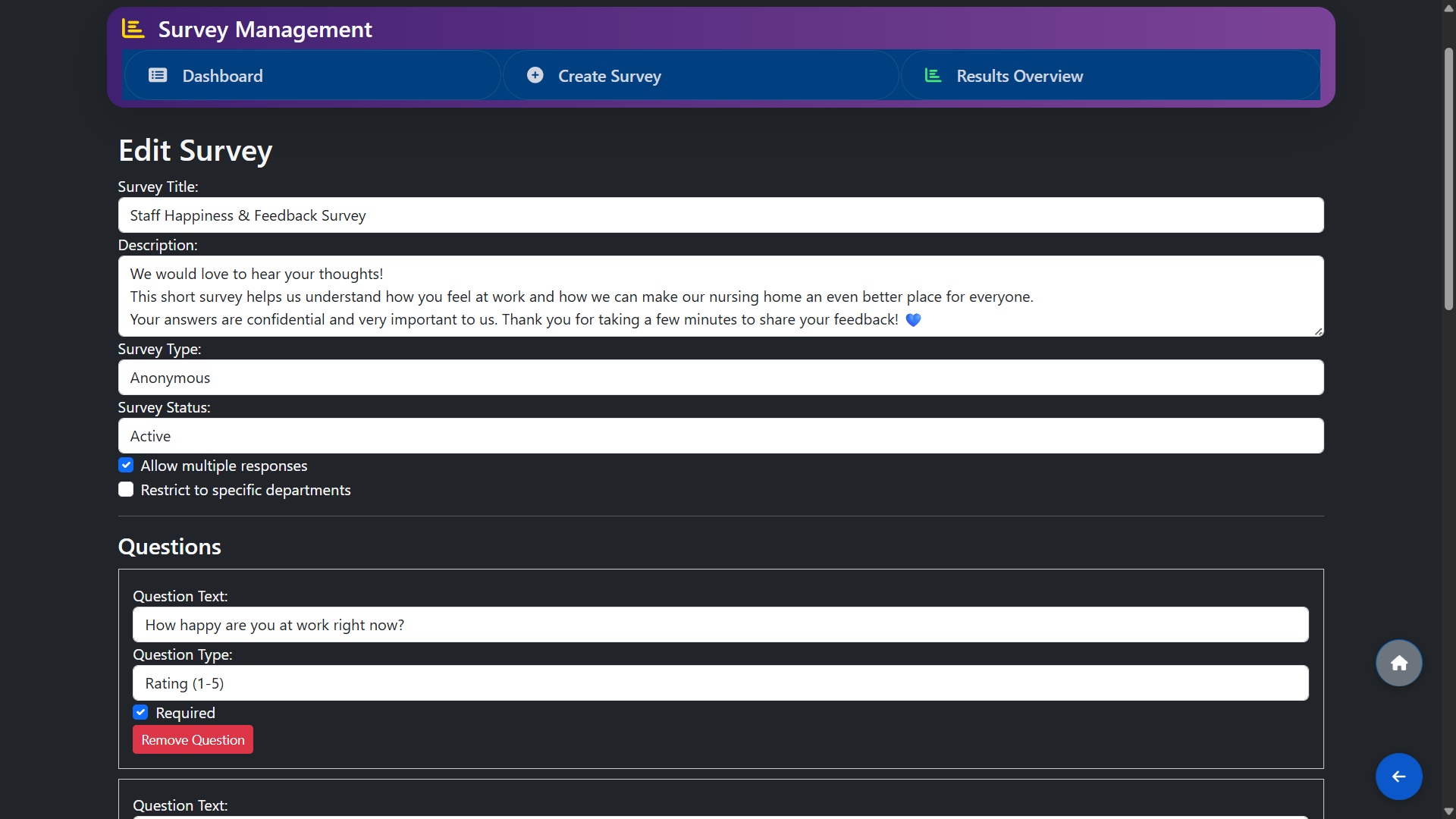
Anonymous Pulse Surveys

Gather honest feedback from your team with anonymous voting and result analytics.

Anonymous Pulse Surveys

Time & Attendance

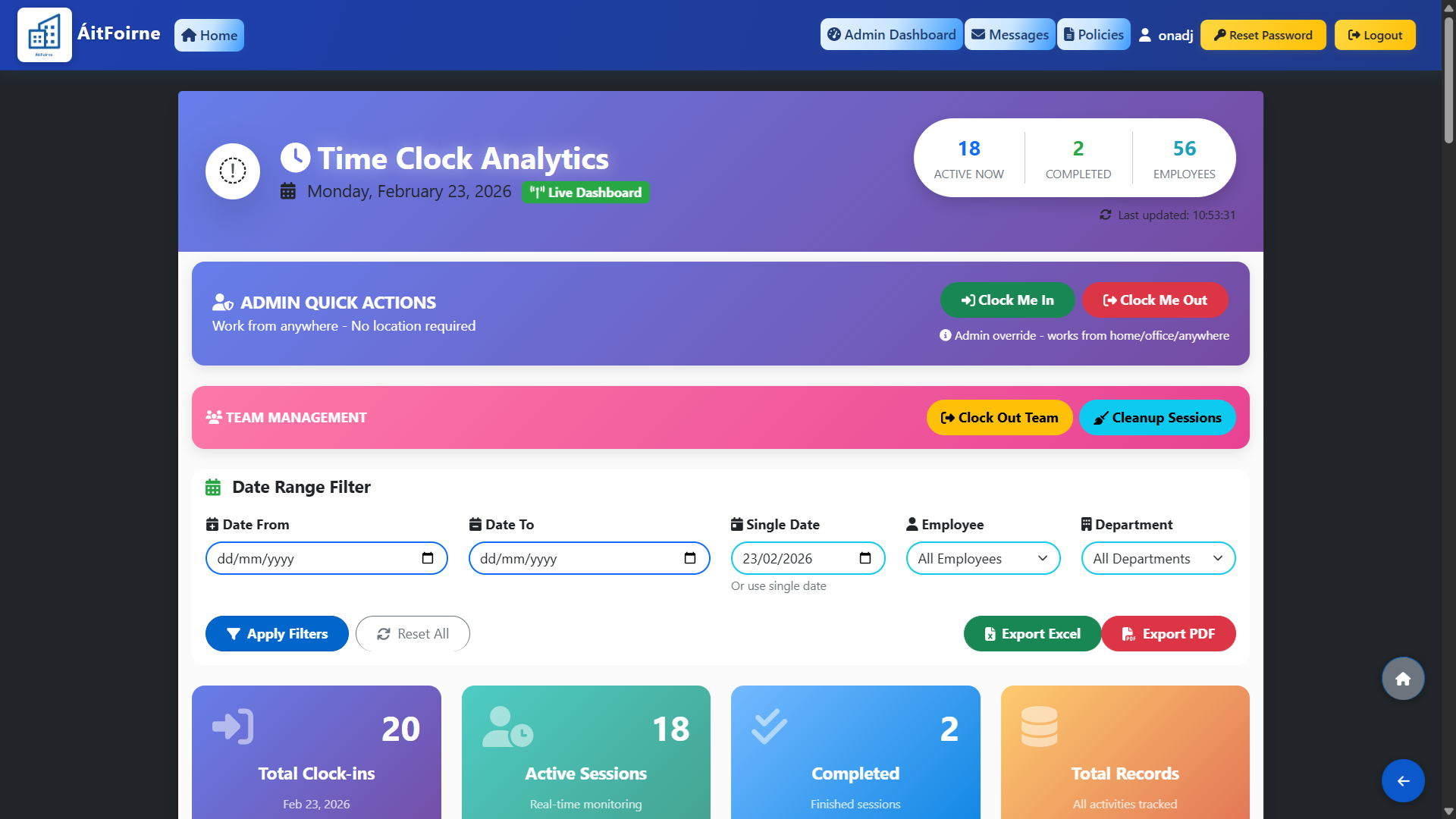
Live Time Clock Dashboard

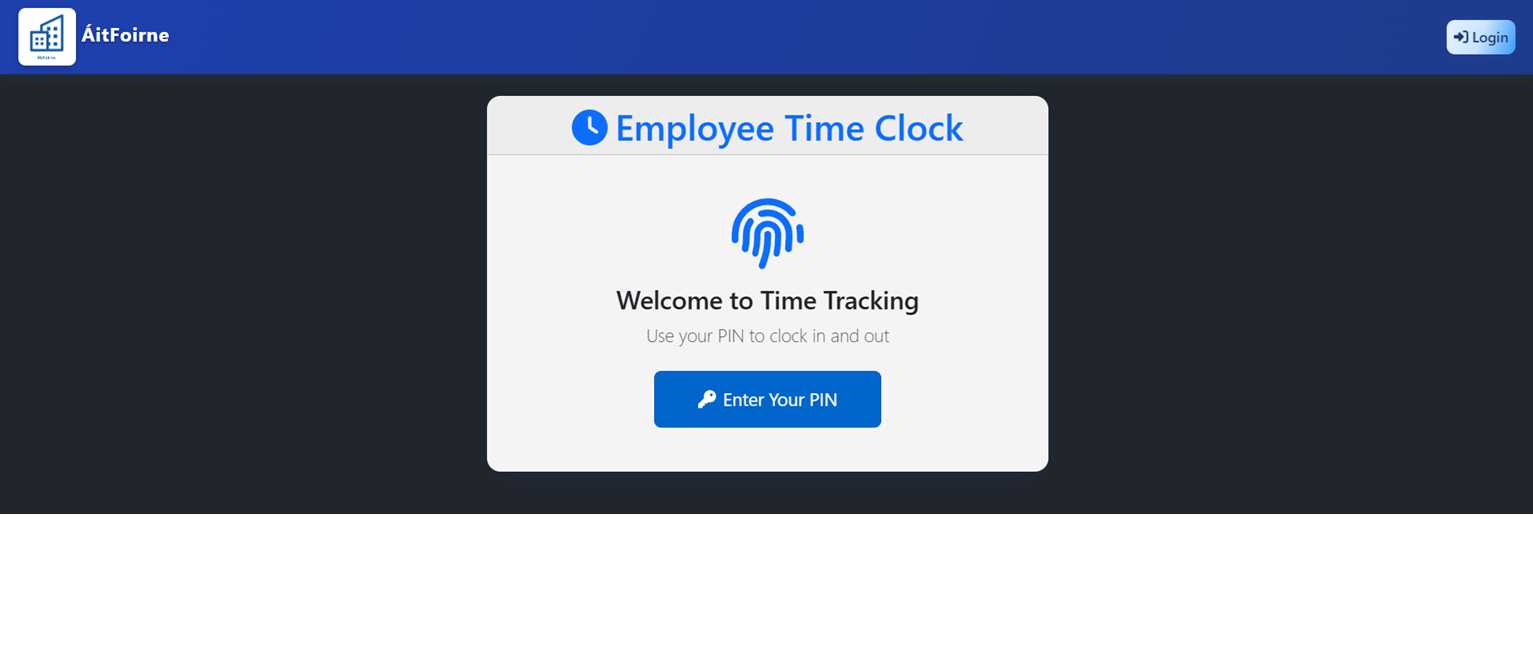
Monitor clock‑ins, active sessions, and completed shifts in real time, with a single dashboard that shows who is working now, how many records you have, and quick exports for any date range.

Live Time Clock Dashboard

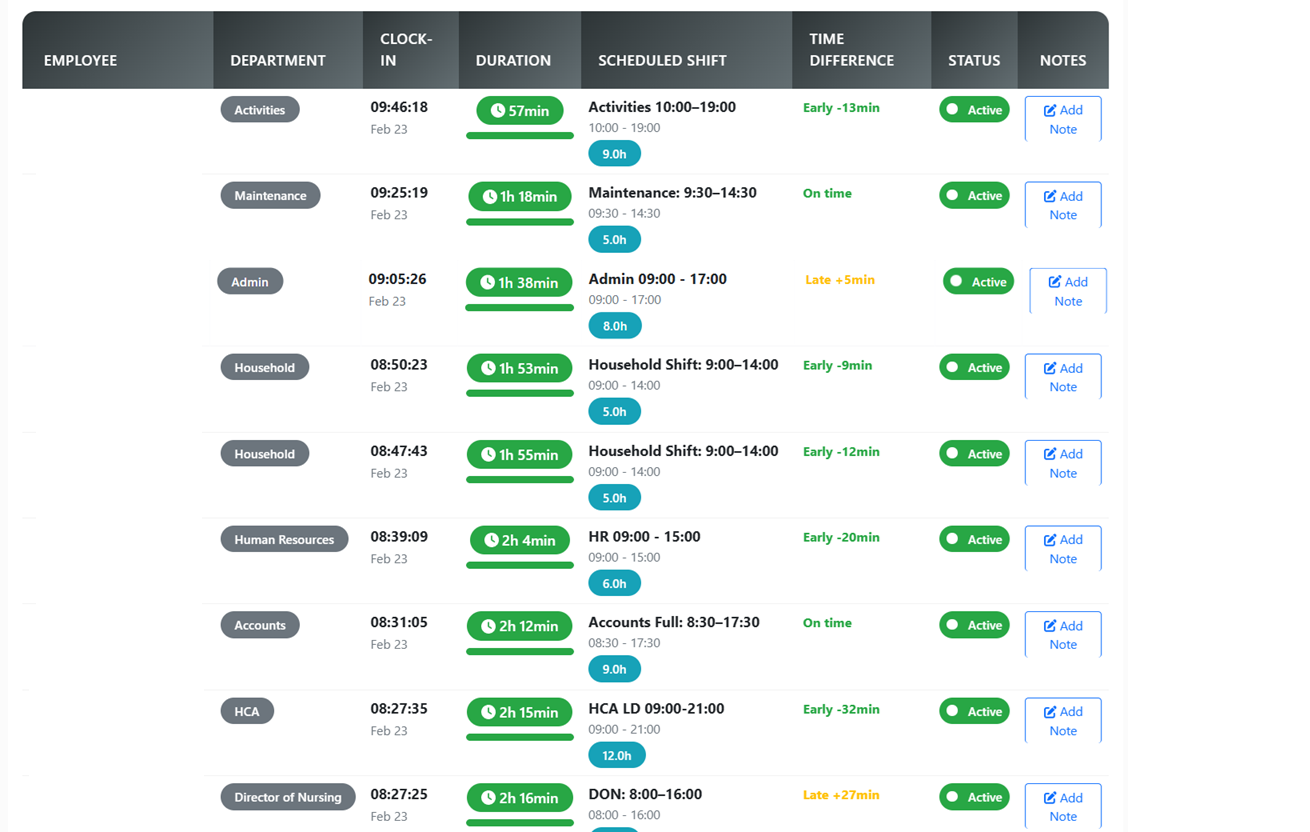
Real‑time Staff Presence

See at a glance who is currently on duty, who has just finished, and who is due in next, with live updates from the time clock instead of chasing paper sign‑in sheets.

Real‑time Staff Presence

Geo-Fenced Clock In

Ensure staff are physically on-site before they can sign in, using secure GPS geolocation.

Geo-Fenced Clock In

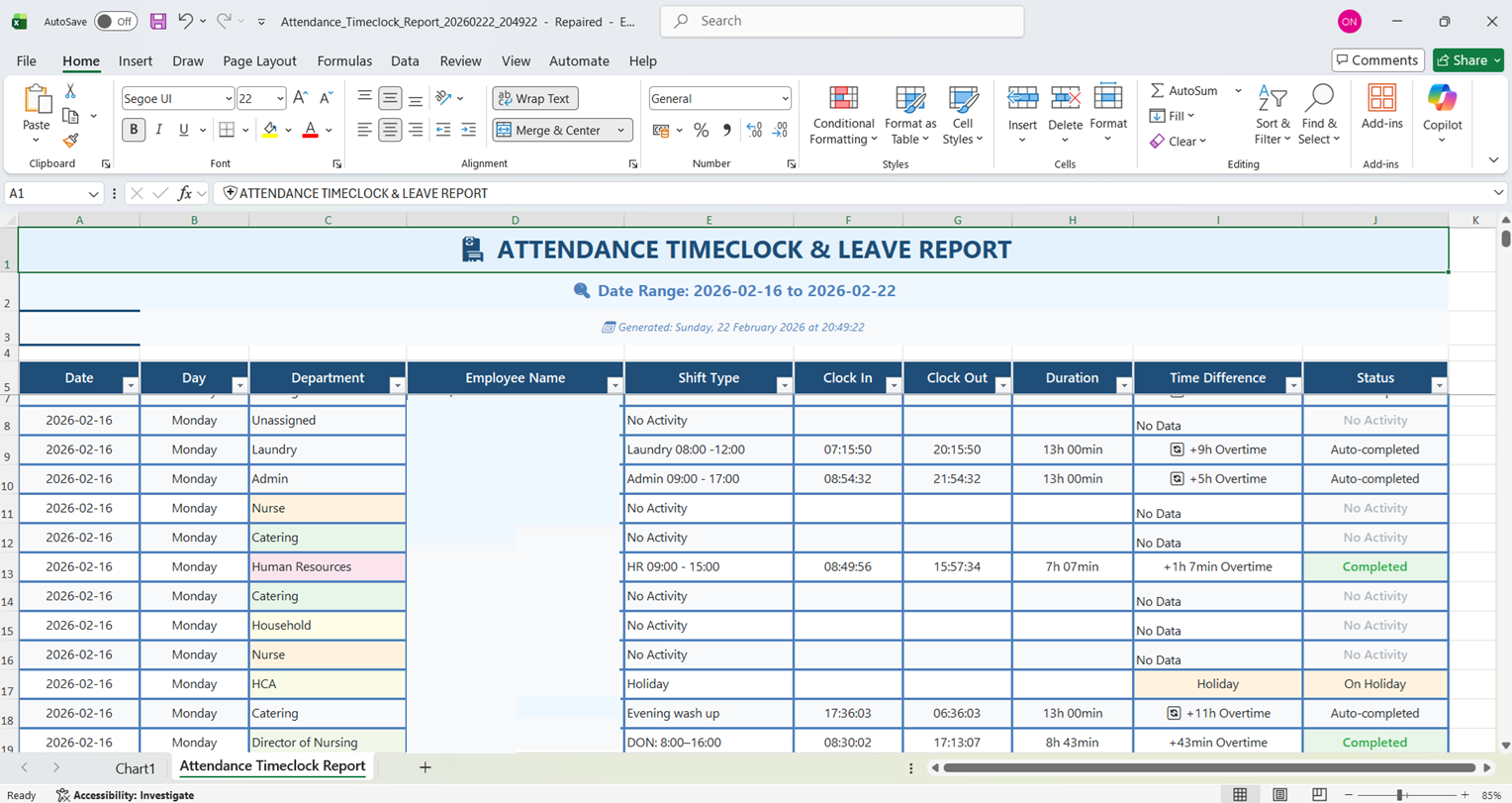
Schedule vs Actual Export

Generate detailed reports comparing scheduled hours against actual clocked time to instantly identify overtime.

Schedule vs Actual Export

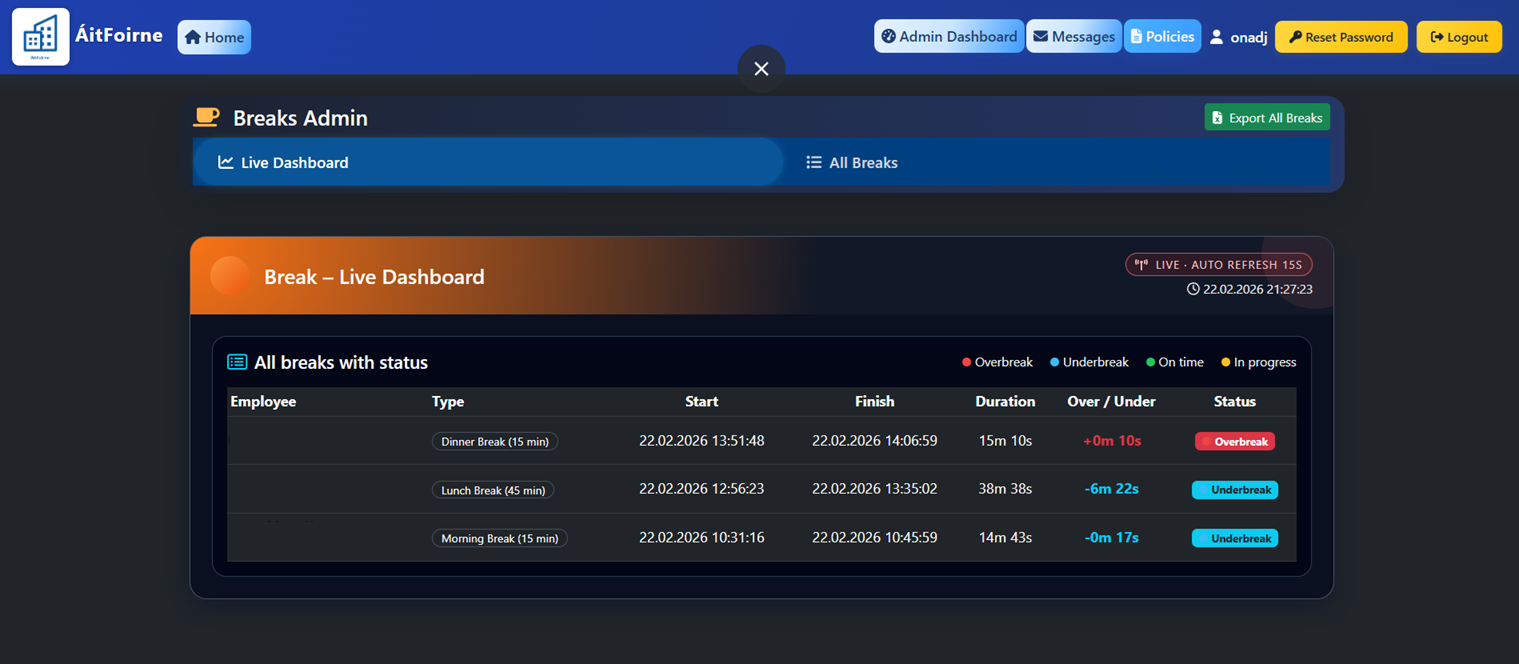
Live Break Tracker

Staff manage breaks directly in-app, with real-time monitoring for managers to prevent compliance breaches.

Live Break Tracker

Auditing & Quality

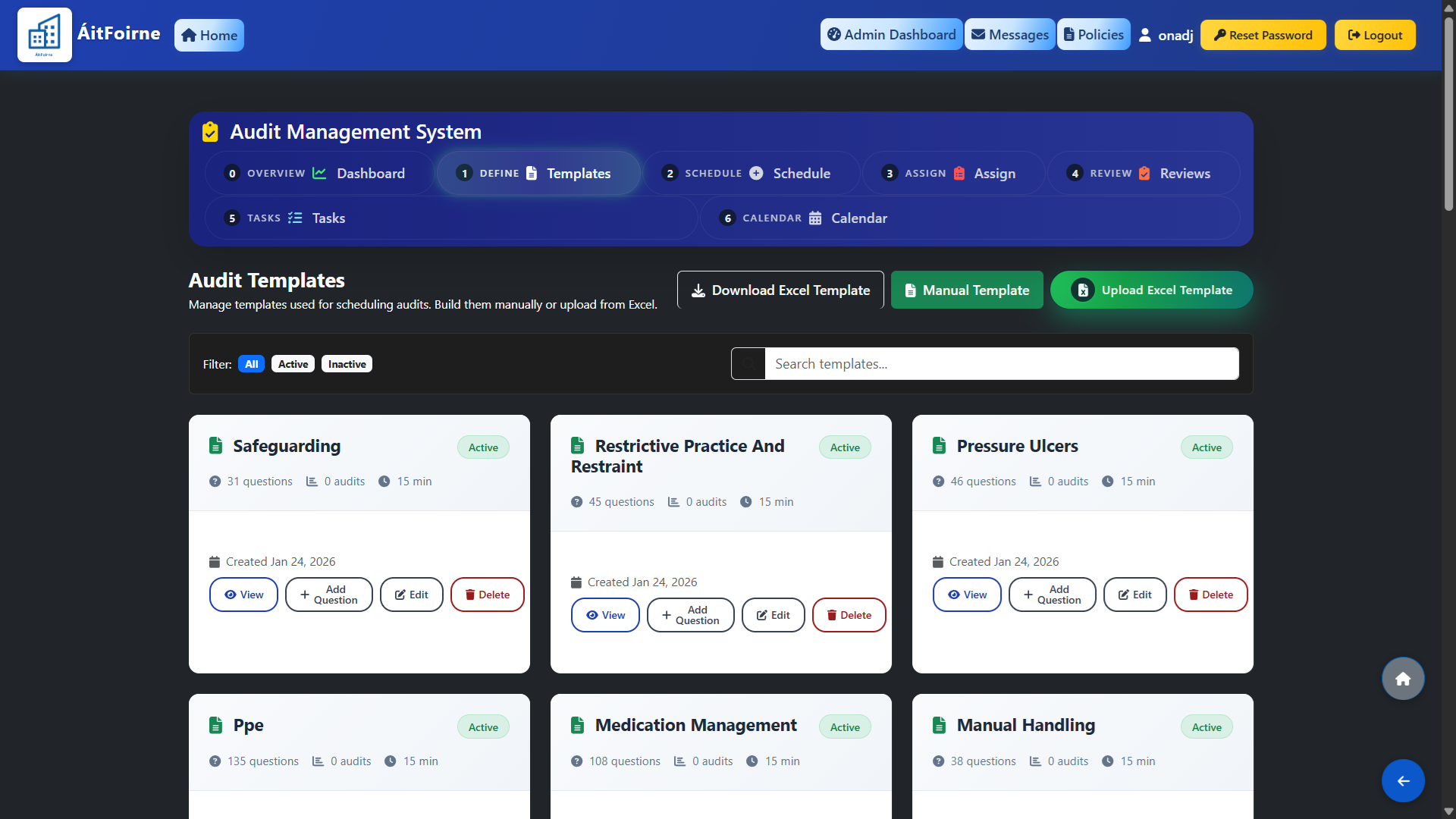
Dynamic Audit Builder

Create custom audit templates or use our integrated basic audit templates to start immediately.

Dynamic Audit Builder

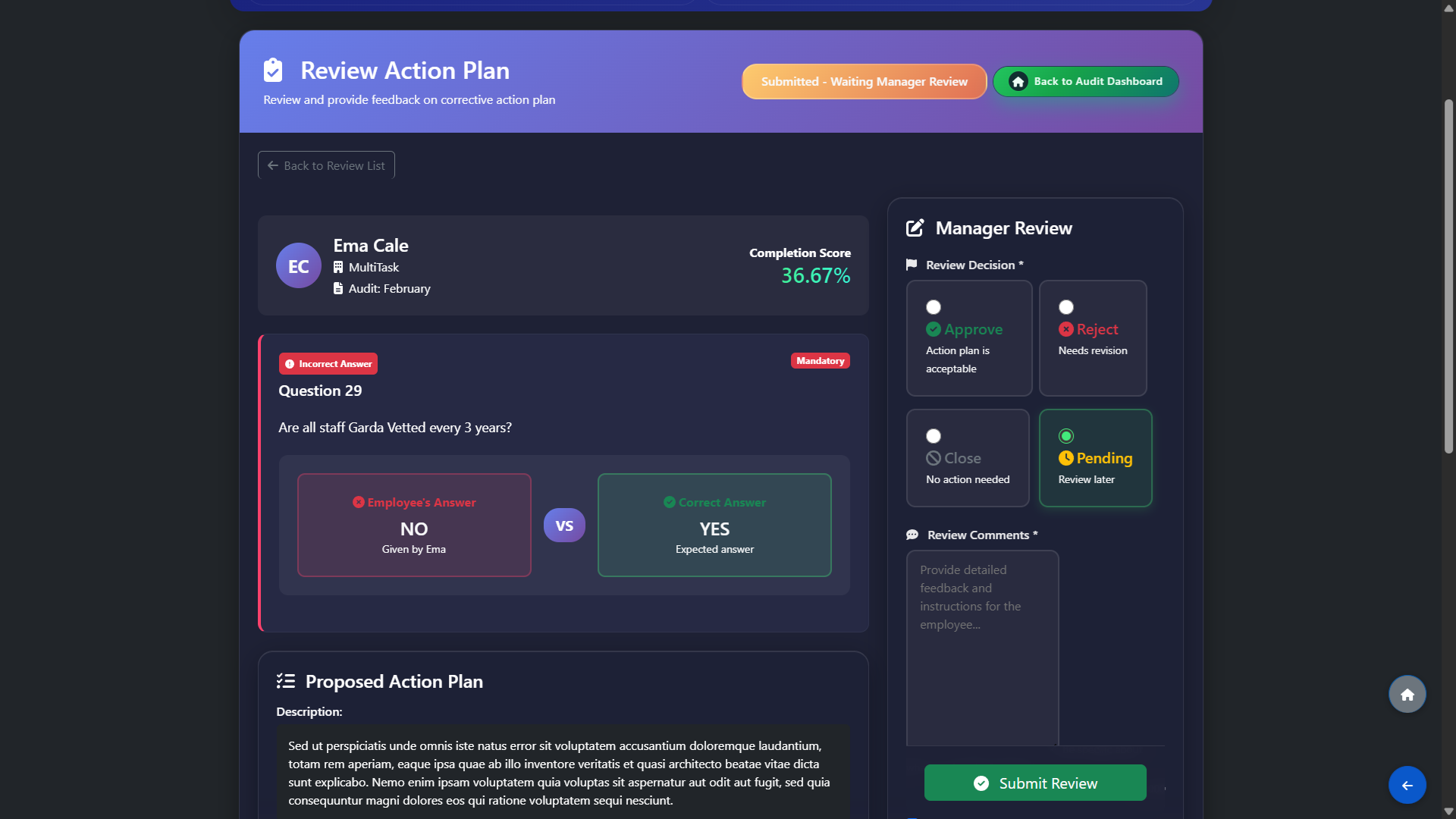
Review Action Plans

Managers can open each audit’s action plans in one place to see what was agreed, who is responsible and the target dates, with clear status updates so it is easy to track what has been completed and what still needs follow‑up before the next inspection.
Review Action Plans

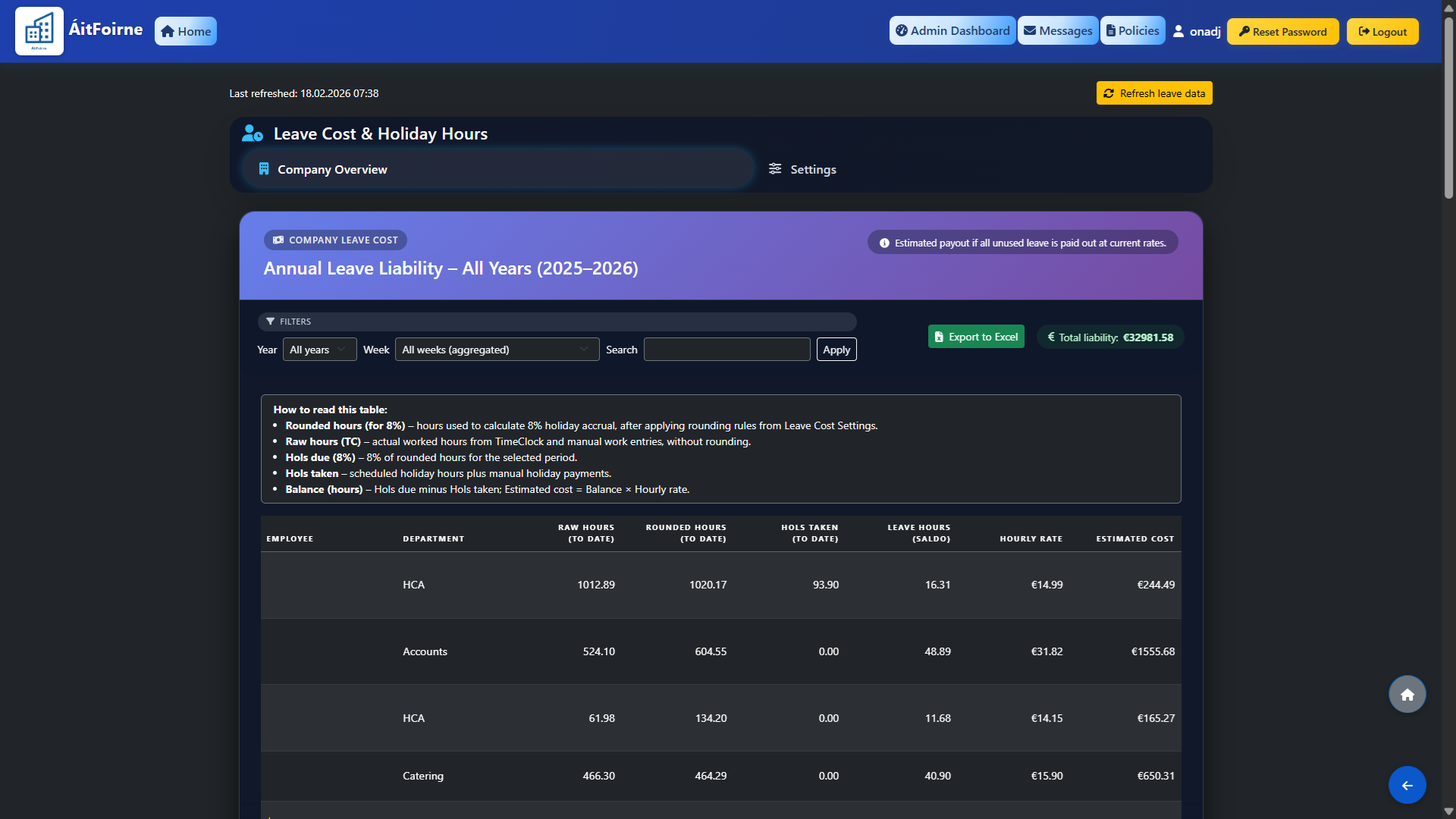
Annual Leave Cost Liability

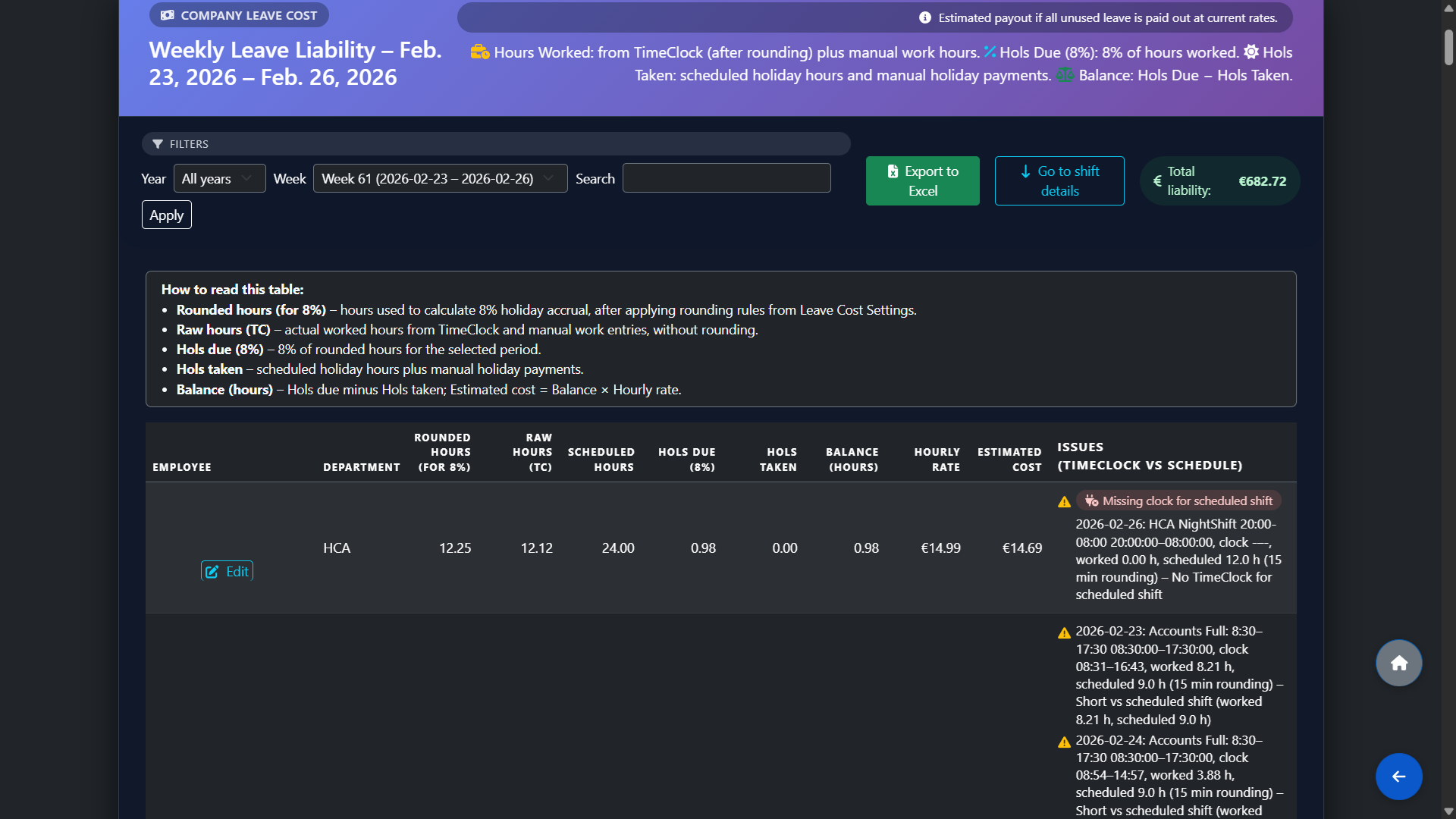
Annual Leave Cost Overview

Gain instant visibility into organization-wide leave liability and payout obligations.

Annual Leave Cost Overview

TimeClock vs Rota Issue Warnings

Yellow warning rows highlight weeks and shifts where TimeClock and schedule do not match (missing clocks, short shifts, unusual durations), with links to edit entries so managers can fix issues and instantly recalculate leave balances.

TimeClock vs Rota Issue Warnings

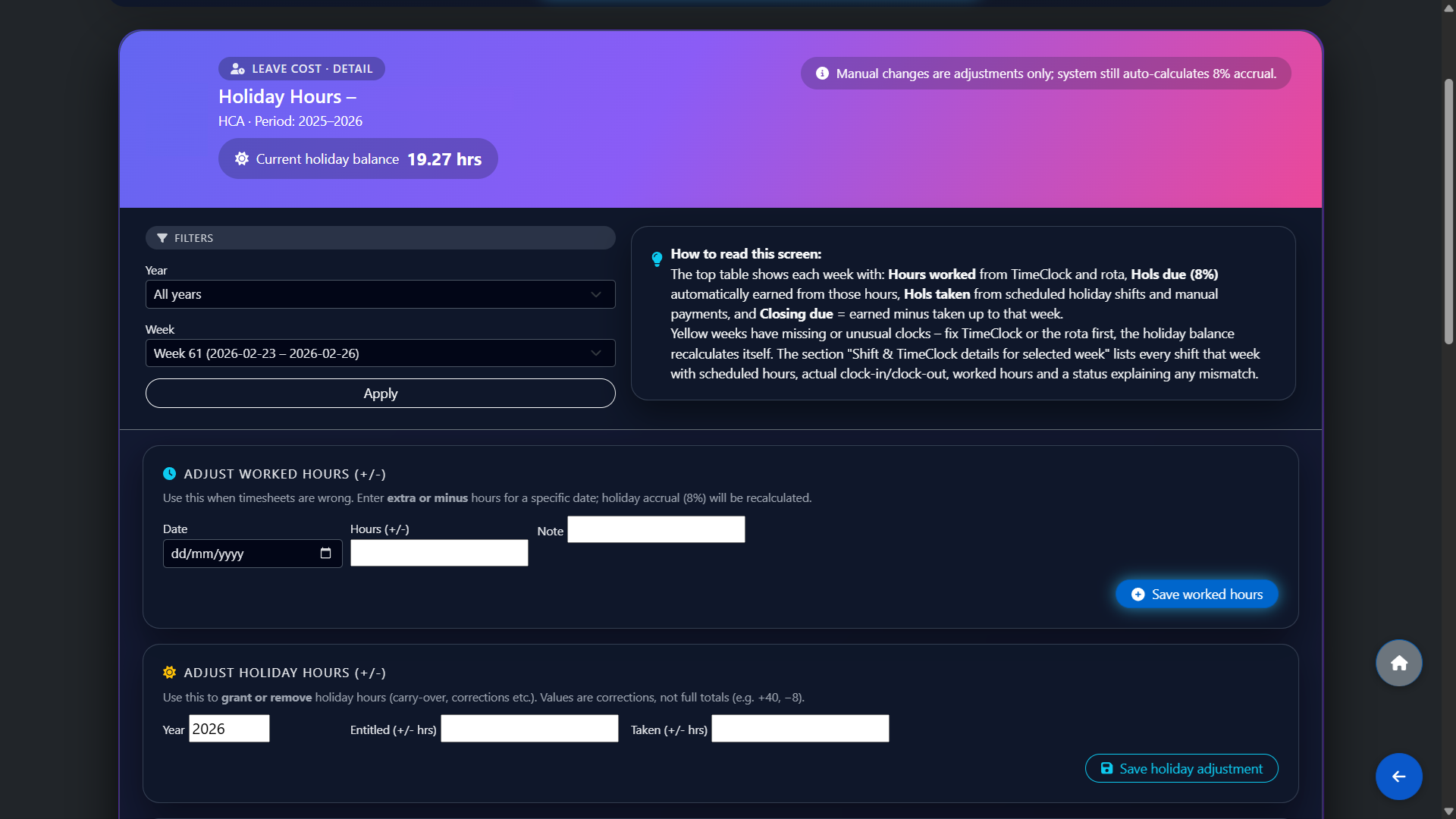
Employee Leave Cost Detail

For each employee you can drill into a detailed holiday screen by year and week, with running holiday balance, weekly earned vs taken hours, and a breakdown of every shift, manual work entry and holiday payment behind the totals.

Employee Leave Cost Detail

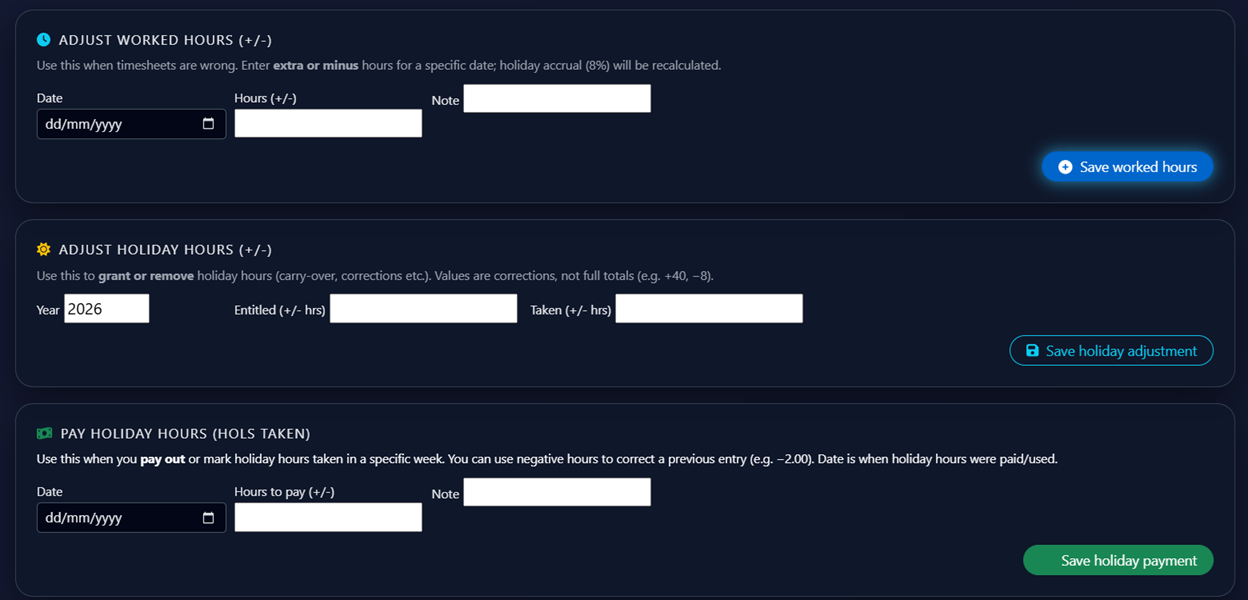
Manual Adjustments & Corrections

Managers can adjust worked hours, holiday entitlement and paid holiday hours using controlled plus/minus entries, so carry‑overs, corrections and payouts are recorded cleanly while the system still auto‑calculates the 8% accrual. Even if you switch to ÁitFoirne mid‑year, you can enter opening balances and historic hours so the system adapts immediately without restarting the leave year or losing existing entitlements.

Manual Adjustments & Corrections

WTE

WTE & Budgeting

Track your Whole Time Equivalent (WTE) metrics and monitor departmental budgets in real-time.

WTE & Budgeting

WTE Overview by Department

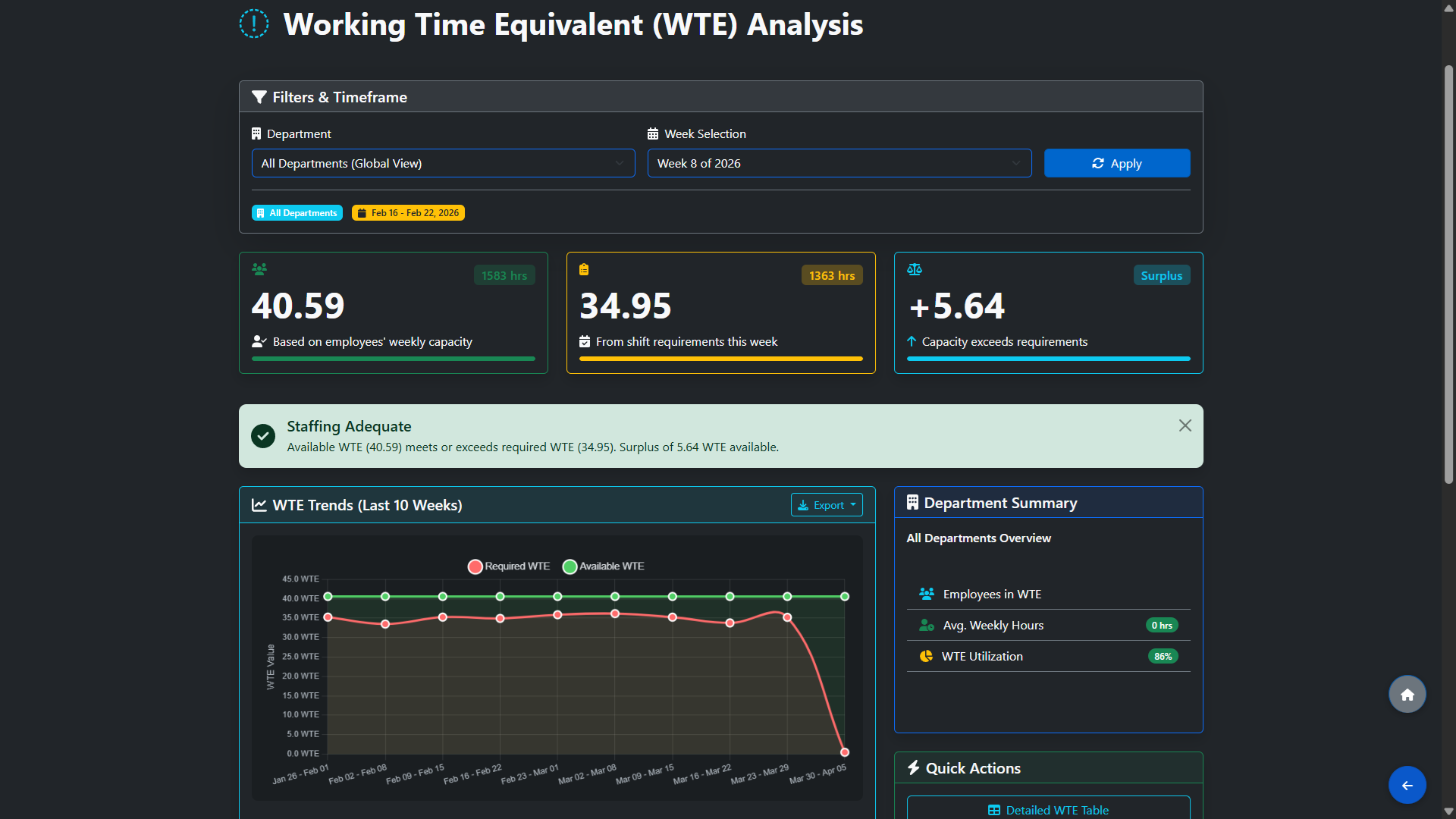
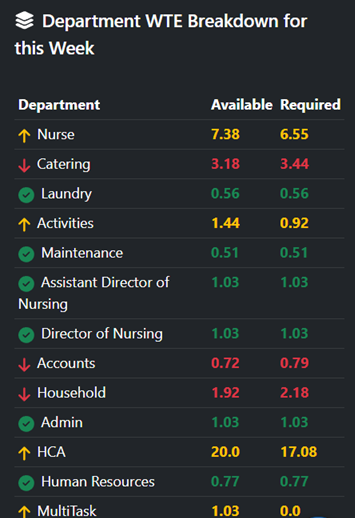
Instantly see Whole Time Equivalent (WTE) for every department on the main admin dashboard – where 1.0 WTE is a full‑time week (e.g. 38 hours) – with clear indicators where you are above or below target so you can rebalance hours before rotas are finalised.

WTE Overview by Department

Accounts & Payroll (Enterprise)

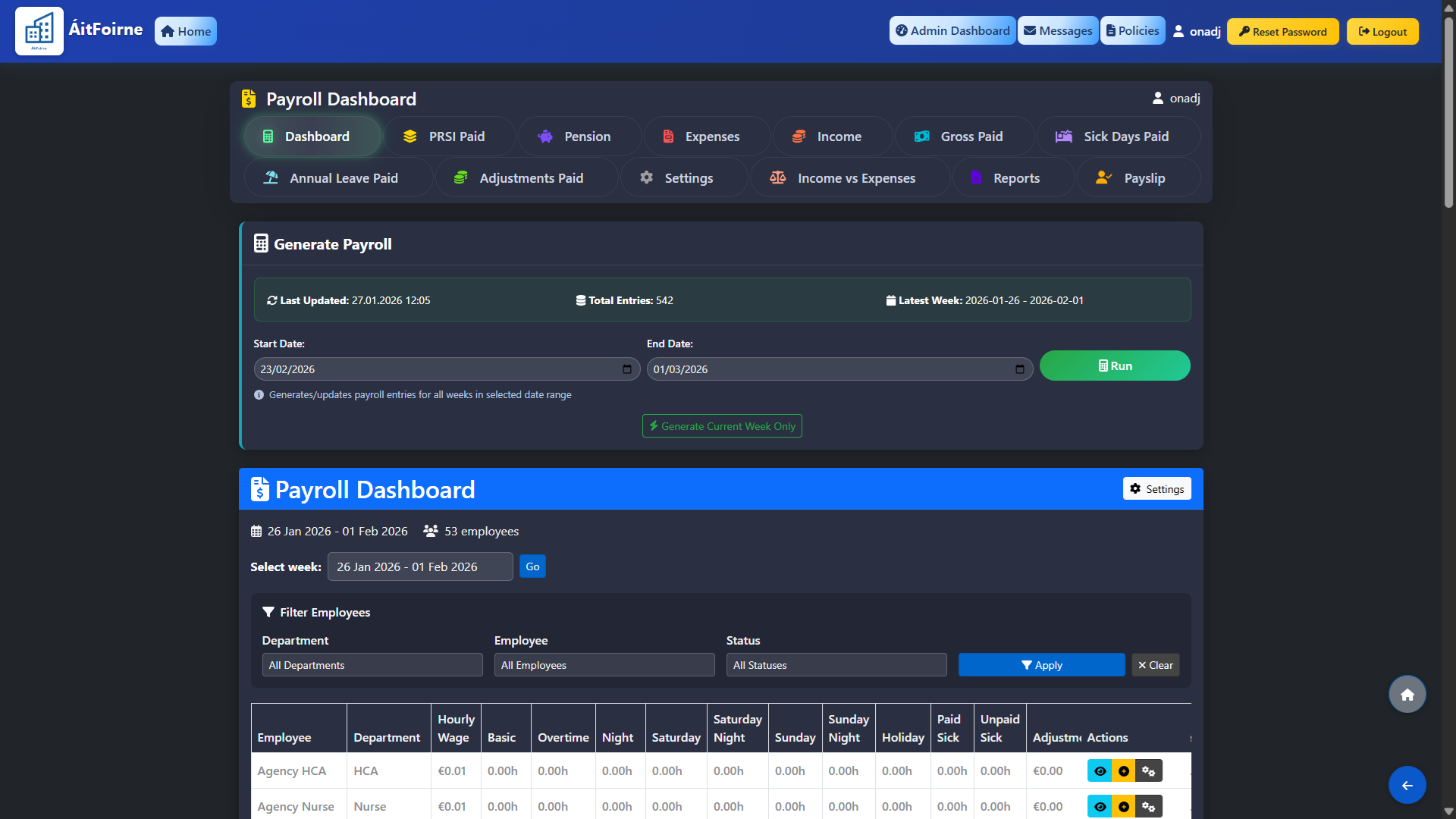
Payroll Dashboard

High‑level payroll dashboard for each pay period, showing employees, weeks included and the latest generated entries so finance teams always know what has been processed and what still needs review.

Payroll Dashboard

Expenses Workspace

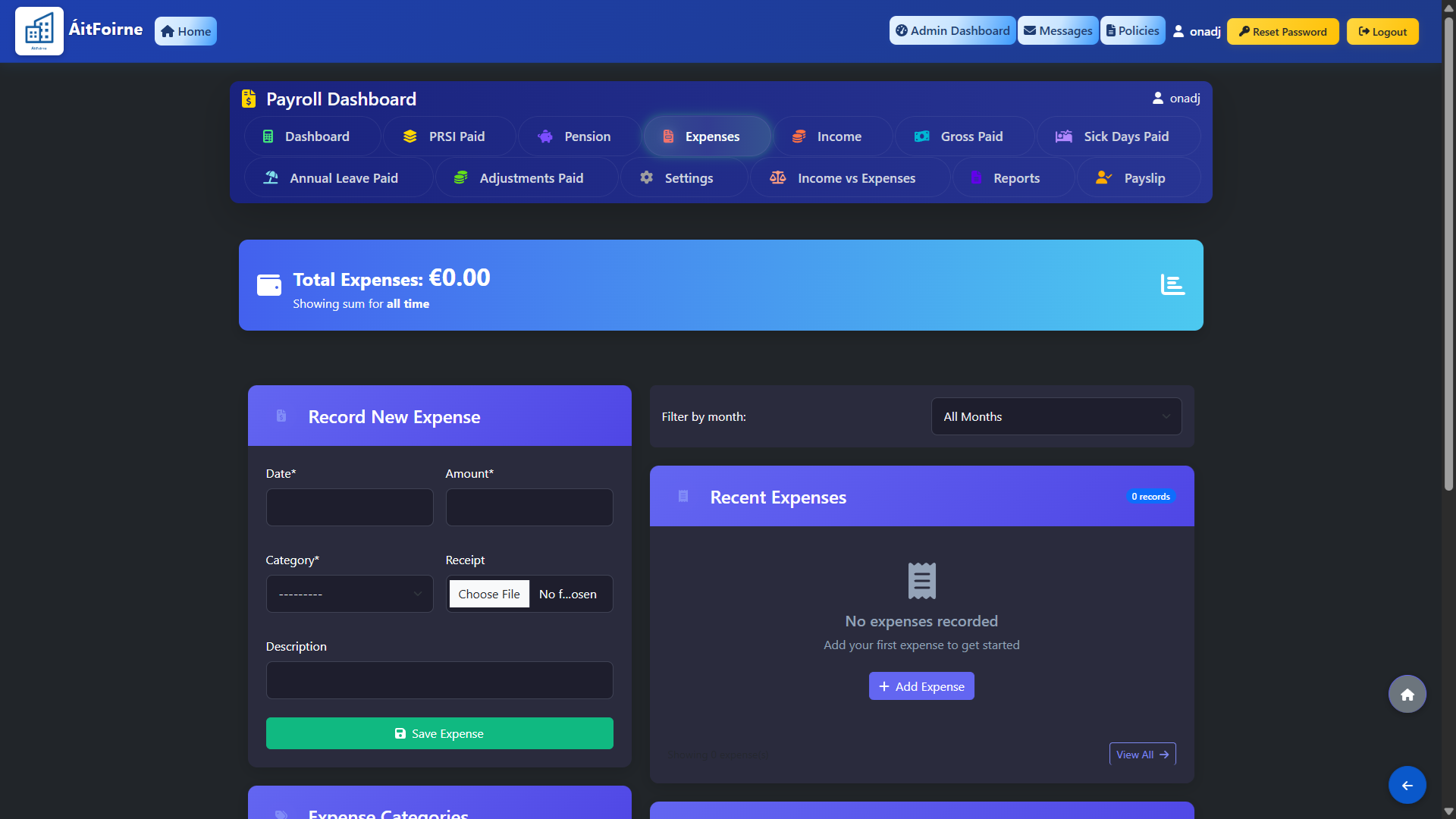
Central place to record and categorise expenses by department or cost centre, keeping supporting notes in one system instead of scattered spreadsheets and paper receipts.

Expenses Workspace

Income vs Expenses View

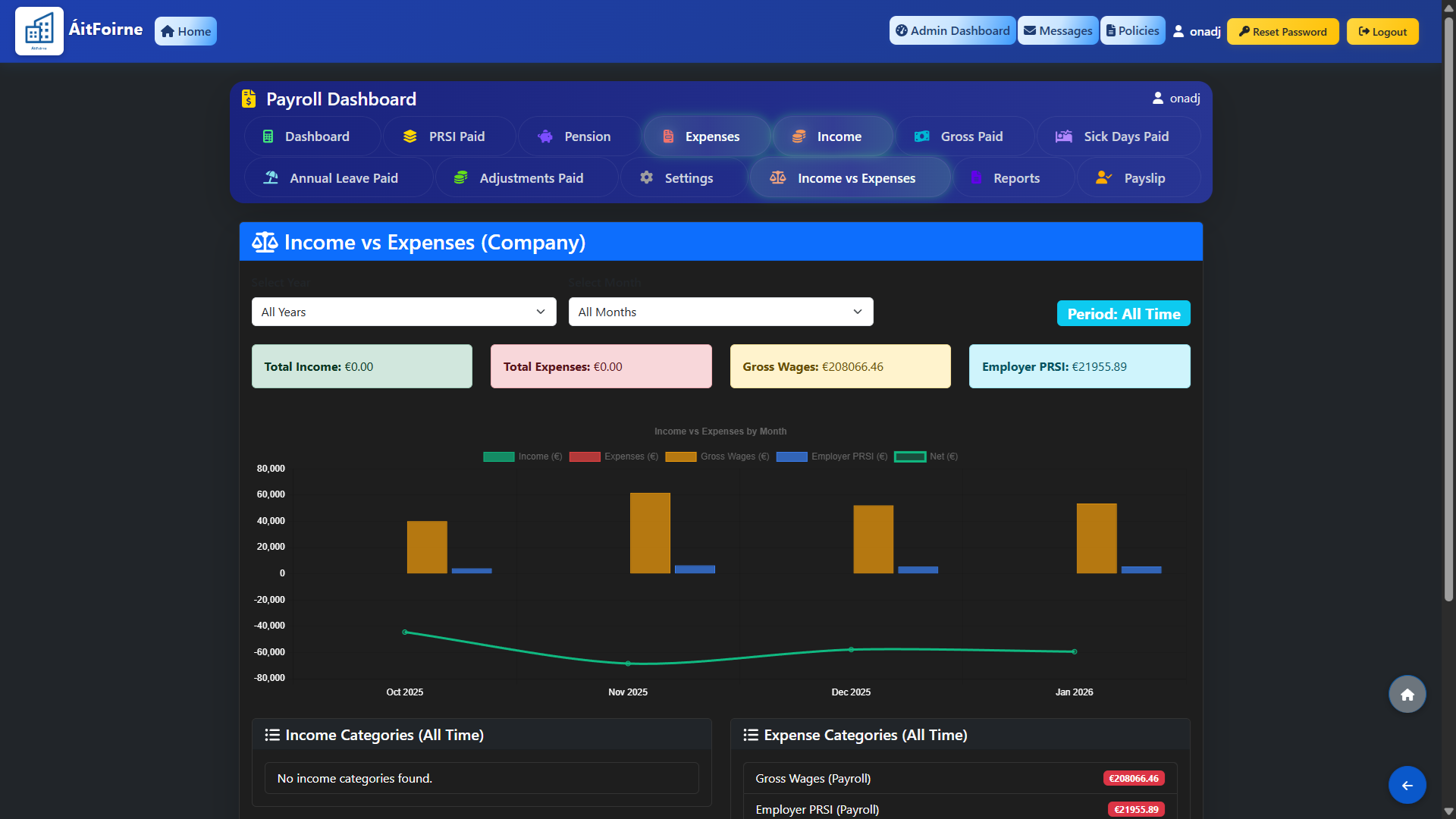
Side‑by‑side income vs expenses view so operators and owners can see gross pay, other costs and revenue trends for each home or unit, helping them spot overspend early.

Income vs Expenses View

Employee Portal

My Dashboard

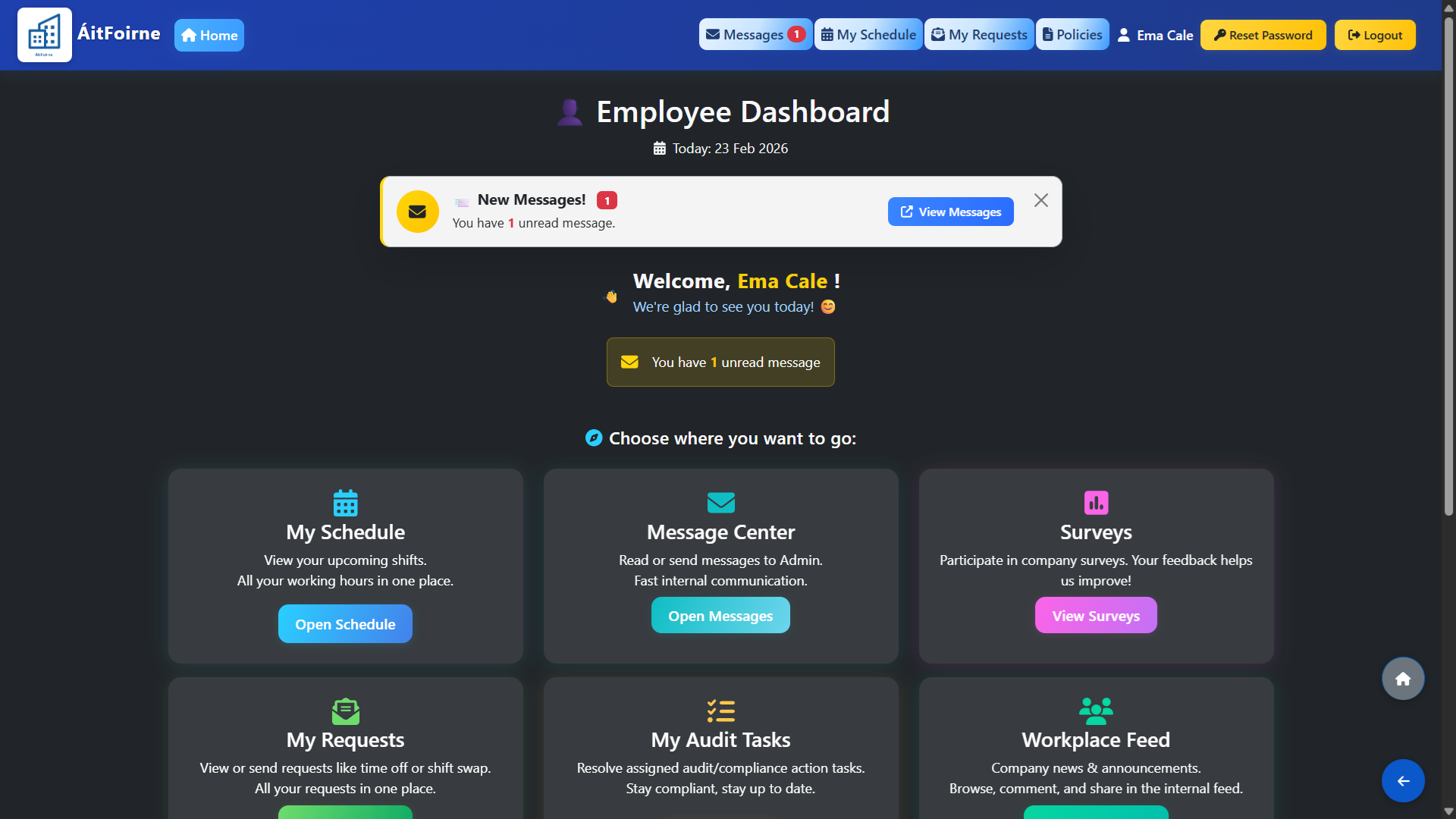
A central hub for schedules, messages, and requests, plus access to mandatory policies and audit tasks.

My Dashboard

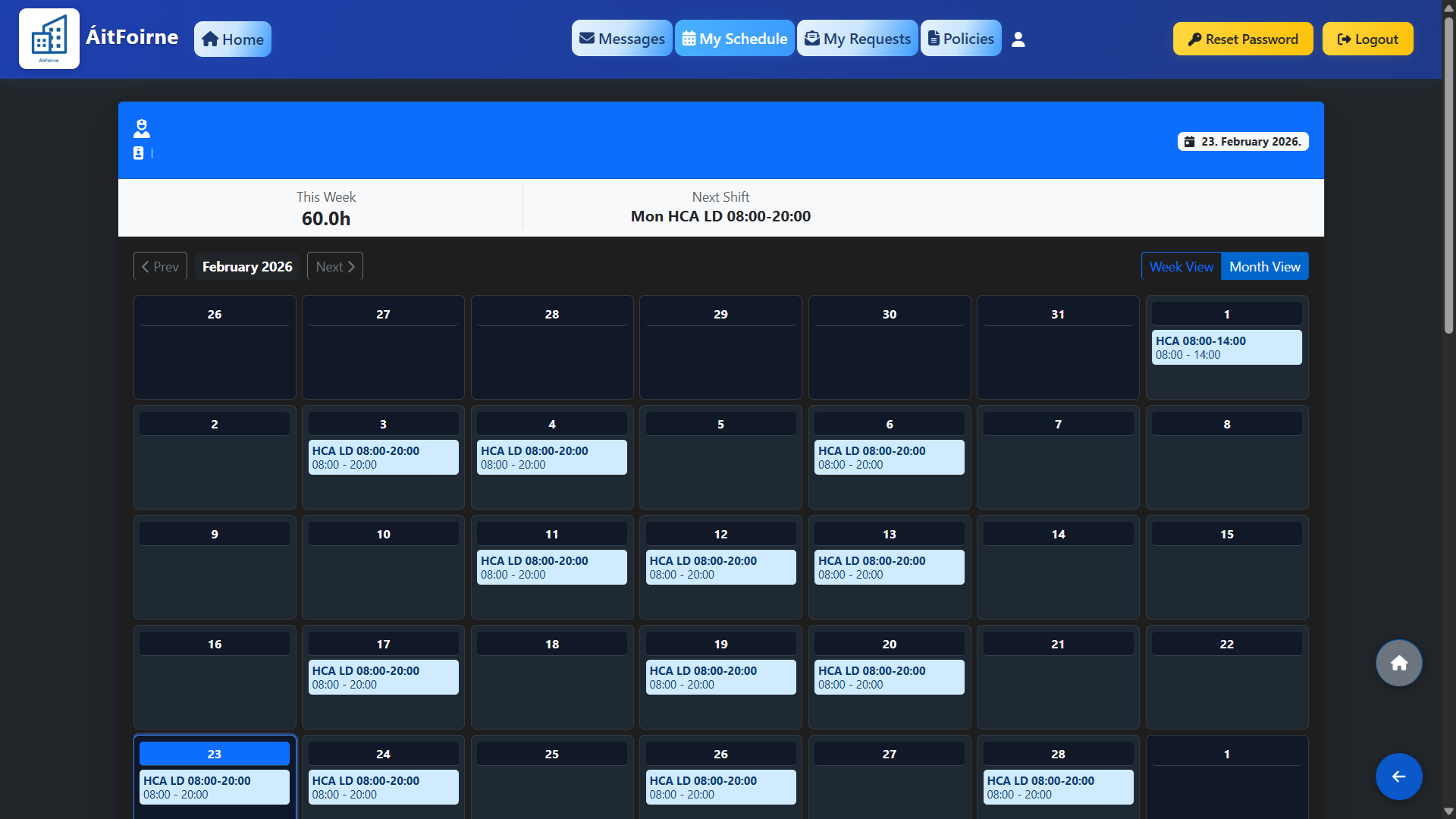
My Schedule

Staff can check their up‑to‑date rota anytime, seeing upcoming shifts, locations and roles in one place, with changes highlighted so nothing is missed.

My Schedule

Shift Swap & Requests

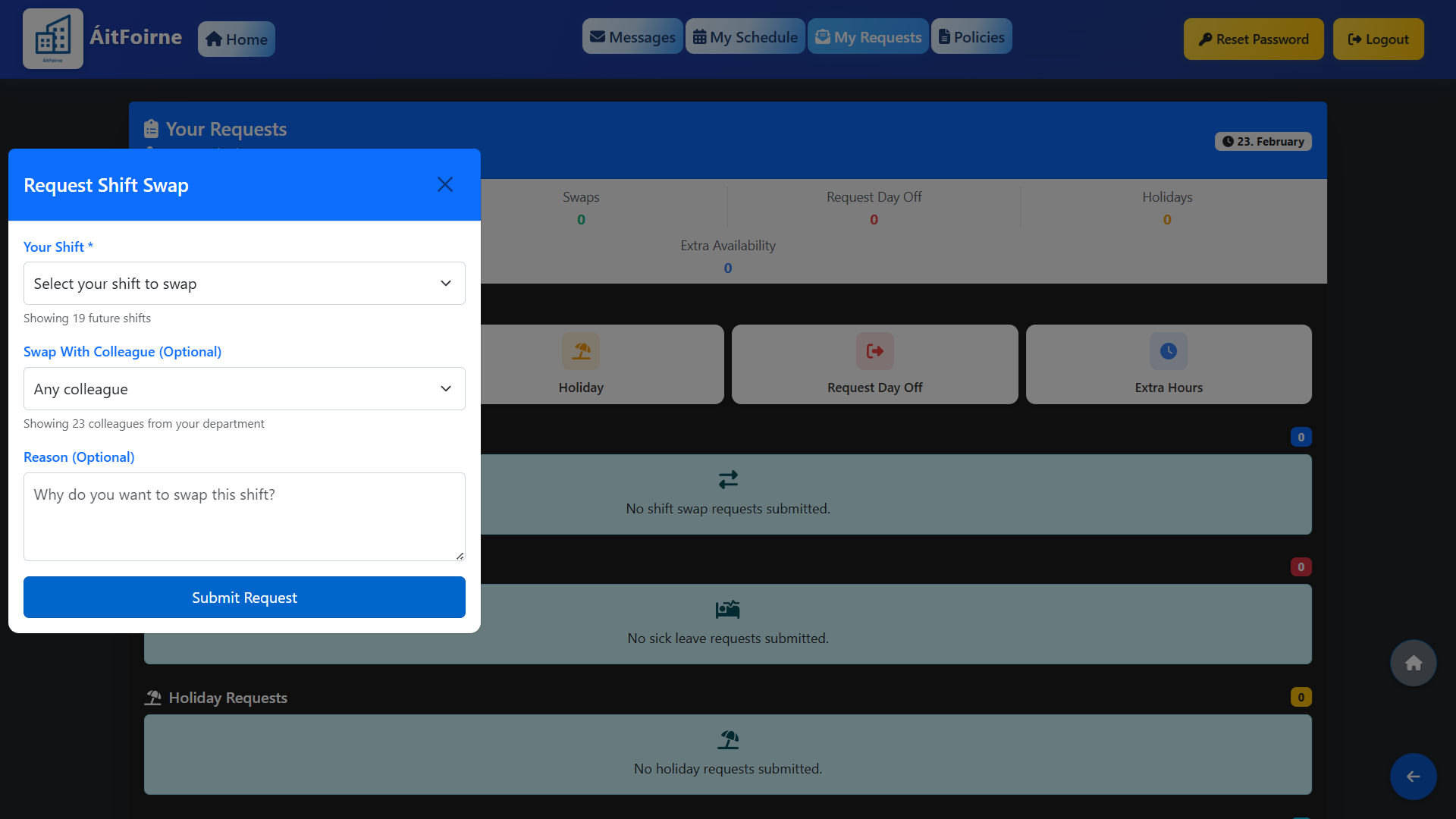
Give staff autonomy to request leave or swap shifts directly from their device, pending manager approval.

Shift Swap & Requests

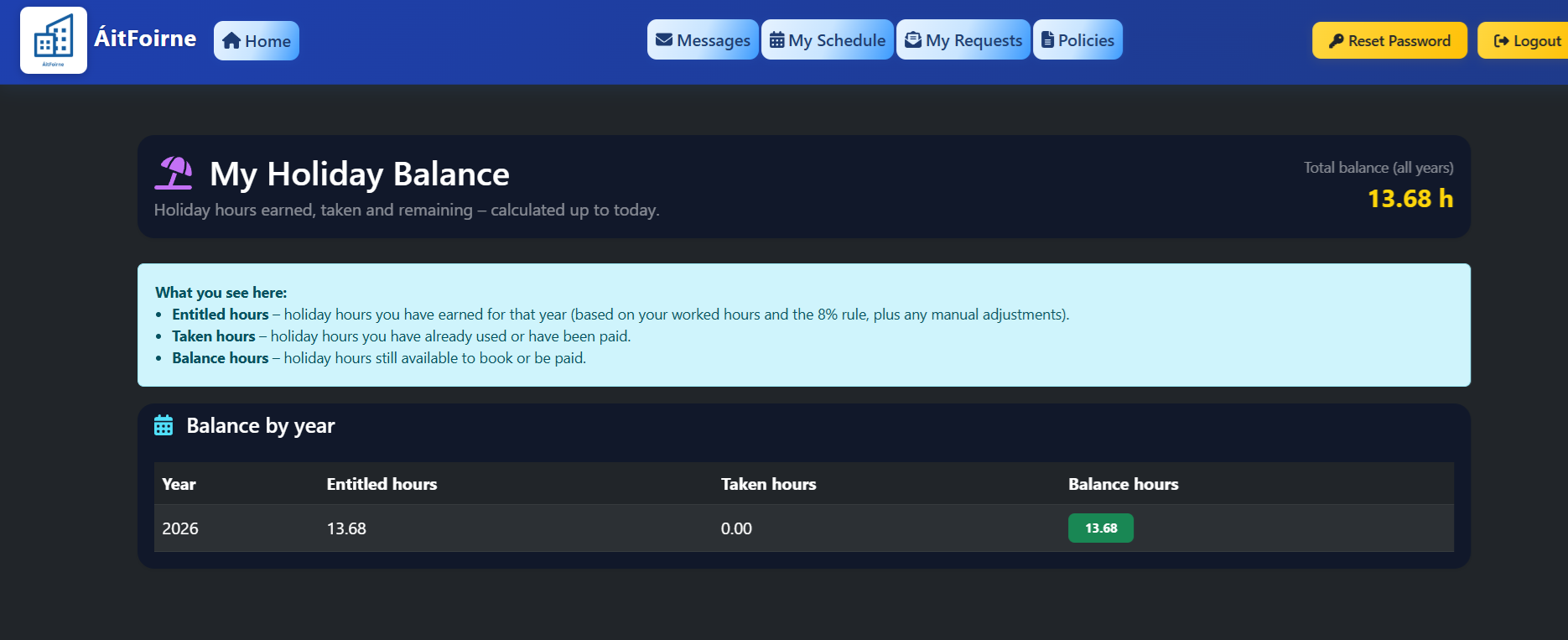
My Holiday Balance

Staff can see exactly how many paid holiday hours they have earned, used and still available, calculated automatically from worked hours and the 8% rule, so managers and accounts no longer need to dig through spreadsheets to answer “How much leave do I have left?”.

My Holiday Balance

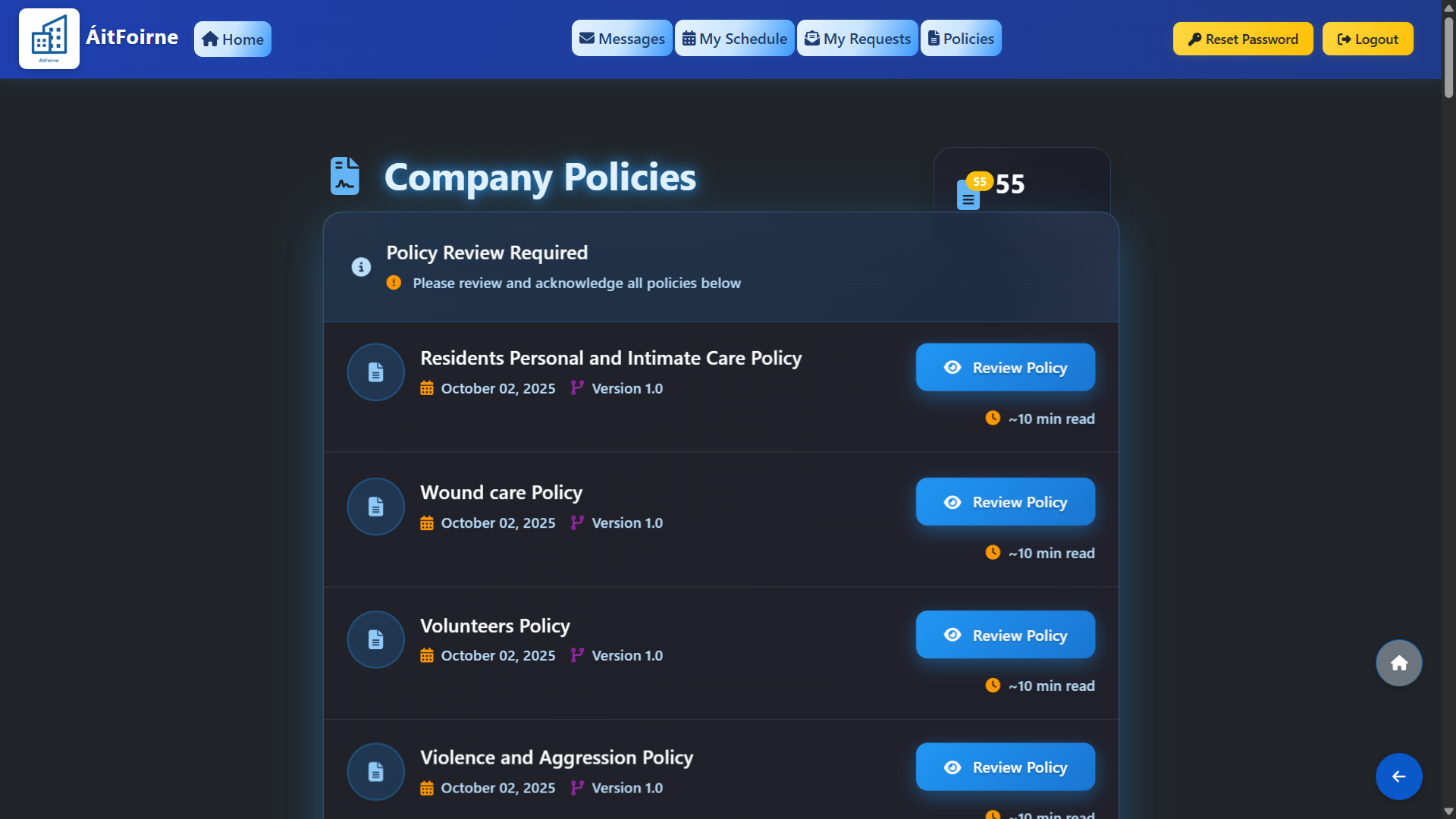
Policy Acknowledgement & Evidence

Staff can review and acknowledge each policy directly in the portal, while managers see a live register of who has signed what, and which policies are still outstanding. For HIQA inspections, the home has a complete, date‑stamped record of policy acknowledgements in one place, with clear visibility of any gaps that need follow‑up.

Policy Acknowledgement & Evidence

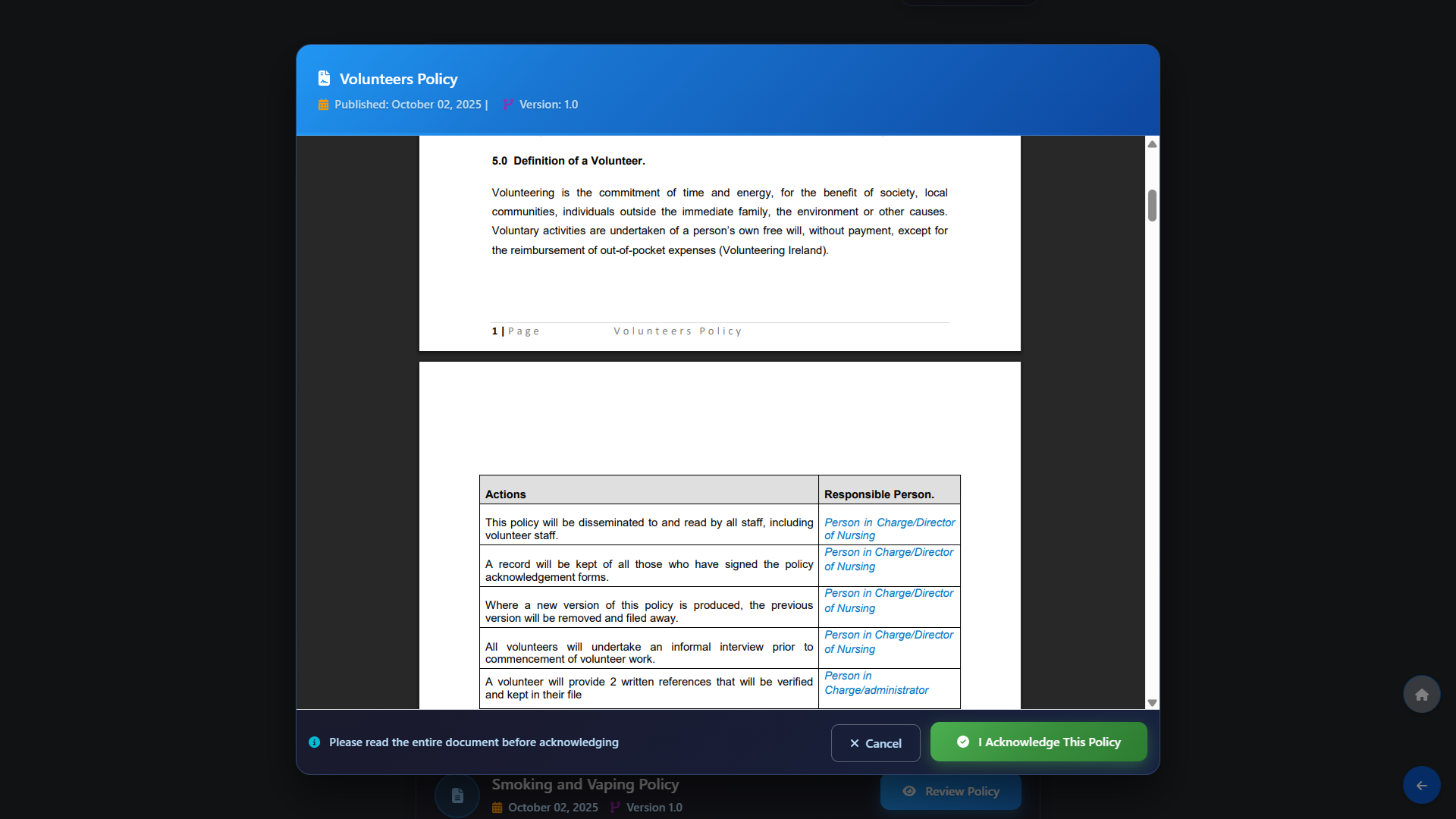
Policy Acknowledgement from the Staff App

Staff can open each policy on their phone, scroll through the full document and acknowledge it with one tap, so there is a clear, date‑stamped record for every person. Managers see live completion status for every policy and employee, with outstanding acknowledgements highlighted for quick follow‑up before audits or HIQA inspections.

Policy Acknowledgement from the Staff App

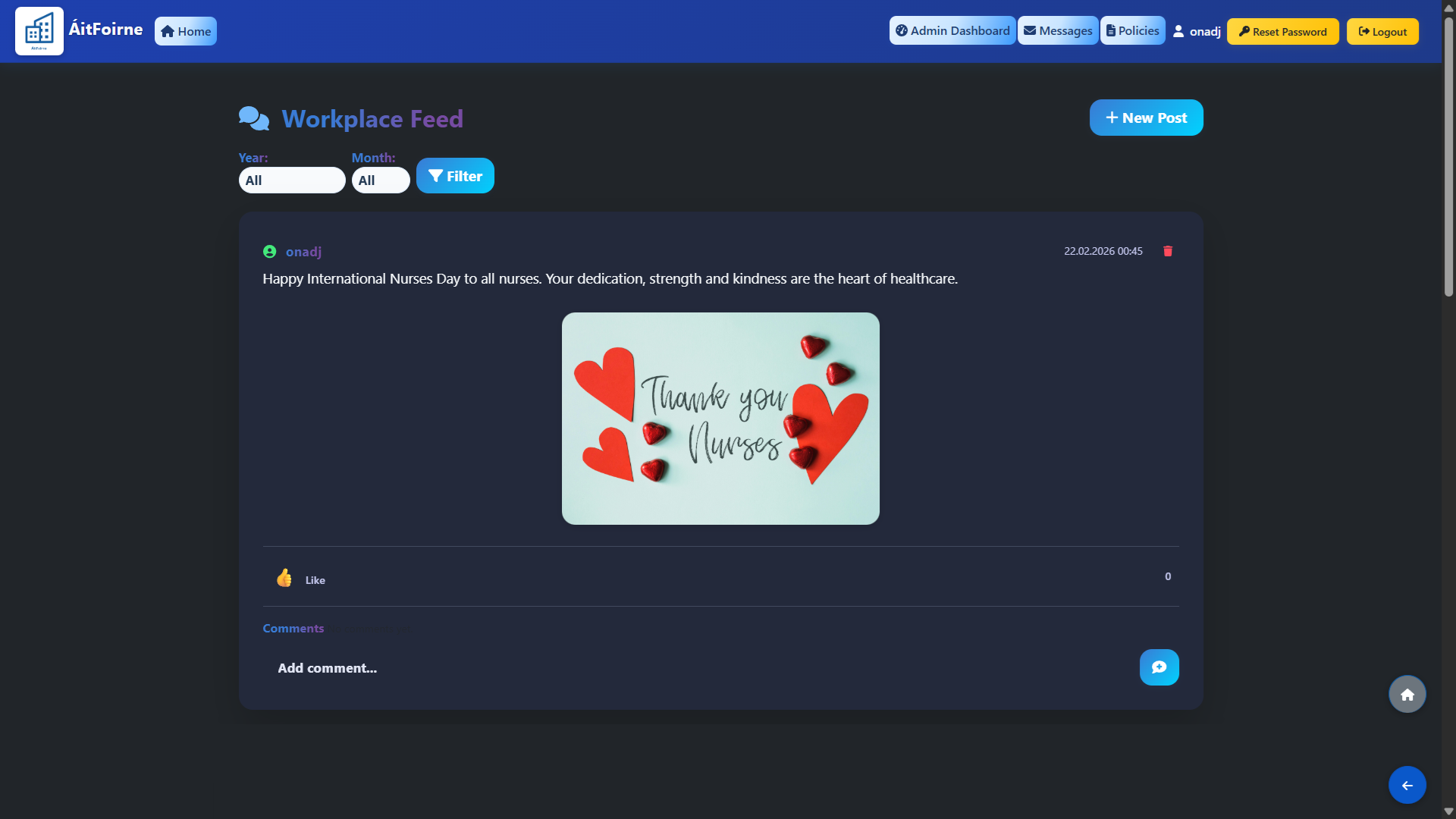
Social Wall

Internal news feed where staff can see home updates, photos and shout‑outs, react with emojis, and keep up with what’s happening, with posting rights controlled by the home (admin‑only or wider team, as you prefer).

Social Wall

My Breaks

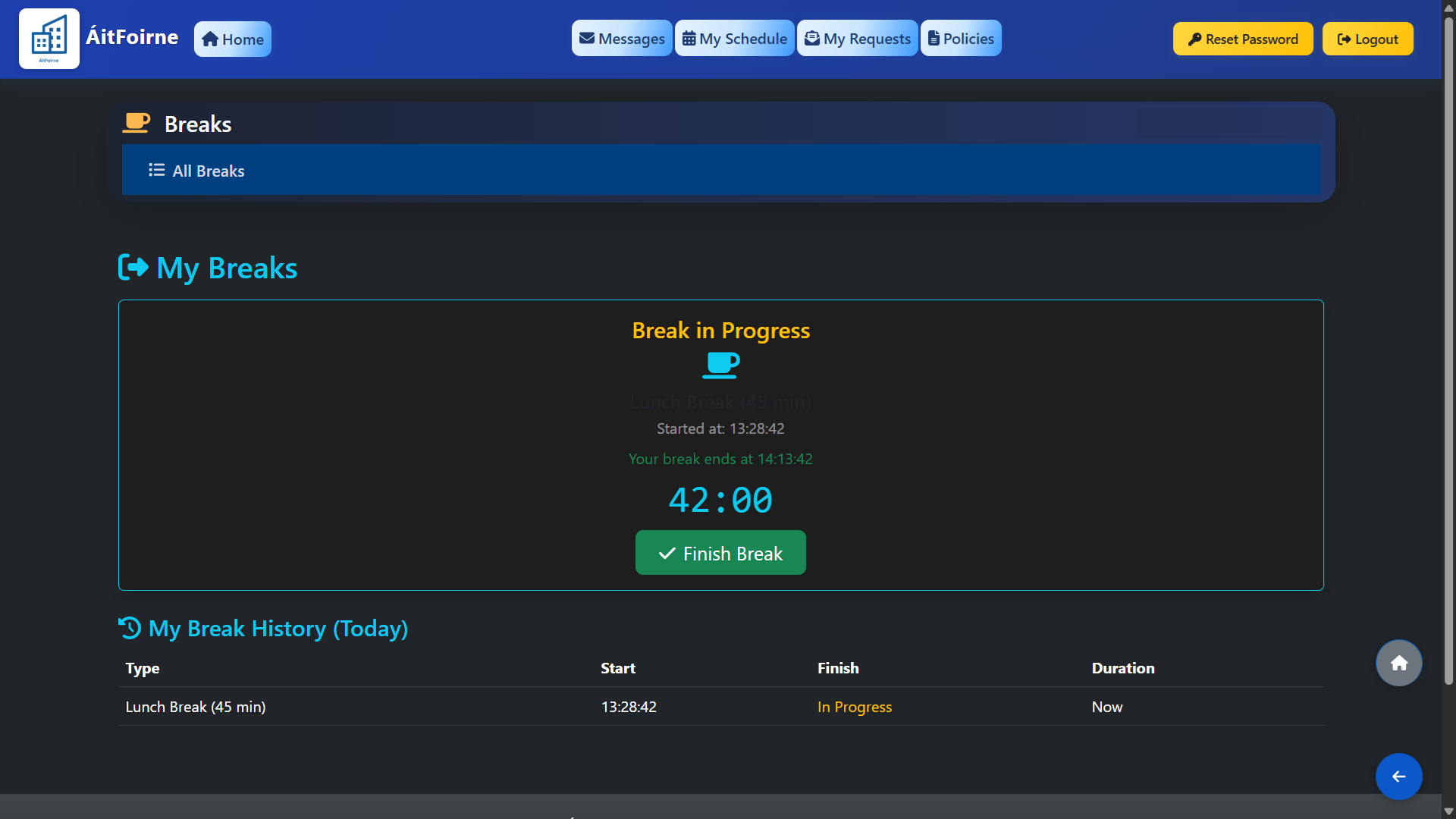
Staff can start and finish their own breaks from the portal, with a clear countdown showing when their break ends and how long they have been away, so they can relax without watching the clock while the system keeps an accurate record.

My Breaks

Staff Surveys

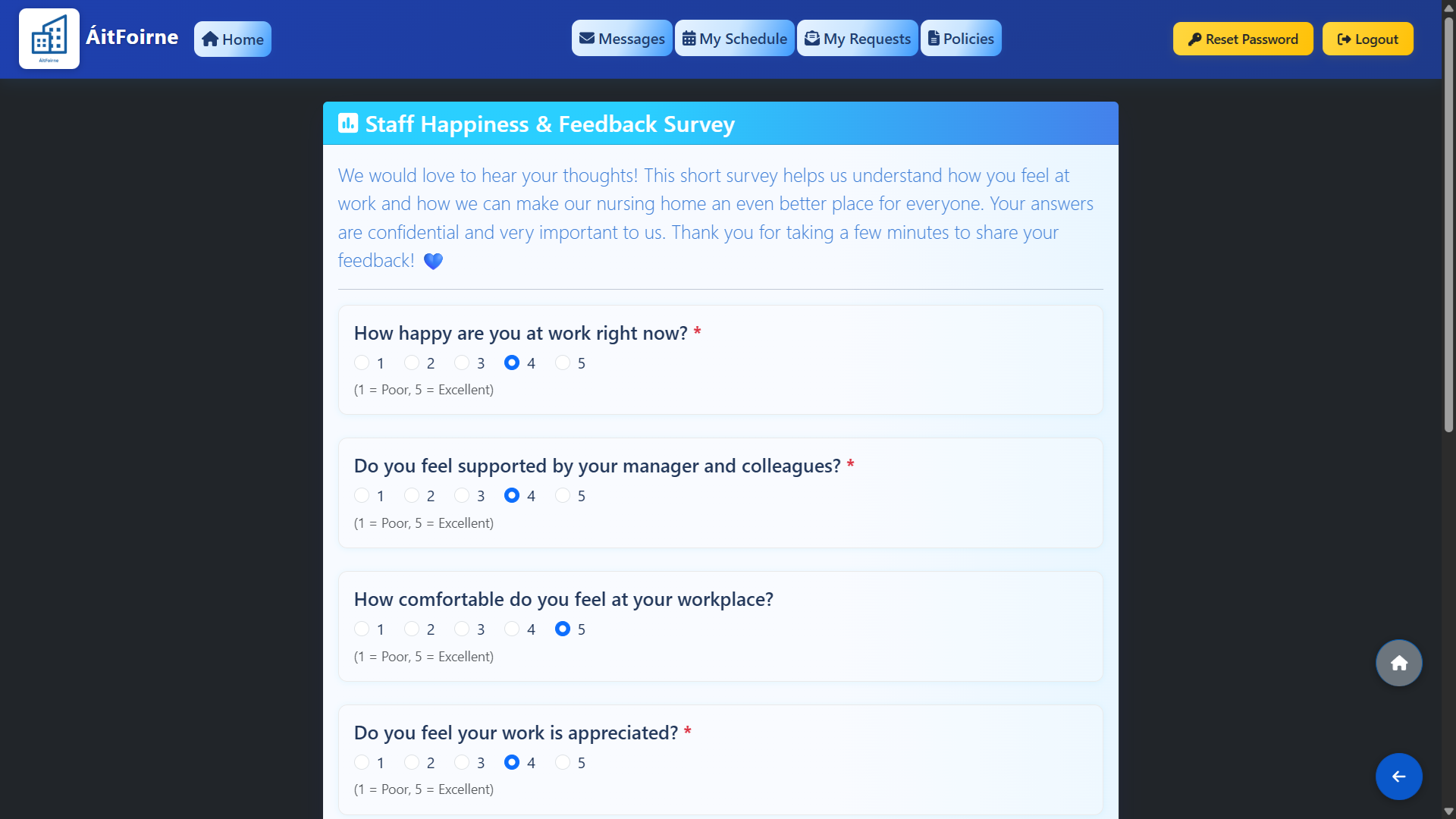
Employees can complete quick, secure surveys from their portal, giving managers real feedback on wellbeing, training needs and daily life in the home without chasing paper forms.

Staff Surveys

Message Center

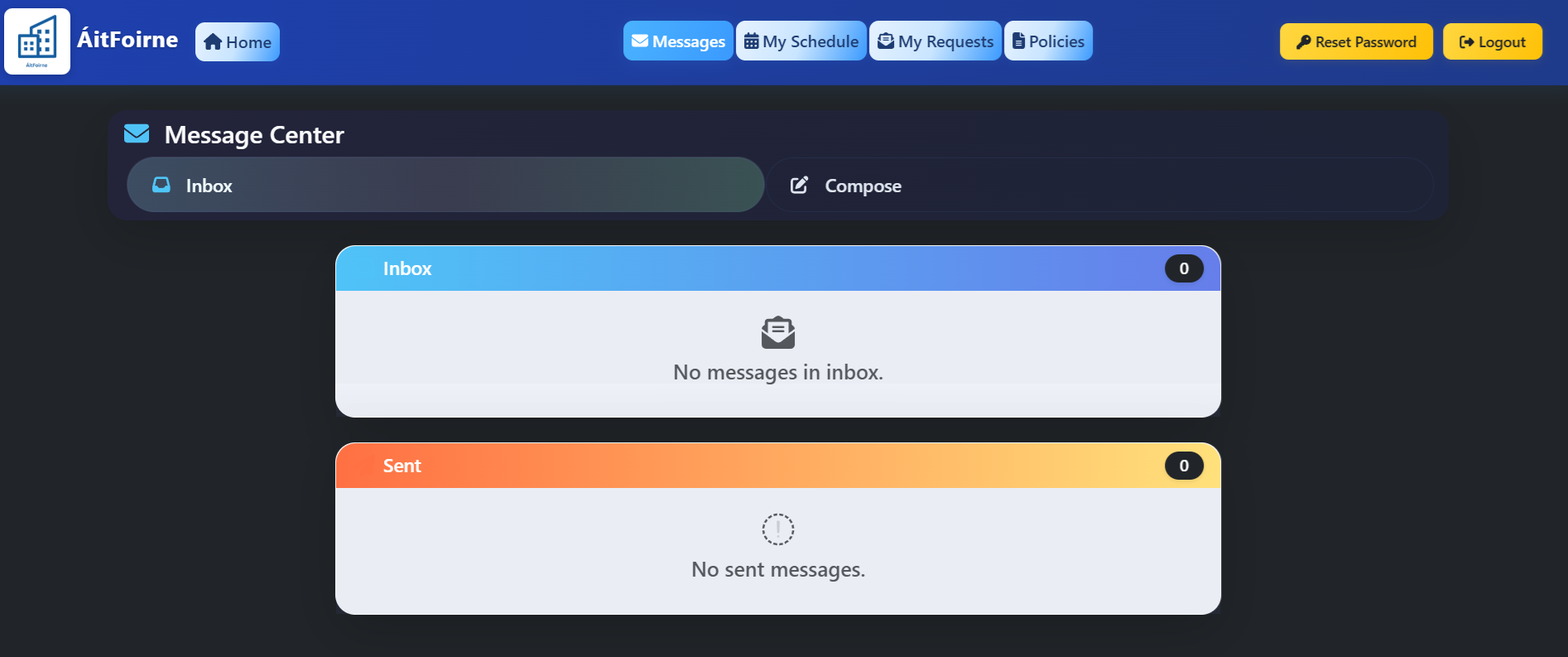
Internal message inbox where staff can send secure messages to colleagues or whole departments, share attachments, and keep work conversations in one place, separate from personal email and WhatsApp.

Message Center

My Audits Overview

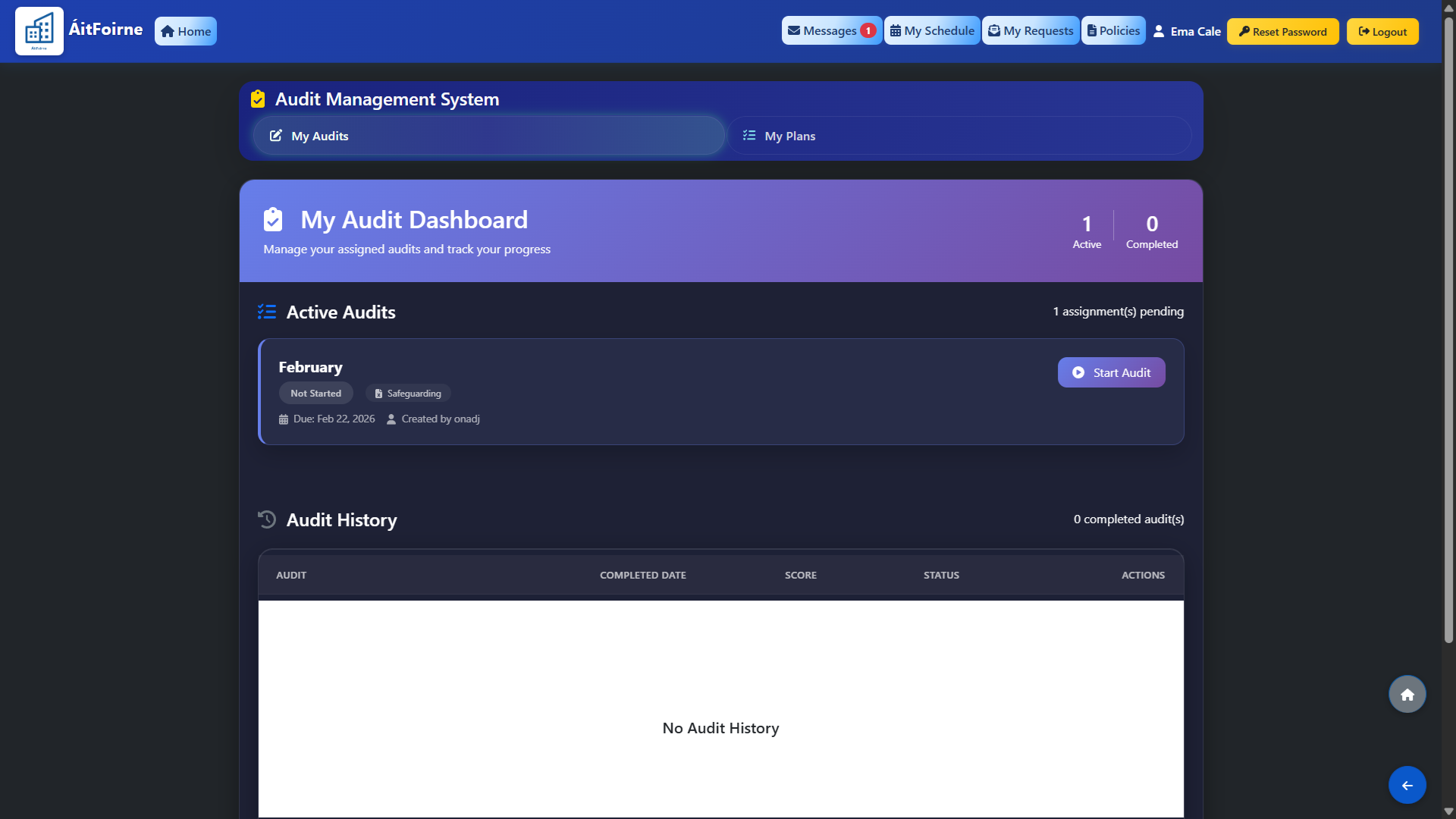
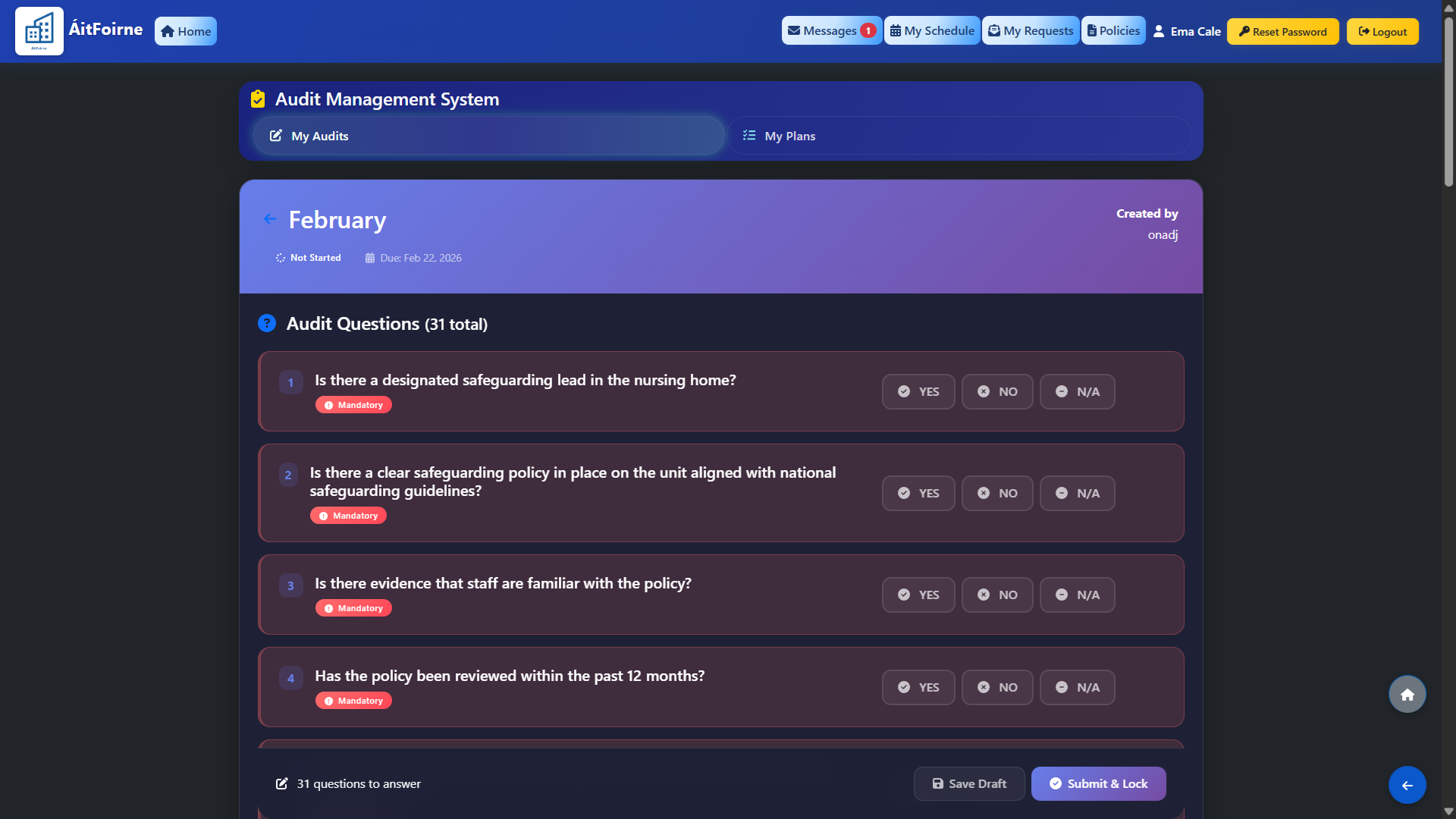
Staff see all audits assigned to them in one list, with clear due dates and completion status, so nothing gets missed.

My Audits Overview

Guided Audit Questions

Each audit opens as a simple quiz, where staff answer clear questions about a policy or procedure, see the correct answer if they get something wrong, and give managers a clear view of who understands it and where follow‑up actions or training are needed.

Guided Audit Questions

Instant Action Plans for Issues

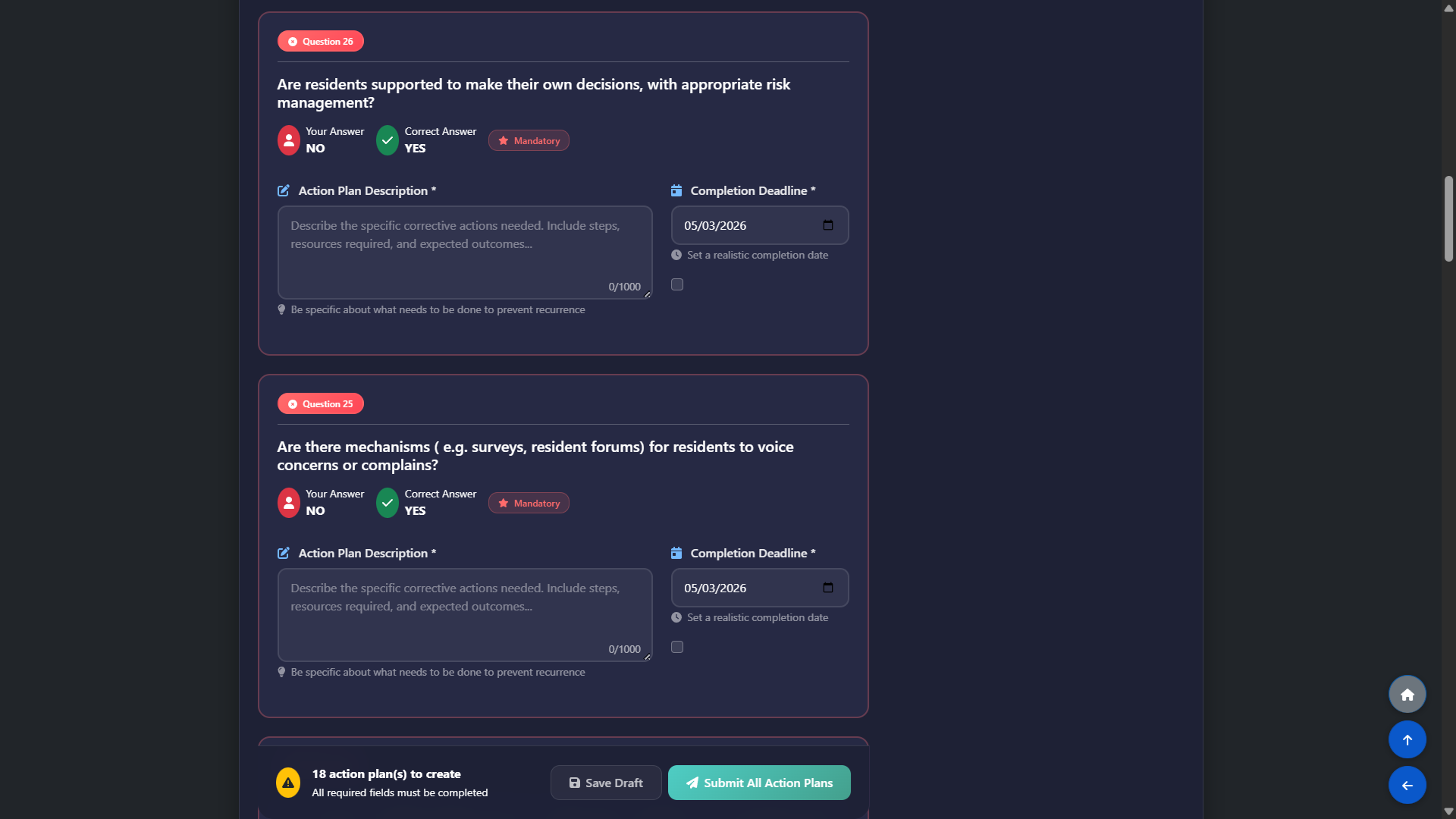
If a question is answered incorrectly, the system opens an action plan for that specific item so staff can record what needs to be fixed, by who and by when, giving managers ready‑made, question‑by‑question evidence for follow‑up and inspections.

Instant Action Plans for Issues

Submit & Lock Confirmation

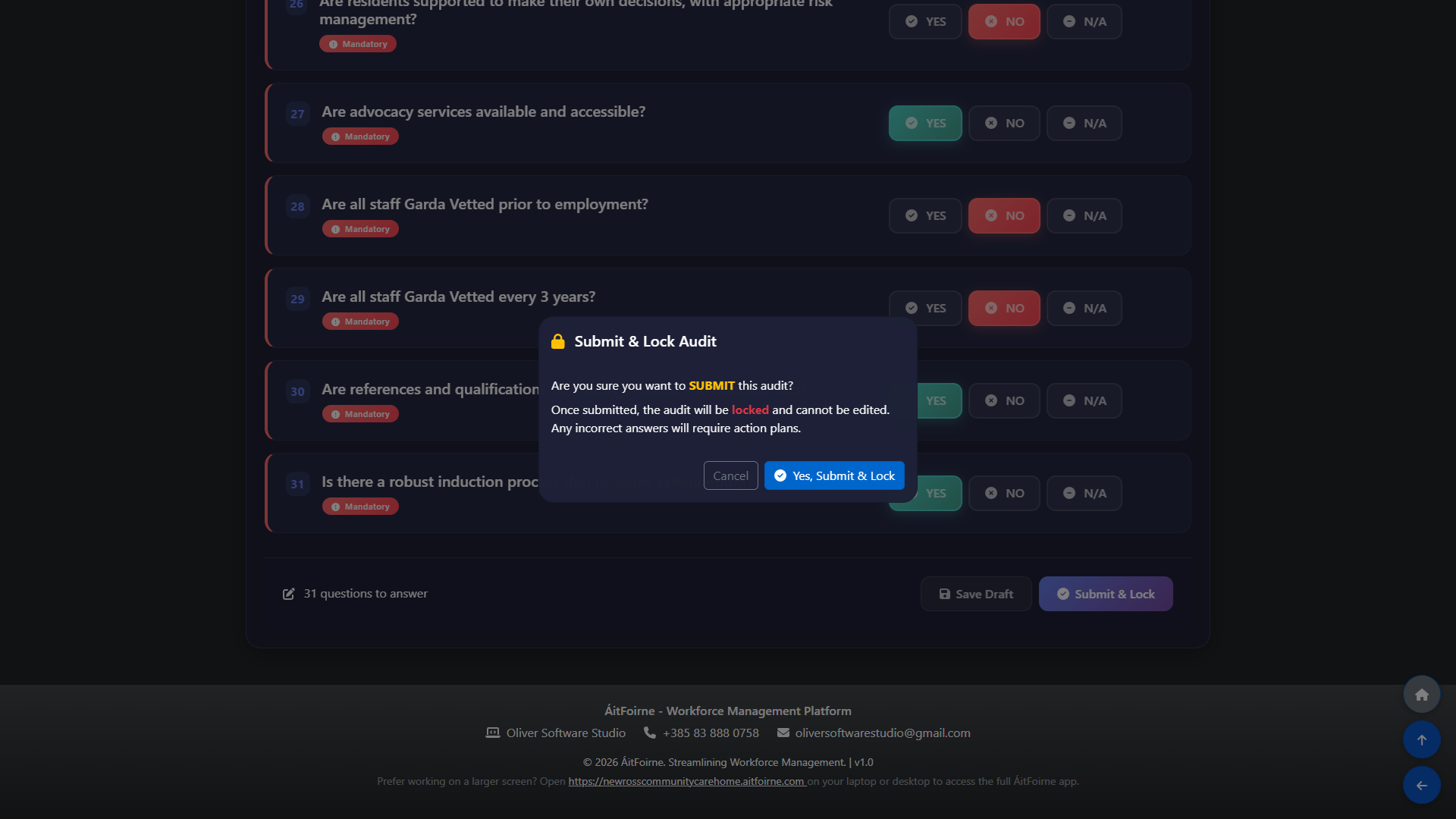
Before an audit is submitted, staff see a clear “Submit & Lock” confirmation that reminds them answers cannot be edited and that any incorrect responses will require action plans, reducing mistakes and protecting the integrity of the evidence.

Submit & Lock Confirmation

Technical Support

Ticketing System

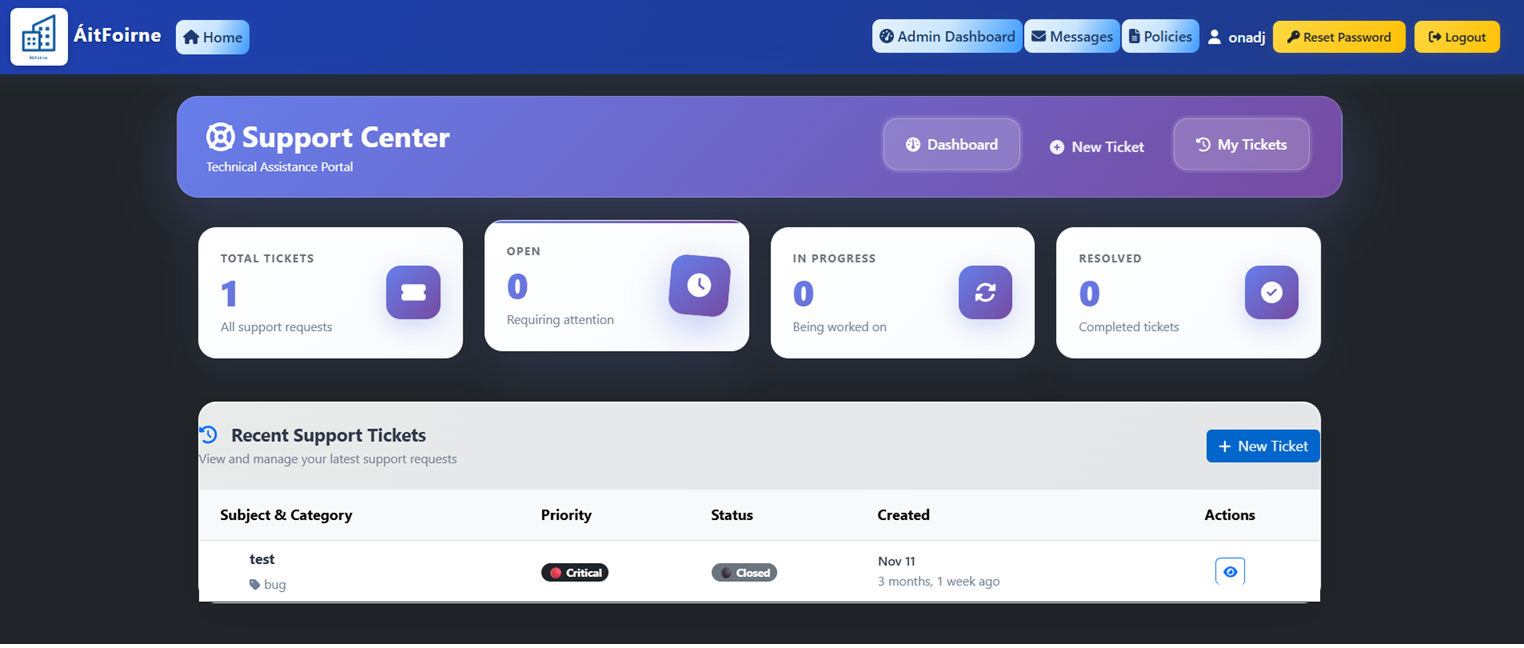
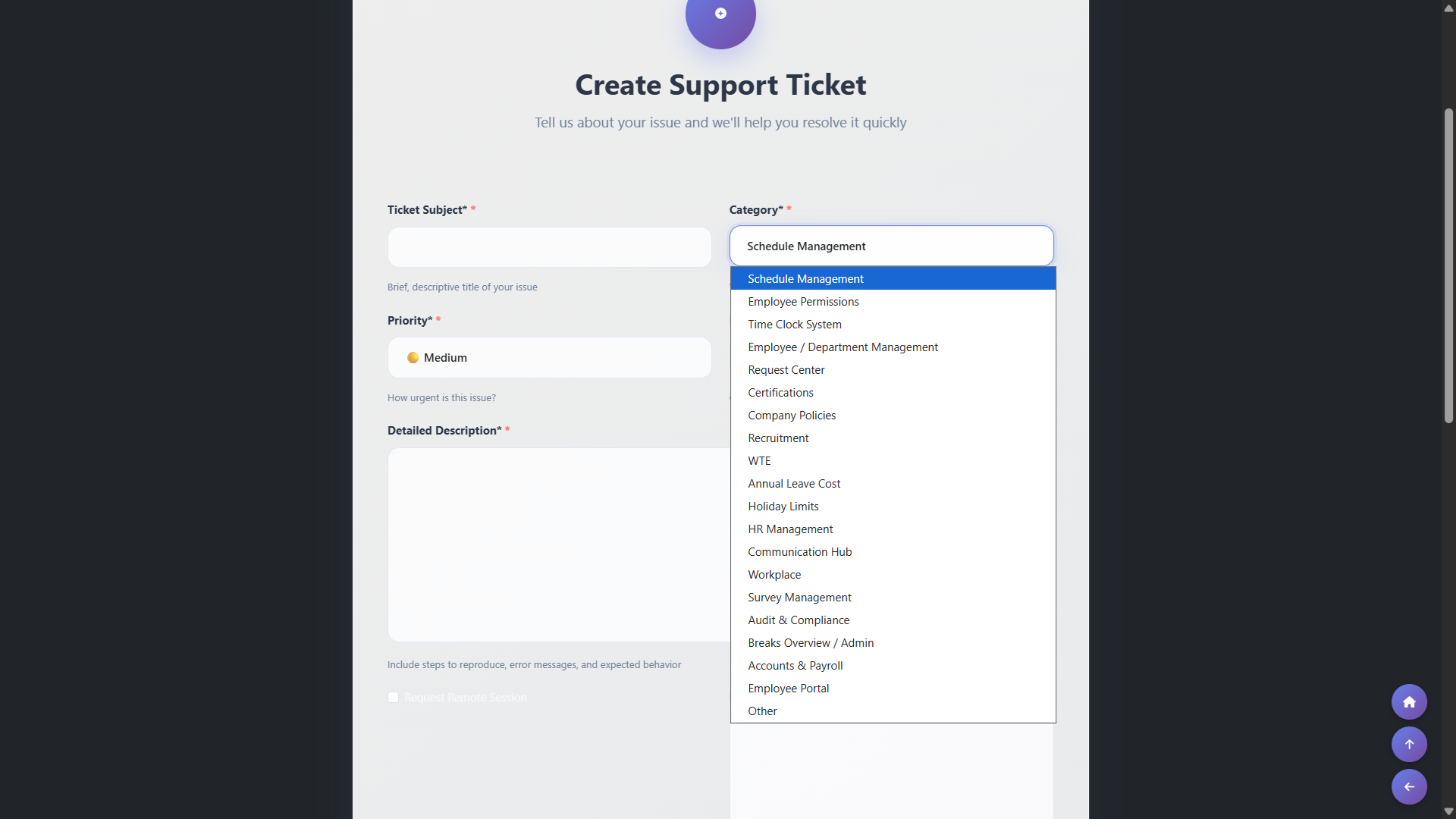
Streamline internal support and maintenance requests with a tracked ticketing workflow.

Ticketing System

One‑Click Ticket Creation

Admin can raise internal IT or maintenance tickets in a few clicks, attaching notes and screenshots so issues are clearly documented and reach the right team straight away.

One‑Click Ticket Creation

Platform & Configuration

Enterprise‑Grade Security Controls

Secure, encrypted logins with automatic time‑outs and built‑in protection against unauthorised access, so resident and staff information stays safe.

Secure EU‑Hosted Infrastructure

ÁitFoirne runs in dedicated EU datacentres (Hetzner), and each care home has its own isolated database rather than sharing with other sites, which supports GDPR and clinical governance requirements.

Quiet, Work‑Only Experience

There is no email inbox integration or push notifications outside of the app itself, so staff are not disturbed when they are off duty, while managers still have full visibility when they log in.

Mobile‑Optimised PWA for Staff

Staff access ÁitFoirne through a lightweight Progressive Web App that can be added to the home screen like a mobile app, or opened in any web browser, so they can quickly check rotas on their phone or complete longer audits and forms on a larger screen without installing anything from an app store.

Mobile‑Optimised PWA for Staff

Self‑Service Accounts with Admin Control

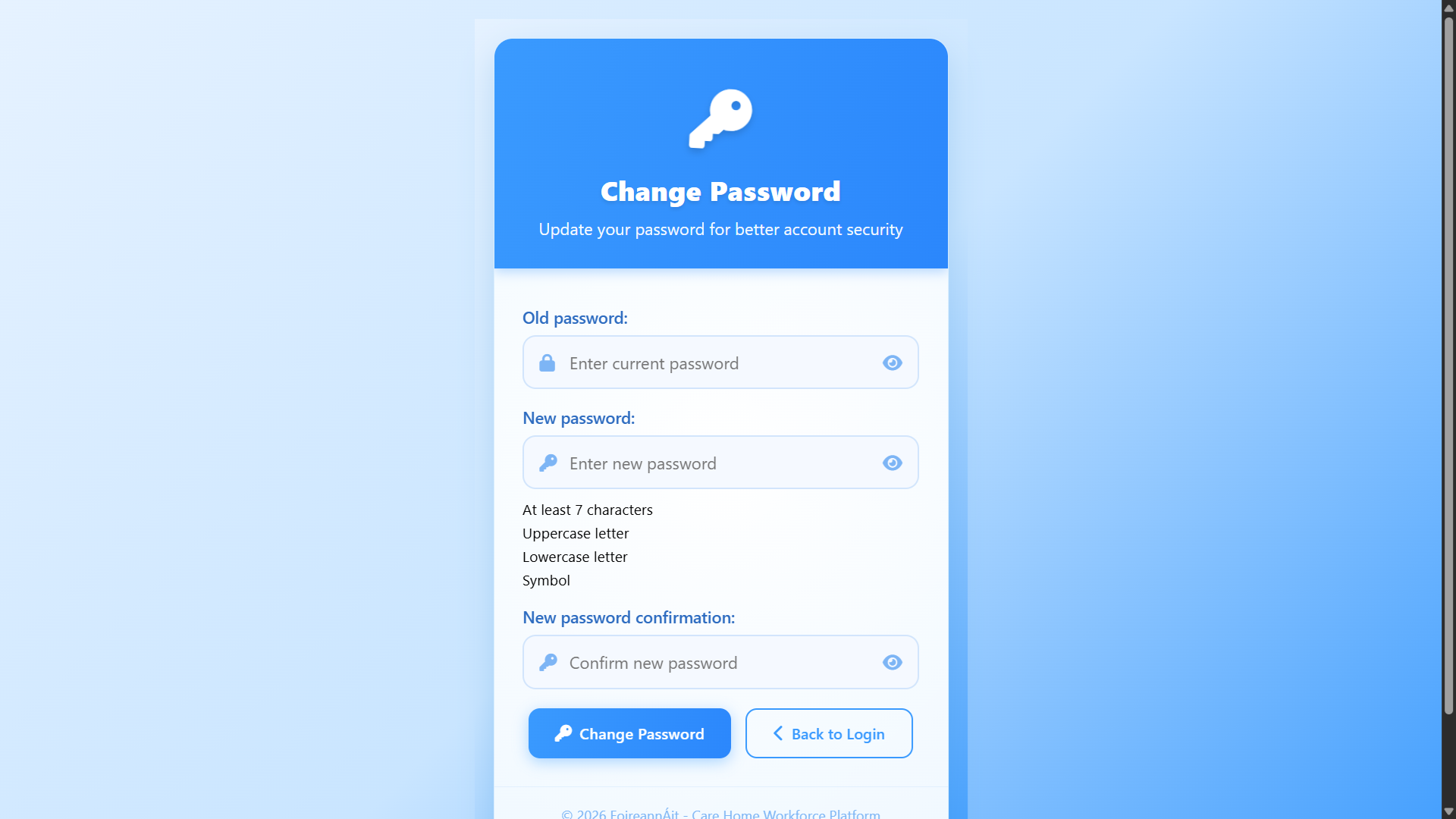
Employees can safely reset their own passwords and manage their login details, while administrators retain full control over access rights, departments, and deactivation when someone leaves.

Self‑Service Accounts with Admin Control

Guided Setup & Configuration

Our team helps you configure departments, shift types, permissions and policies during onboarding, so the system matches how your home already works rather than asking managers to start from a blank screen.

Guided Setup & Configuration

Website & Family Portal

Public Website Managed by Your Team

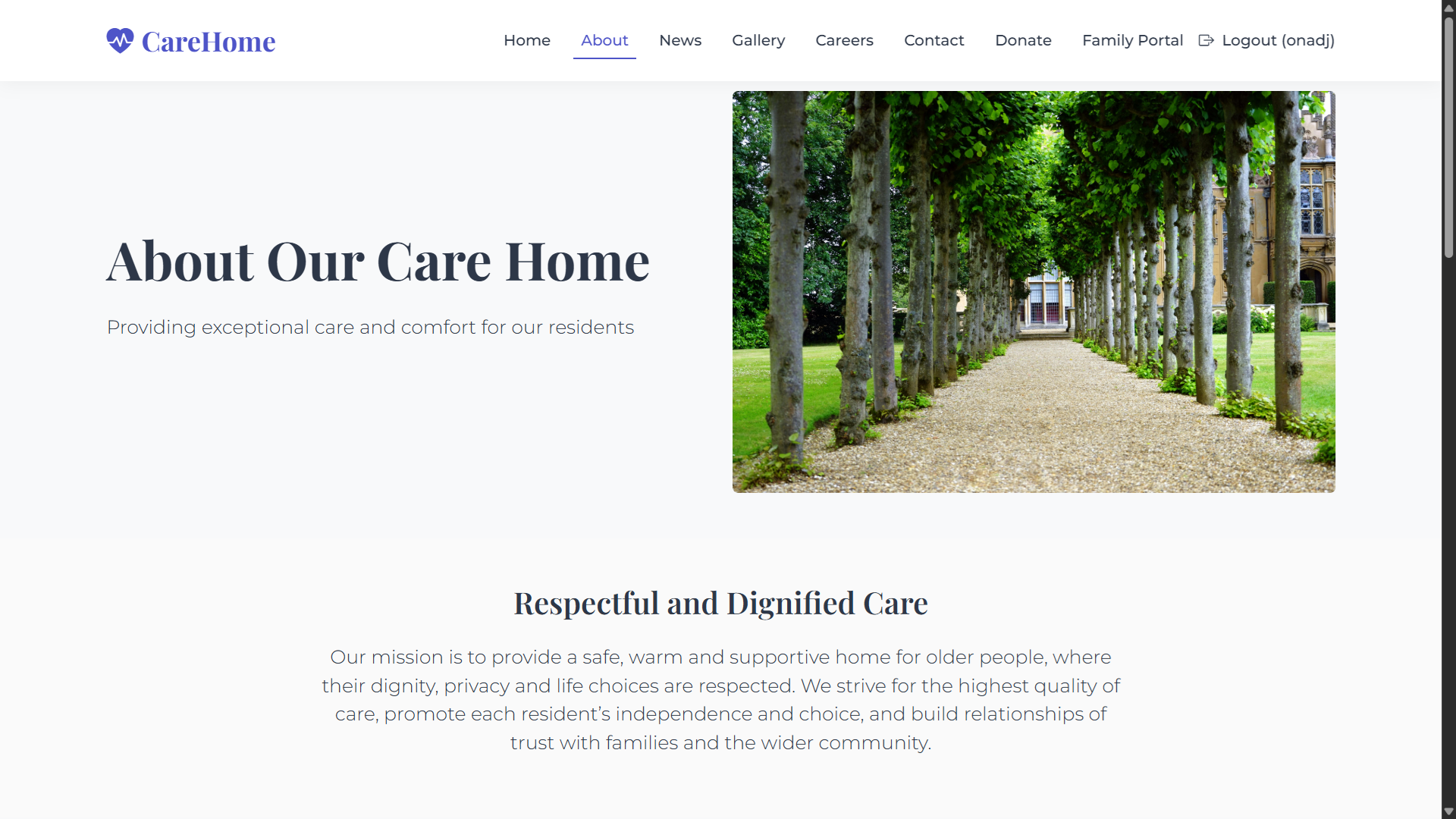
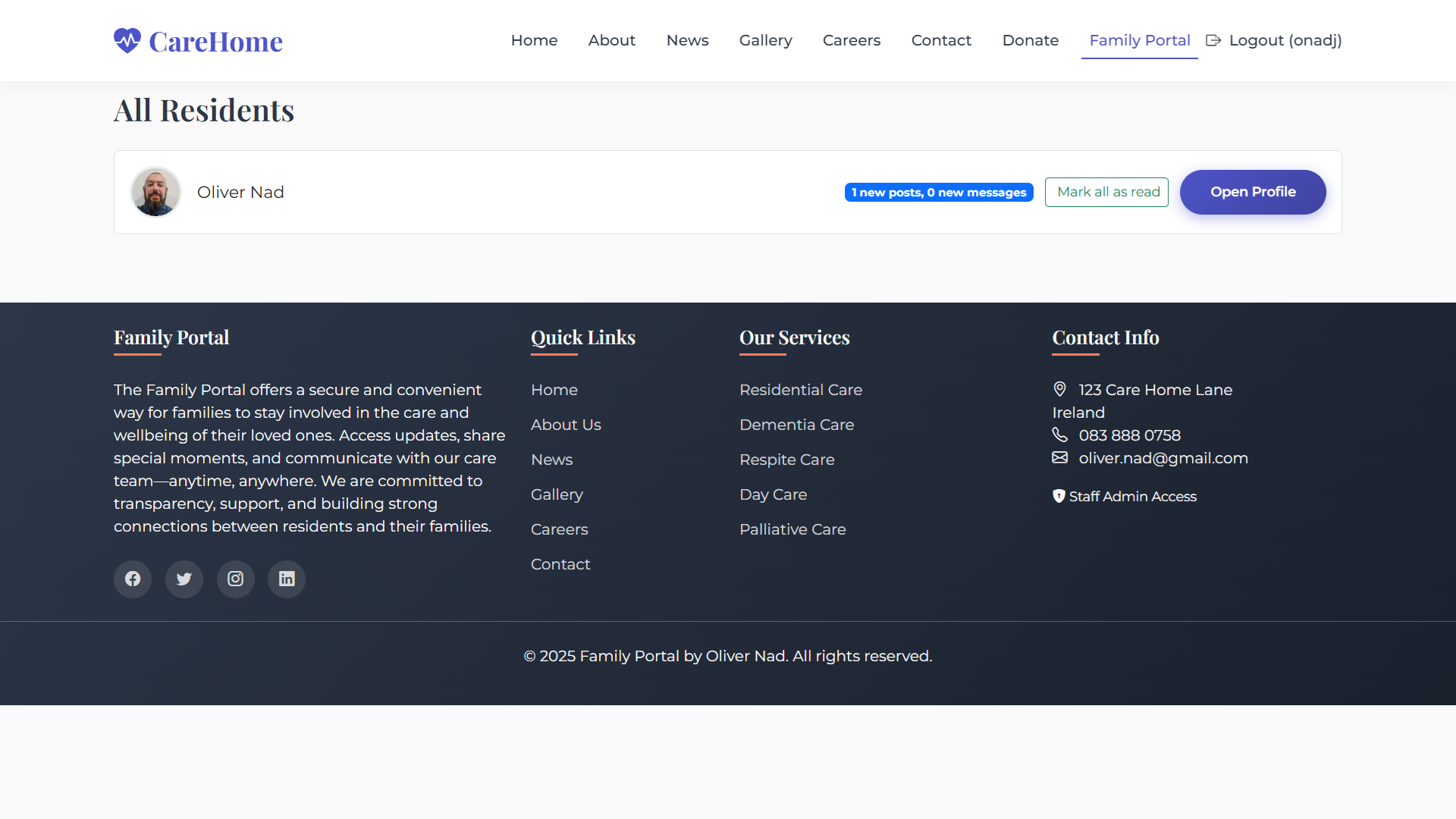
Public website for your home with a simple editor, so managers can update text, news, photos and job posts themselves without waiting on a developer. See it in action on our live demo site: webfamilyportal.aitfoirne.com

Public Website Managed by Your Team

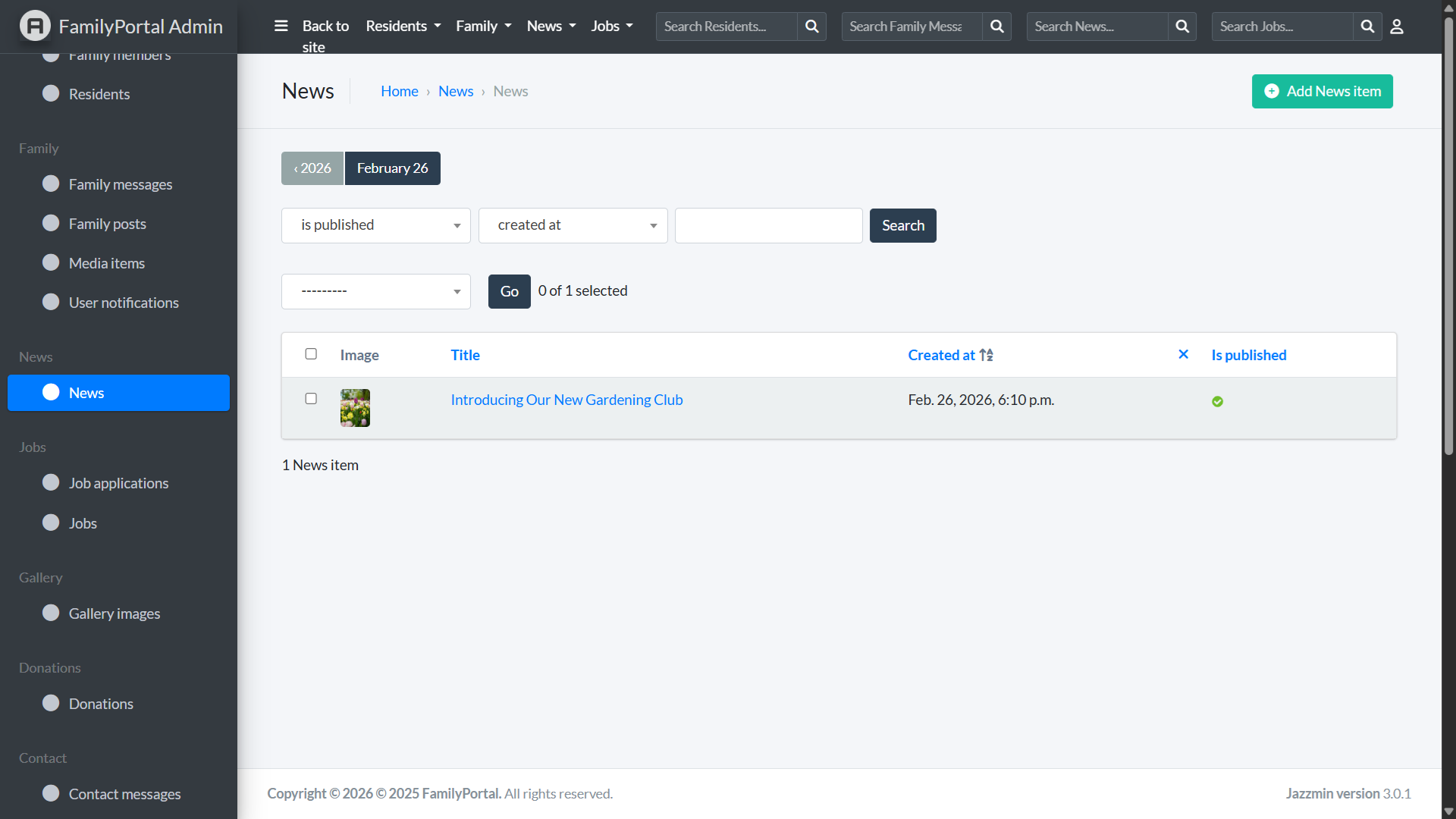
Simple Admin for Your Team

Clean, secure admin panel where managers can edit website content, post news and jobs, and manage the Family Portal without touching any code.

Simple Admin for Your Team

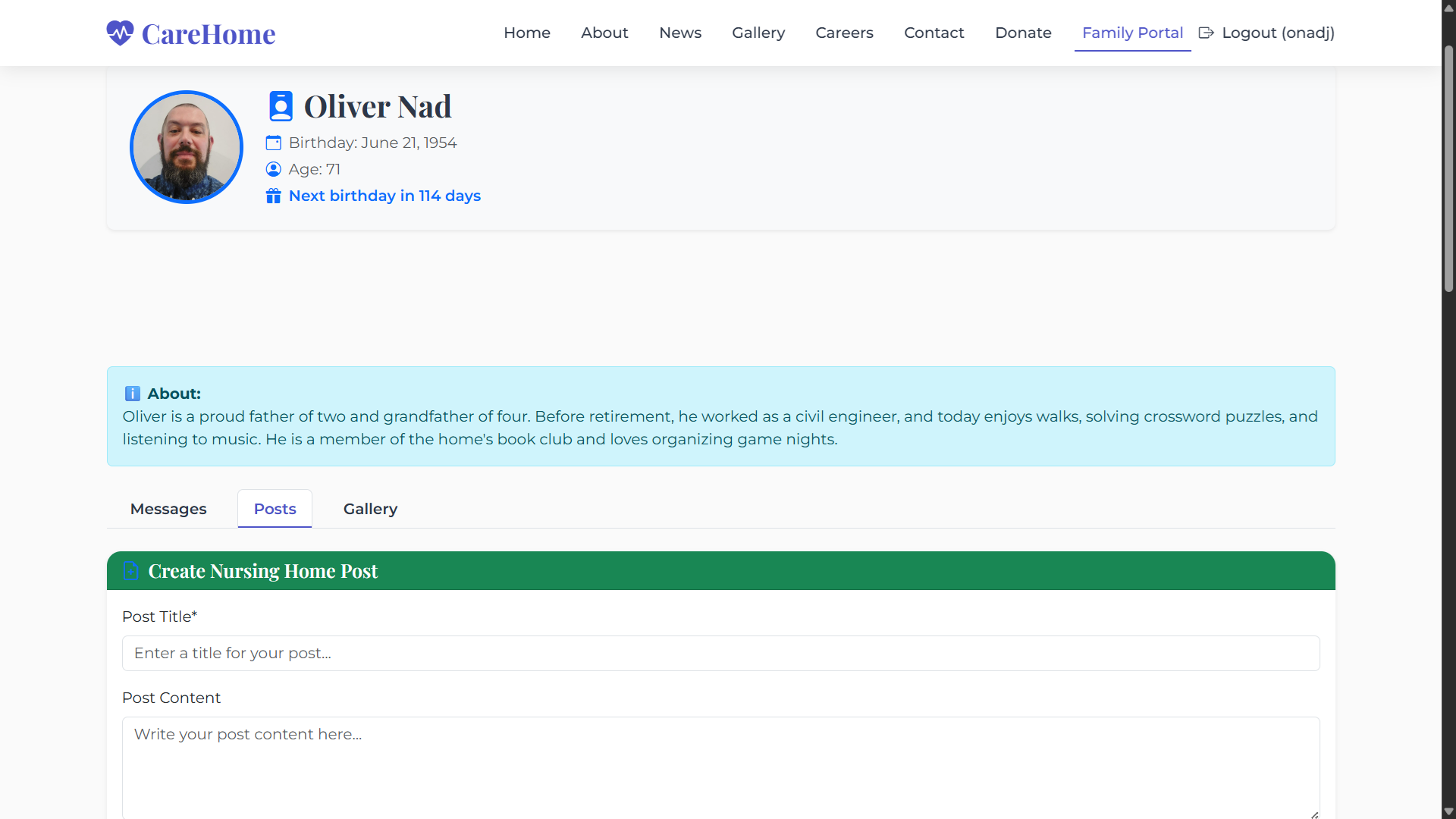
Resident Profiles & Timeline

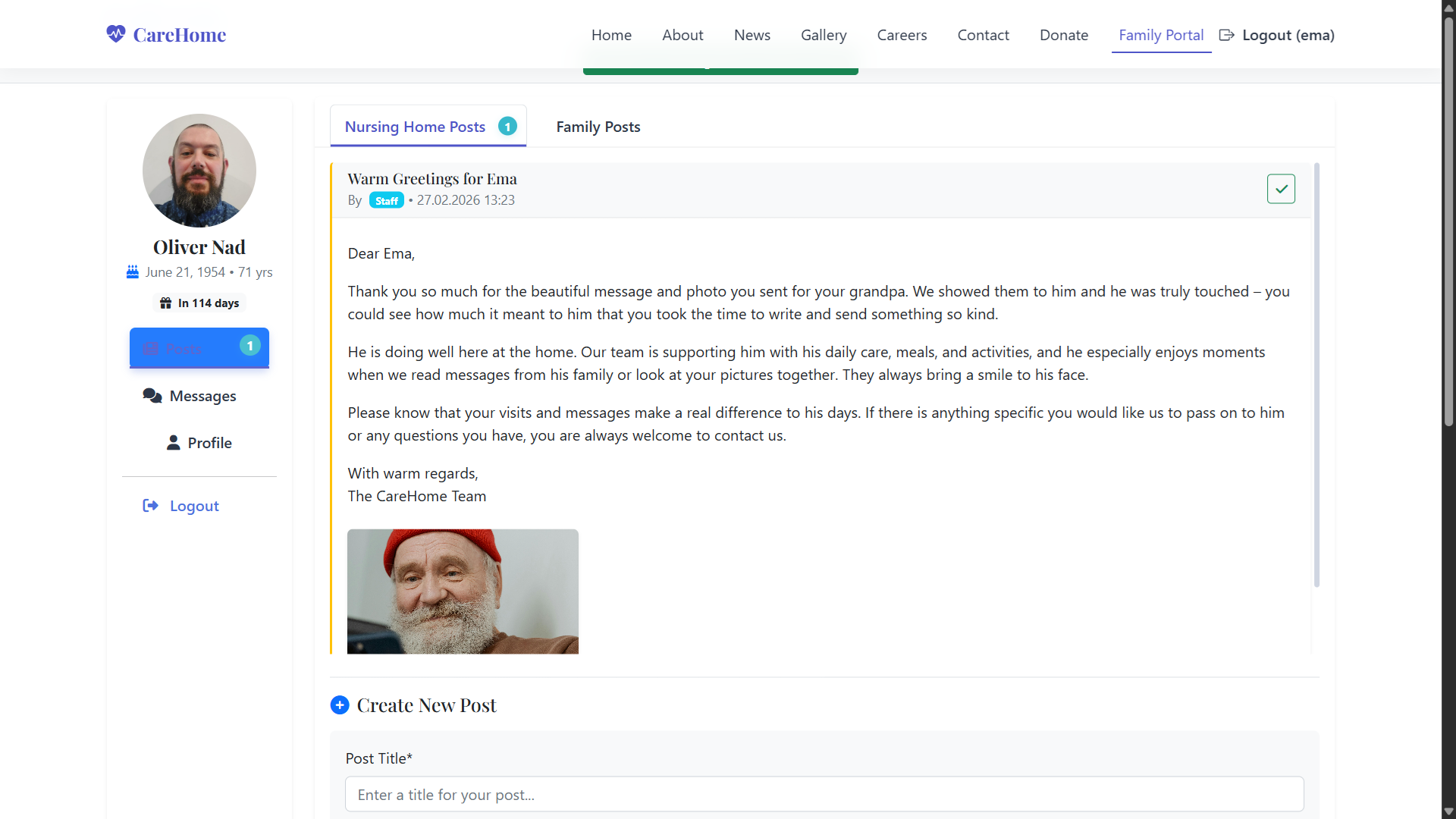
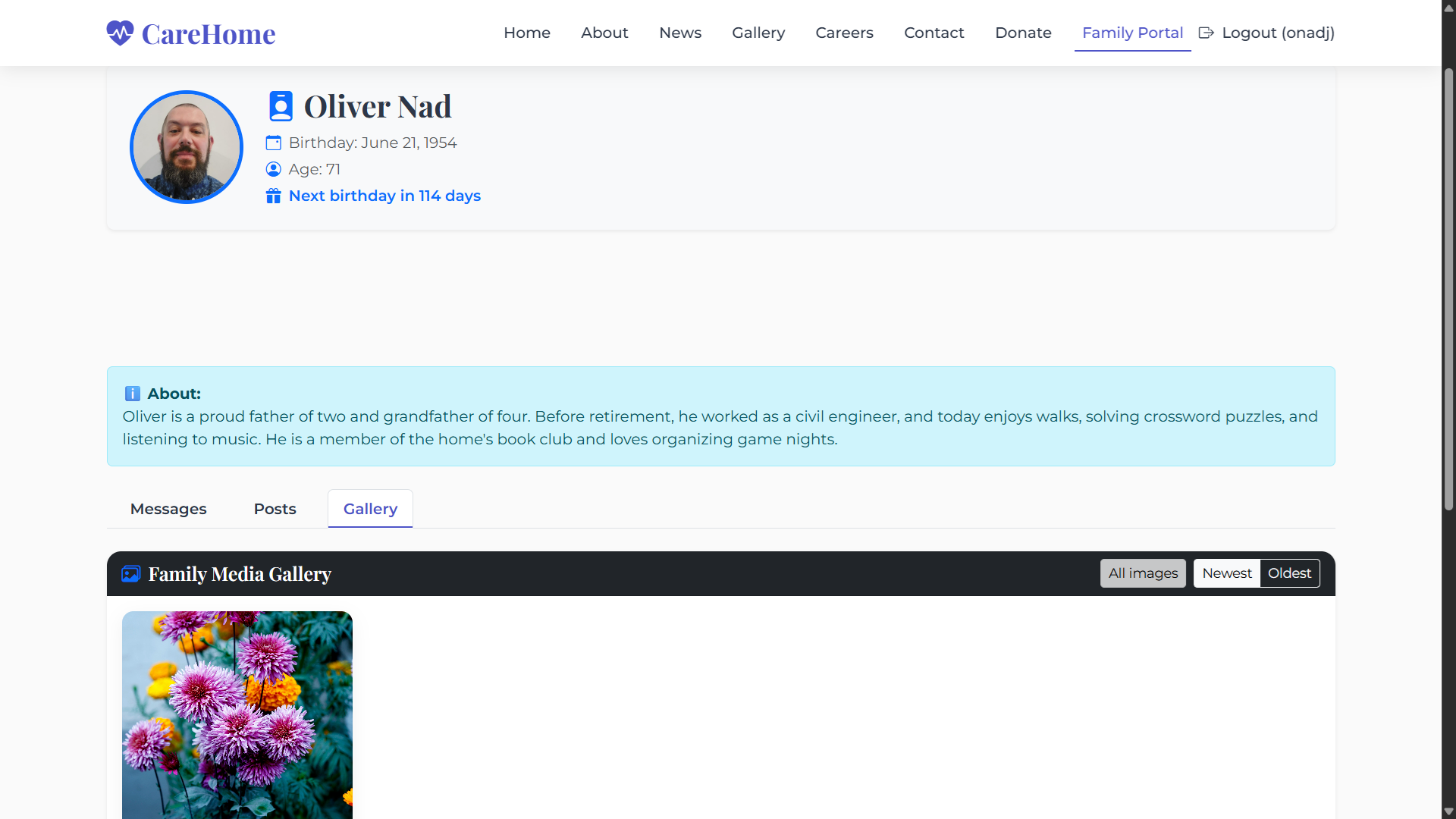
Every resident has their own profile with photo, key details and an easy‑to‑follow timeline of updates, so families can quickly see what’s new without scrolling through long feeds.

Resident Profiles & Timeline

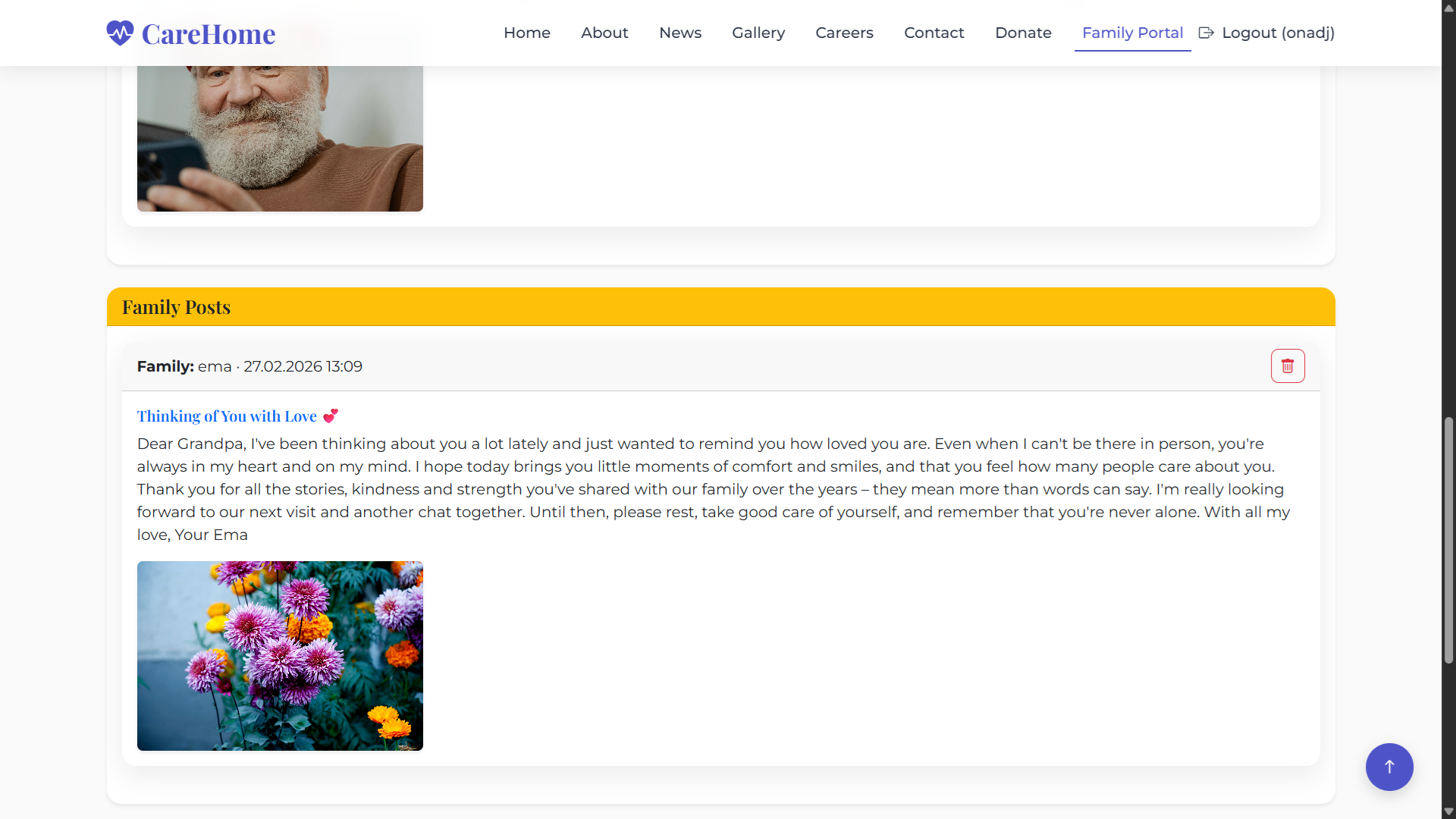
Private Messages from Family

Secure, resident‑centred messaging where family members can send photos and written updates directly to their loved one’s profile, instead of using public social media.

Private Messages from Family

Staff Inbox & New Alerts

Care staff see all new family messages in one central inbox, with clear ‘New’ labels and the ability to mark messages as read, so no update is ever missed.

Staff Inbox & New Alerts

Secure, Family‑Only Access

Only approved family members can log in and they only ever see updates for their own relative, keeping communication private, compliant and resident‑focused.

Secure, Family‑Only Access

Shared Home Photo Gallery

A shared gallery of day‑to‑day moments and events in the home, giving families a private, secure place to see photos without needing Facebook or WhatsApp.
Shared Home Photo Gallery

Trusted by Directors of Nursing

Ana Nad

"ÁitFoirne transformed how we manage our roster. The missing coverage alerts alone save me hours every week, and the staff love the mobile portal."

Ana Nad

New Ross Community Care Home

DoN@nrch.ie

Free for nursing homes with up to 20 staff

You get the full Professional plan – completely free. All features, no limits, no credit card.

When you grow beyond 20 staff

Starter €2 Professional €4 per user/month

Pricing

Simple, transparent pricing

No setup fees. No long contracts. Per‑employee pricing that makes sense for single‑site homes.

Starter

2.00/user/month
  • Best for small homes starting with digital rotas.
  • Manual weekly rota builder with drag‑and‑drop shift assignment
  • Bulk Shift Requirements for fast setup across multiple days
  • Create and manage custom shift types and departments
  • Employee mobile portal to view schedules on iOS & Android
  • Email support
Talk to us about this plan
MOST POPULAR

Professional – Care Home Core

4.00/user/month
  • Best for homes that want full rostering, HR and compliance in one place.
  • Everything in Starter
  • Automatic rota generator that follows weekly hours, rest rules and skills
  • Full admin portal for requests, WTE, certifications and HR records
  • Live time clock monitor with late/early alerts and breaks overview
  • HIQA‑ready exports for attendance and breaks
  • Annual leave tracking with 8% accrual in hours
  • Holiday limits to prevent over‑booking leave
  • Policy and document management with read acknowledgements
  • Audit & compliance workspace with action plans and history
  • Granular employee permissions for easy delegation
  • Employee mobile portal with schedule, messages and requests
  • Standard email support
Talk to us about this plan

Enterprise – Multi‑Site & Finance
10.00/user/month
  • Best for groups that need finance, budgeting and group‑level visibility.
  • Everything in Professional
  • Designed for operators with two or more homes
  • Multi‑site / group view for owners and regional managers
  • Optional accounts & payroll workspace (income, expenses, gross pay)
  • Advanced reporting: cost per unit/home, overtime and premium hours
  • Group‑level WTE and budgeting tools across several homes
  • Custom dashboards and exports for accountants (by agreement)
  • Custom pay rules for nights, weekends and other allowances
  • Dedicated onboarding, configuration and training for your team
  • Priority support with agreed response times
  • Ongoing configuration and feature tweaks so the system adapts as your group grows
  • Custom quote based on homes and requirements – typically from around €10 per user per month
Talk to us about this plan

Website & Family Portal

0.50/per family user / month
  • One‑page public website and Family Portal for your nursing home.
  • One‑page public website for your home, hosted on ÁitFoirne.
  • Simple editor so managers can update text, news and photos themselves – no need to call a developer for every change.
  • Built‑in jobs section and contact form, so families and job applicants can reach you directly through the site.
  • Secure Family Portal with individual logins for each resident’s family, fully integrated with your website.
  • Families can see photos and activity updates for their relative in one place, without needing Facebook or WhatsApp.
  • Families can send messages, photos or videos back to the home, keeping everyone connected even when they can’t visit.
  • Staff can show family messages to residents as digital cards, using any tablet, phone or PC on the unit.
  • Setup and maintenance
  • Initial website setup and design included, from €100 one‑off per home (branding, colours, basic content and training).
  • Ongoing website maintenance (hosting, backups, security updates and basic support): €20 per home per month.
  • Pricing for Family Portal
  • Free for the first 10 resident profiles per home.
  • Then €0.50 per additional resident profile per month.
Talk to us about this plan

Ready to see ÁitFoirne in action?

Share a few details and we’ll arrange a short online walk‑through tailored to your home.