Opening the Certificates Overview
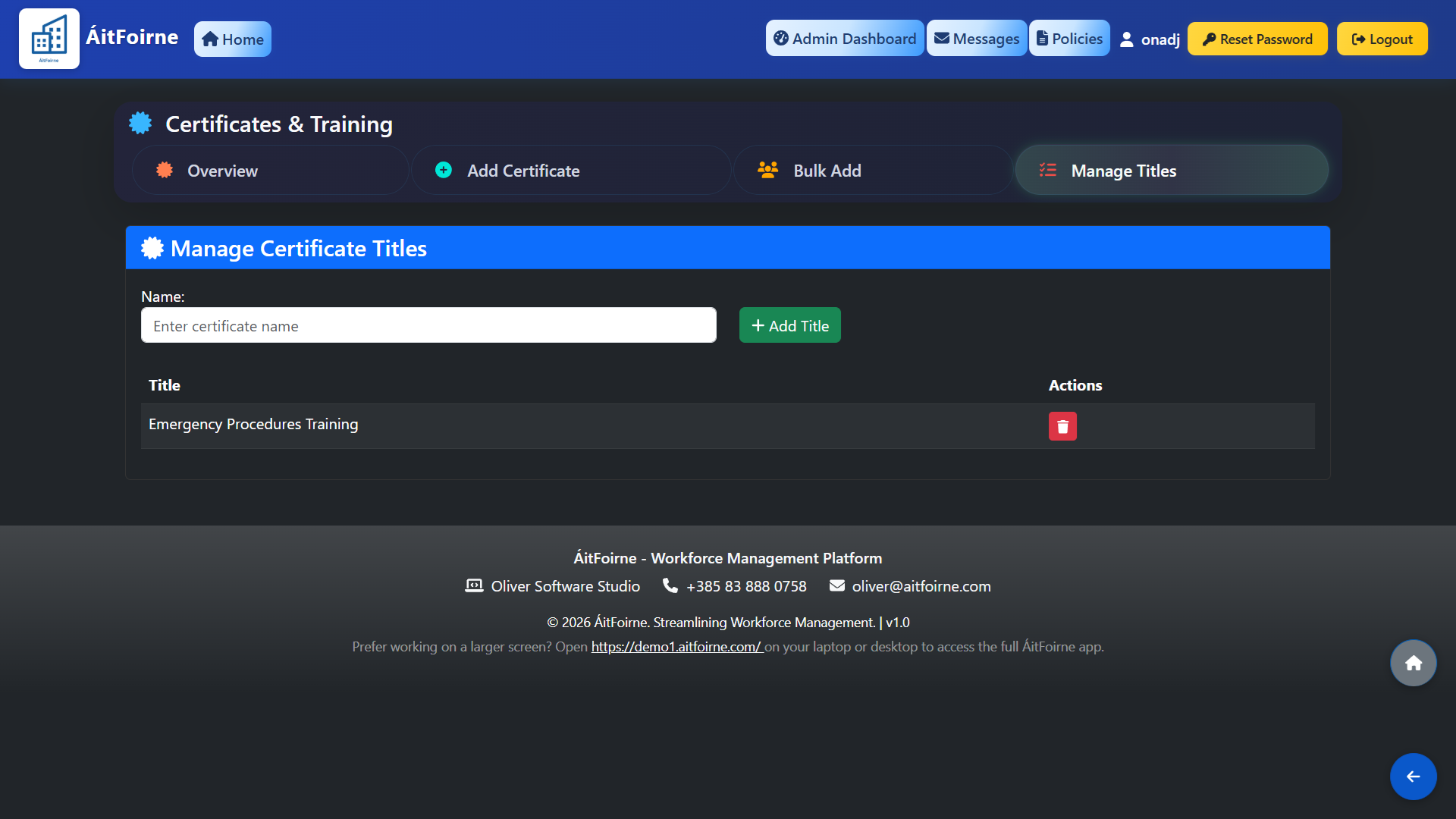
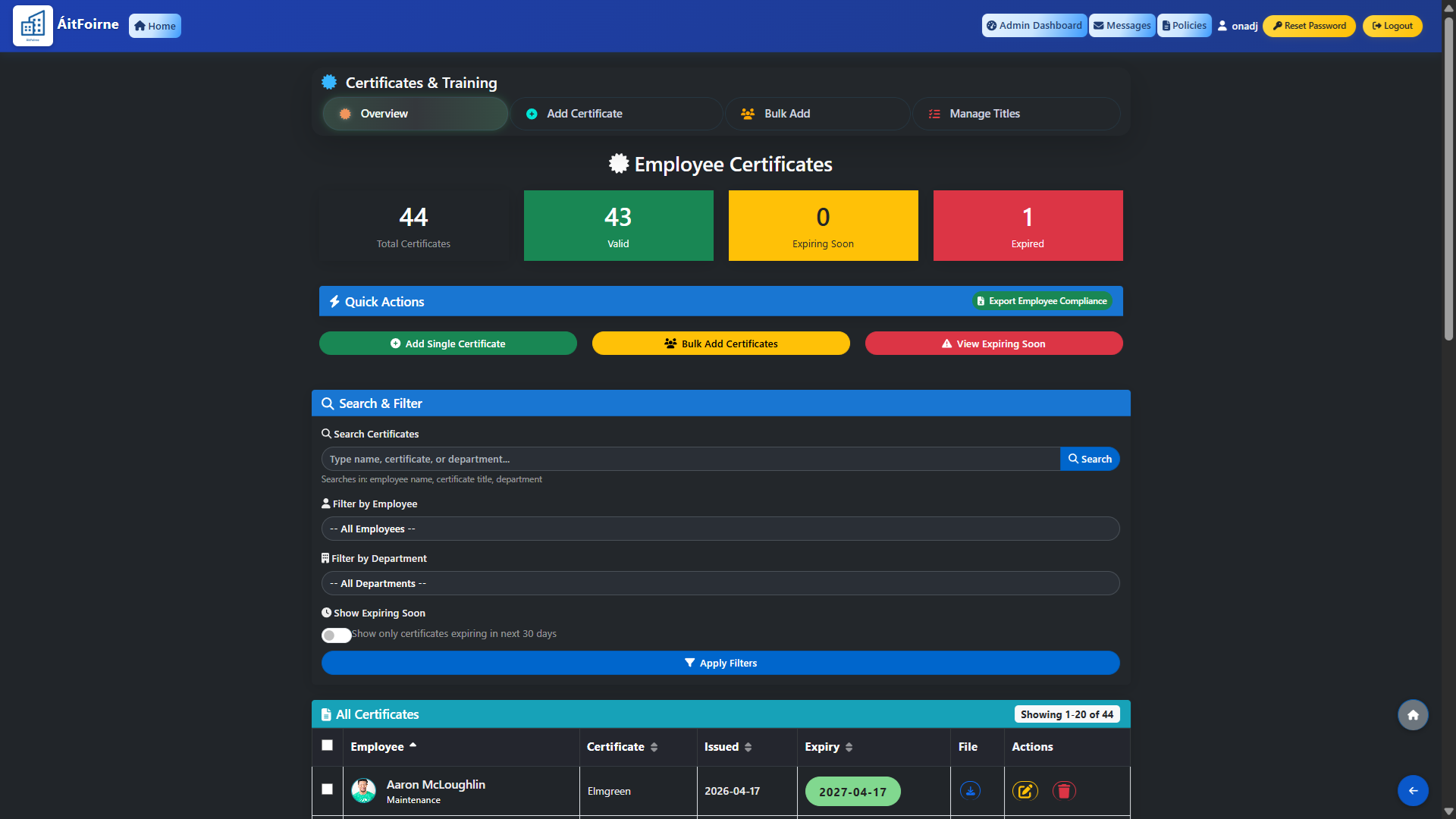
From the main dashboard, go to Certifications and click Overview. At the top of the page you will see a summary of your current certificate status:
- Total Certificates — the total number of certificates recorded across all staff.
- Valid — certificates that are current and not due to expire.
- Expiring Soon — certificates due to expire within the next 30 days, highlighted as a warning.
- Expired — certificates that have already passed their expiry date, shown in red.
Use the Search, Filter by Employee, Filter by Department and Show Expiring Soon options to quickly find specific records.
Adding a Certificate for One Employee
To add a single certificate, click Add Certificate. Fill in the following details:
- Employee — select the staff member from the dropdown.
- Certificate Title — select the type of certificate from the list of available titles.
- Issued Date — the date the certificate was awarded.
- Expiry Date — the date the certificate expires.
- File — optionally upload a scan or photo of the certificate for your records.
Click Save when done. The certificate will appear immediately in the overview and will be monitored for expiry automatically.
Bulk Adding Certificates for Multiple Employees
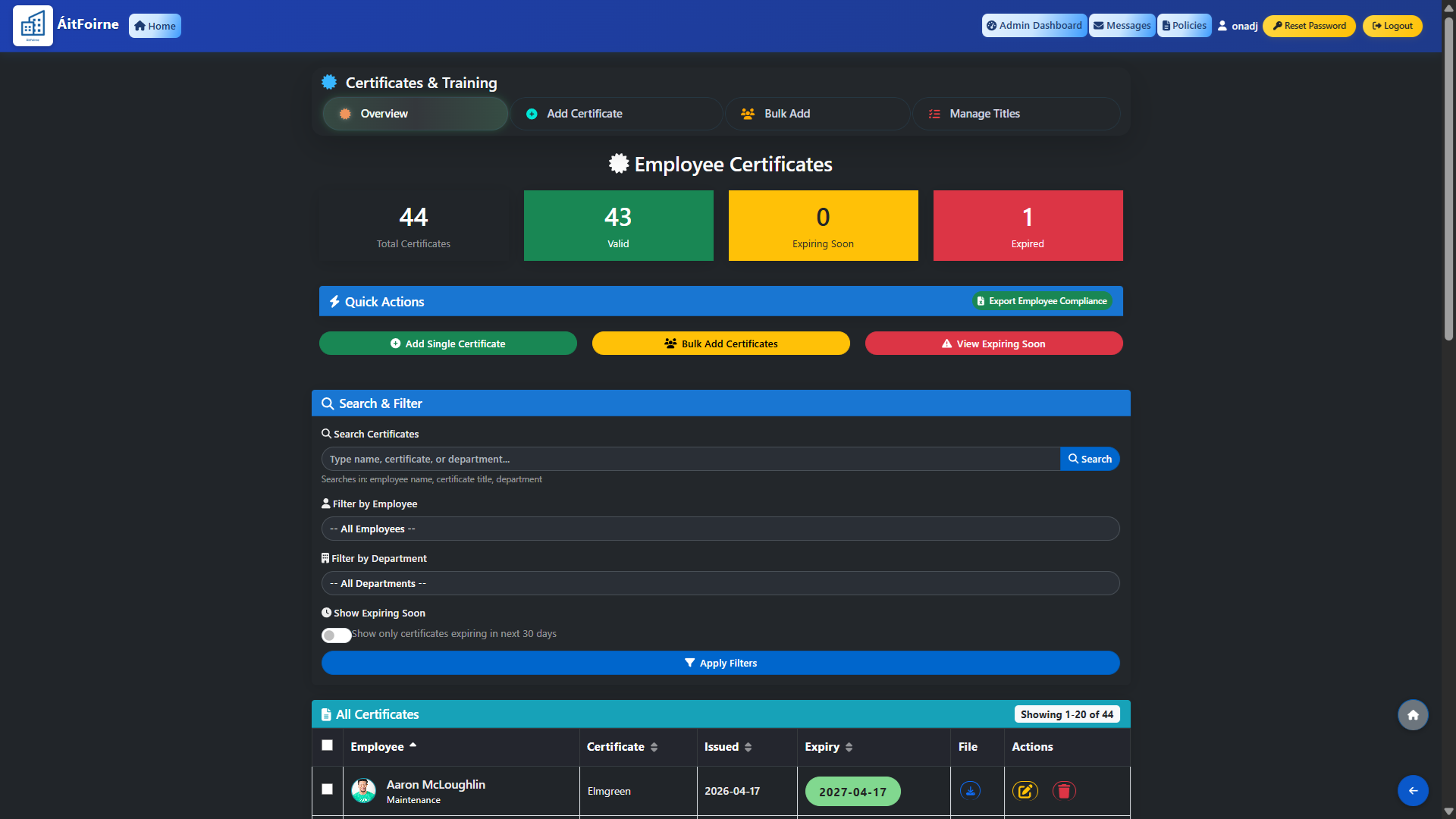
If a group of employees attended the same training on the same date, use the Bulk Add option instead of entering each certificate individually.
Click Bulk Add, select the certificate title, set the issued and expiry dates, then select all the employees who attended. One certificate record will be created for each selected employee in a single action — saving significant time when processing group training sessions such as fire safety or manual handling.
Managing Certificate Titles
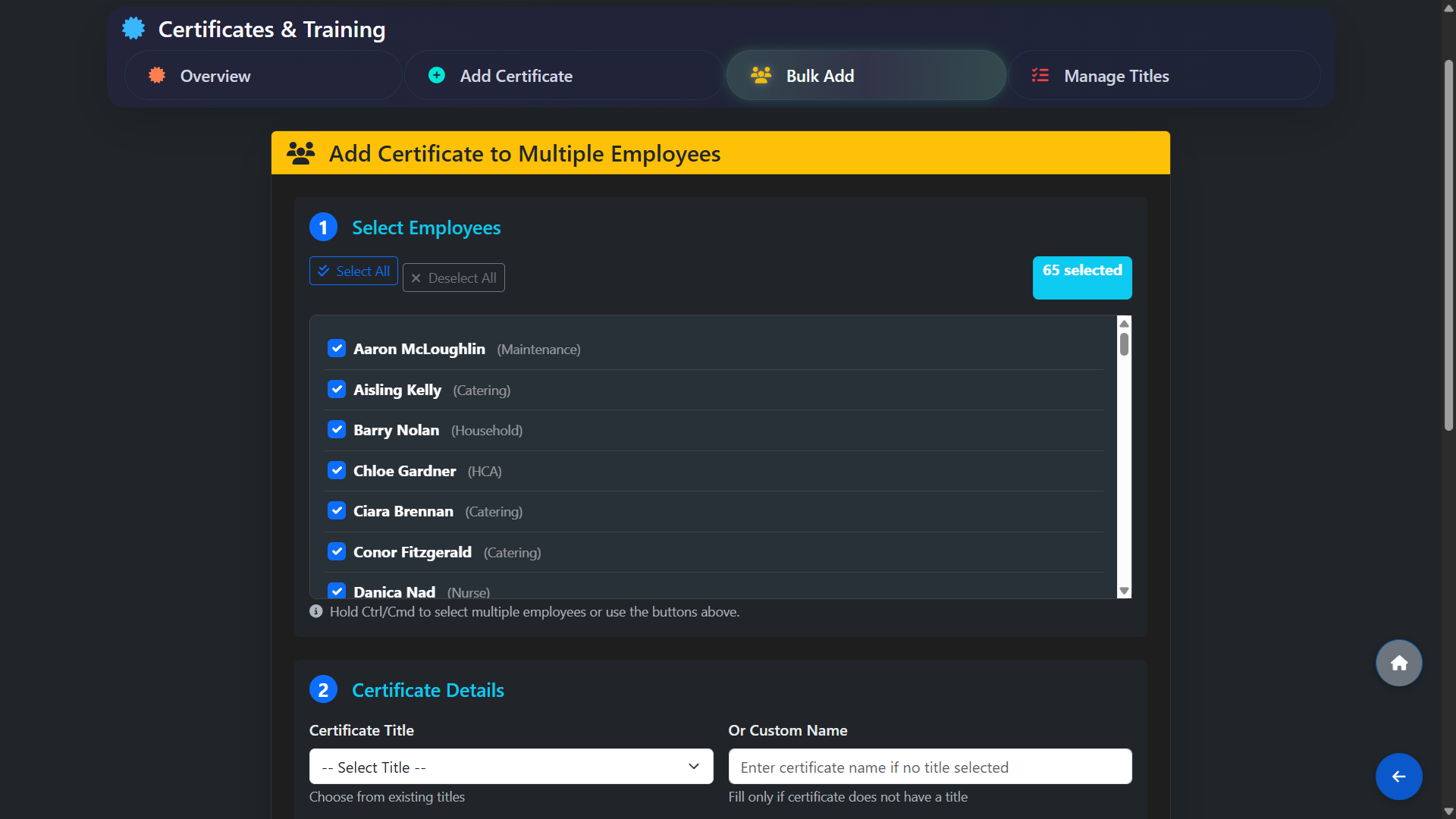
To add or edit the types of certificates available in the system, click Manage Titles.
Here you can create new certificate categories relevant to your facility — for example Fire Training, Manual Handling, HACCP, First Aid or any other credential your staff are required to hold.
Keeping your title list up to date ensures certificates are categorised consistently across all employees.