Open Leave Management
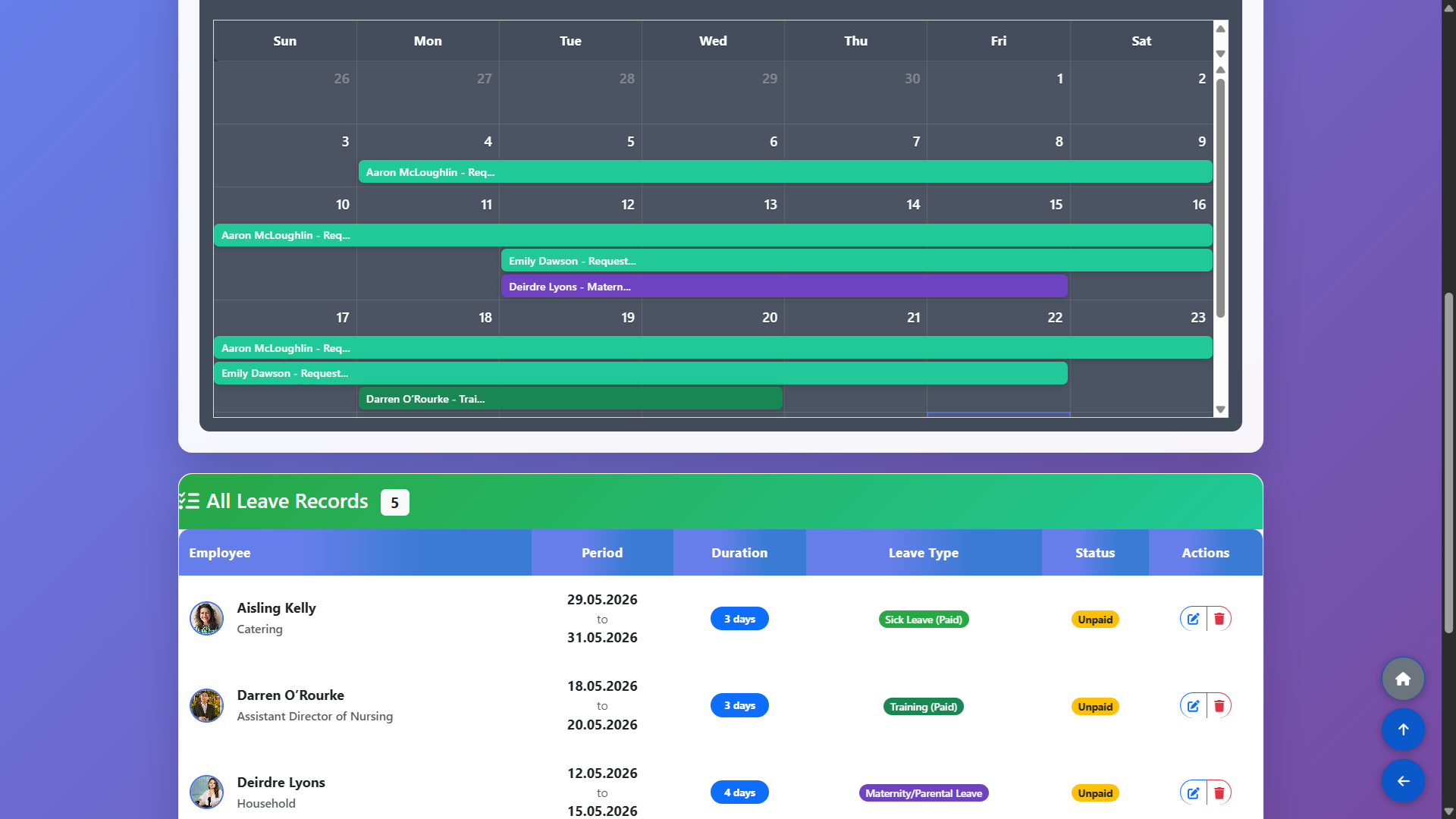
From the main navigation, go to Schedule Management and select Leaves. This page displays all currently recorded leave entries across your staff, showing the employee name, leave type, dates and status. You can review existing entries, edit or delete them from this view.
Add Leave for an Employee
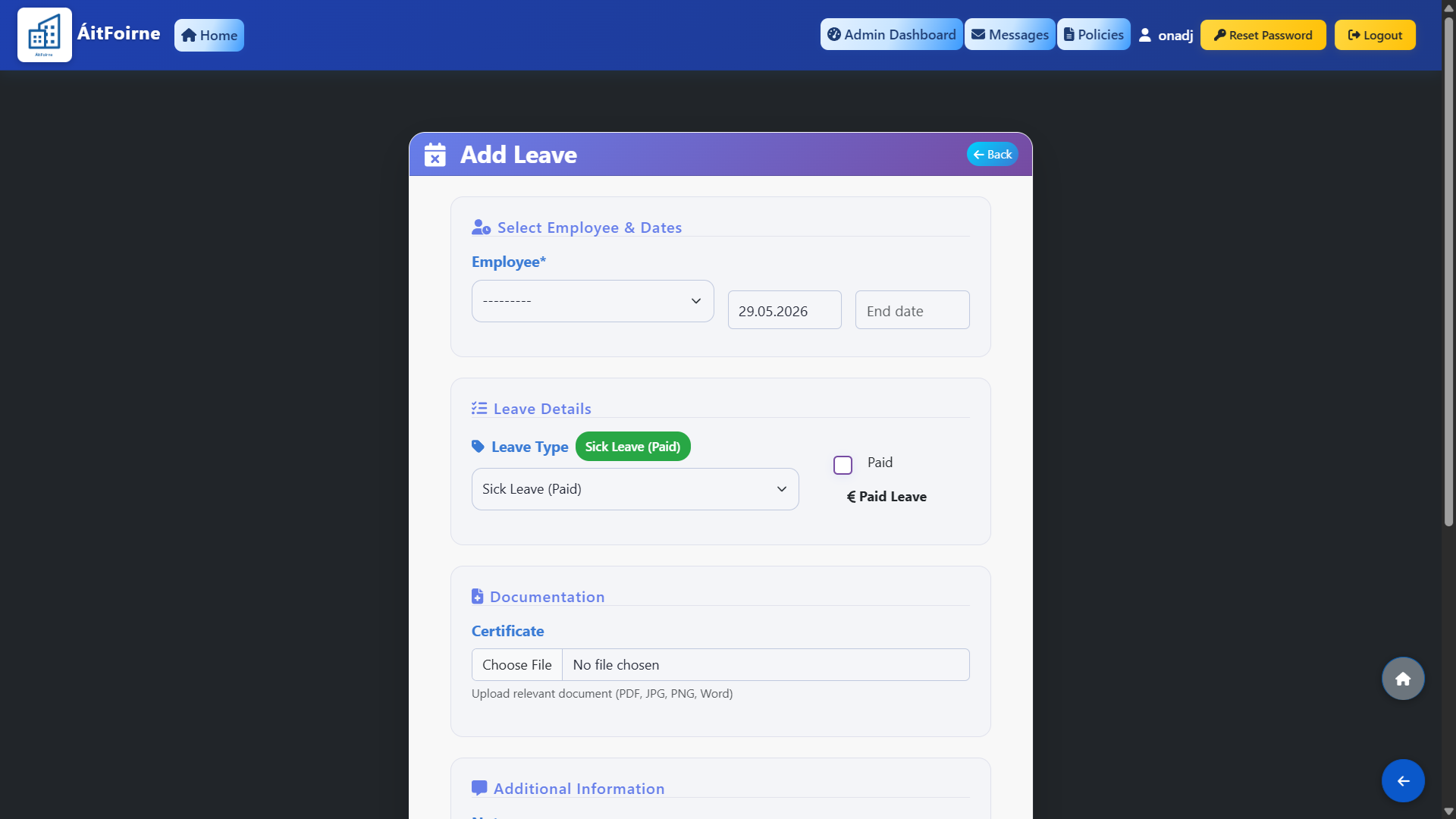
To record a new leave, click the Add Leave button. A panel will open where you fill in the following details:
Employee — select the staff member from the dropdown list.
Leave Type — choose the appropriate type of leave (see Step 3 for all available types).
Start Date and End Date — set the period of absence.
Notes (optional) — add any relevant internal notes.
Once saved, the employee will be excluded from auto-scheduling for the entire duration of the leave.
If the employee was already assigned to shifts in a published schedule, those shifts will automatically be updated to show Worker Missing, clearly highlighting the gap in the roster.
This makes it easy to identify which shifts need to be covered and assign a replacement without having to review the entire schedule manually.
Available Leave Types
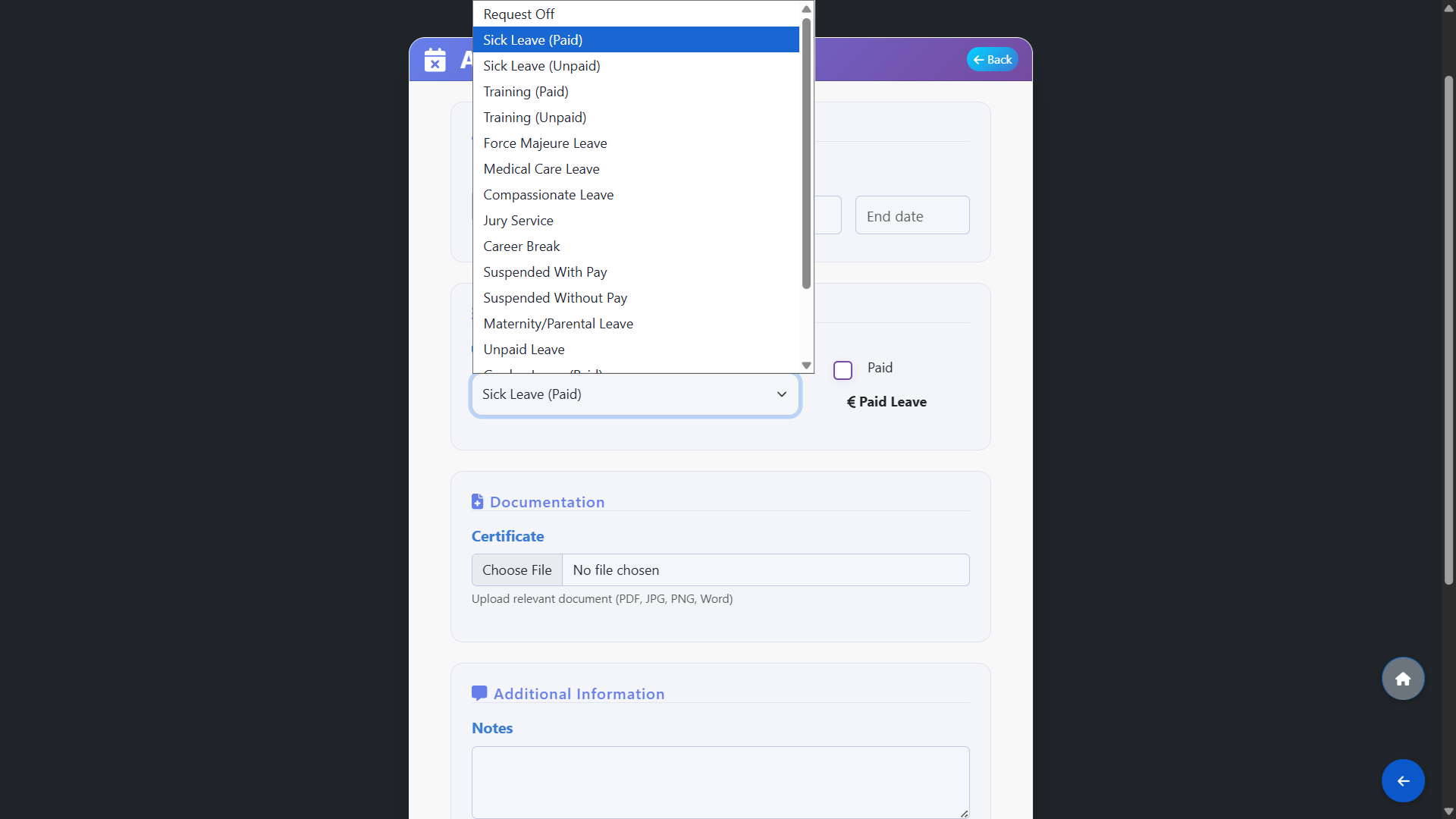
The system supports the following leave types to cover all standard and statutory absence categories:
Request Off — a general day-off request submitted by the employee.
Sick Leave (Paid) / Sick Leave (Unpaid) — short or long-term illness absence.
Training (Paid) / Training (Unpaid) — time away for work-related training or courses.
Force Majeure Leave — emergency short-term leave for urgent family reasons.
Medical Care Leave — leave to care for a family member with a medical need.
Compassionate Leave — leave granted following a bereavement.
Jury Service — absence required for jury duty.
Career Break — an extended agreed period away from work.
Suspended With Pay / Suspended Without Pay — disciplinary suspension.
Maternity/Parental Leave — statutory maternity or parental leave.
Unpaid Leave — agreed absence without pay.
Garden Leave (Paid) — notice period leave where the employee does not attend work.
DV Leave (Paid) / DV Leave (Unpaid) — domestic violence leave.
Other — any absence that does not fall into the above categories.