Opening the Time Clock Admin View
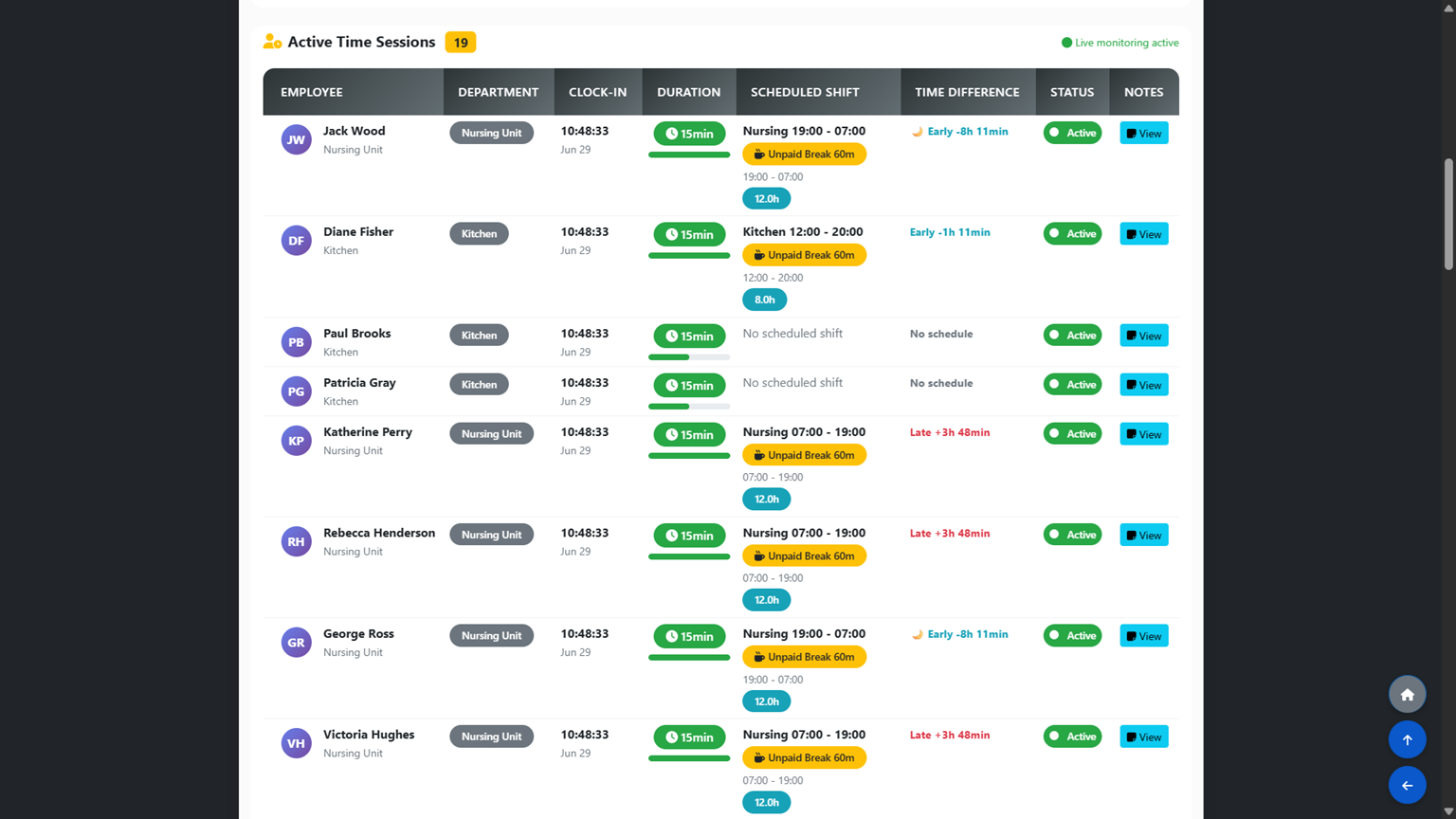
From the main dashboard, click Time Clock System and then select View Reports. This opens the admin attendance panel where you can see all employee clock-in and clock-out activity across your facility.
Reviewing and Approving Hours
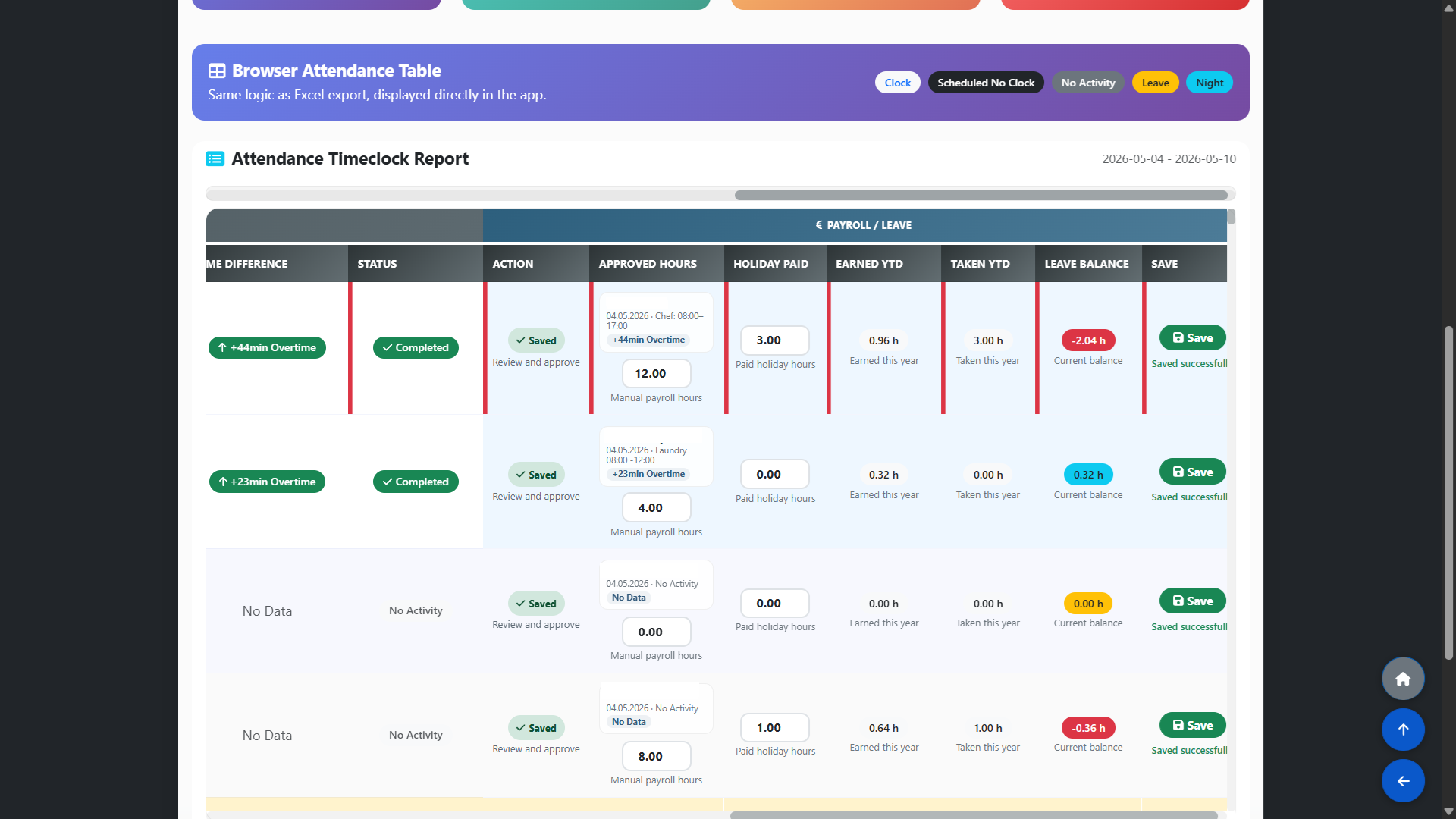
Once a shift is completed, the recorded hours appear for your review in ATTENDANCE REPORT section on the same page. Go through each employee's time entries and approve the hours you are satisfied with. You can adjust hours before approving if there is a discrepancy between the clocked time and the actual scheduled shift.
Approved hours serve two purposes: - They form the basis for payroll calculations. - They are used to calculate holiday pay entitlement. In line with Irish employment law, employees accrue holiday pay at a rate of 8% of hours worked — approved hours feed directly into this calculation.
Exporting Attendance Reports
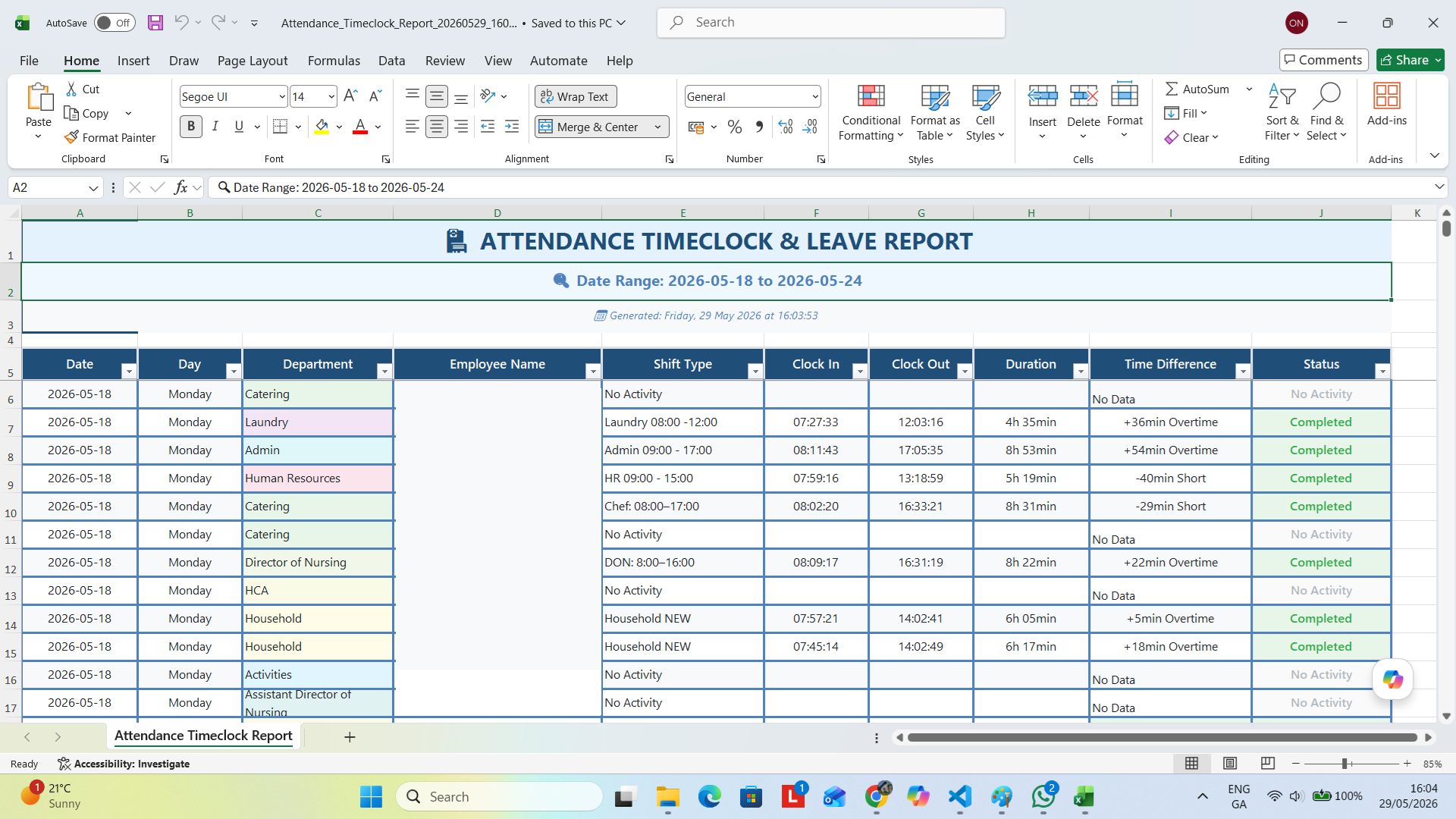
To export attendance data, use the export option available at the top of the Time Clock admin panel. You can export records filtered by employee, department or date range. The export file can be used for payroll processing, compliance records or internal reporting purposes.