
What this area is for
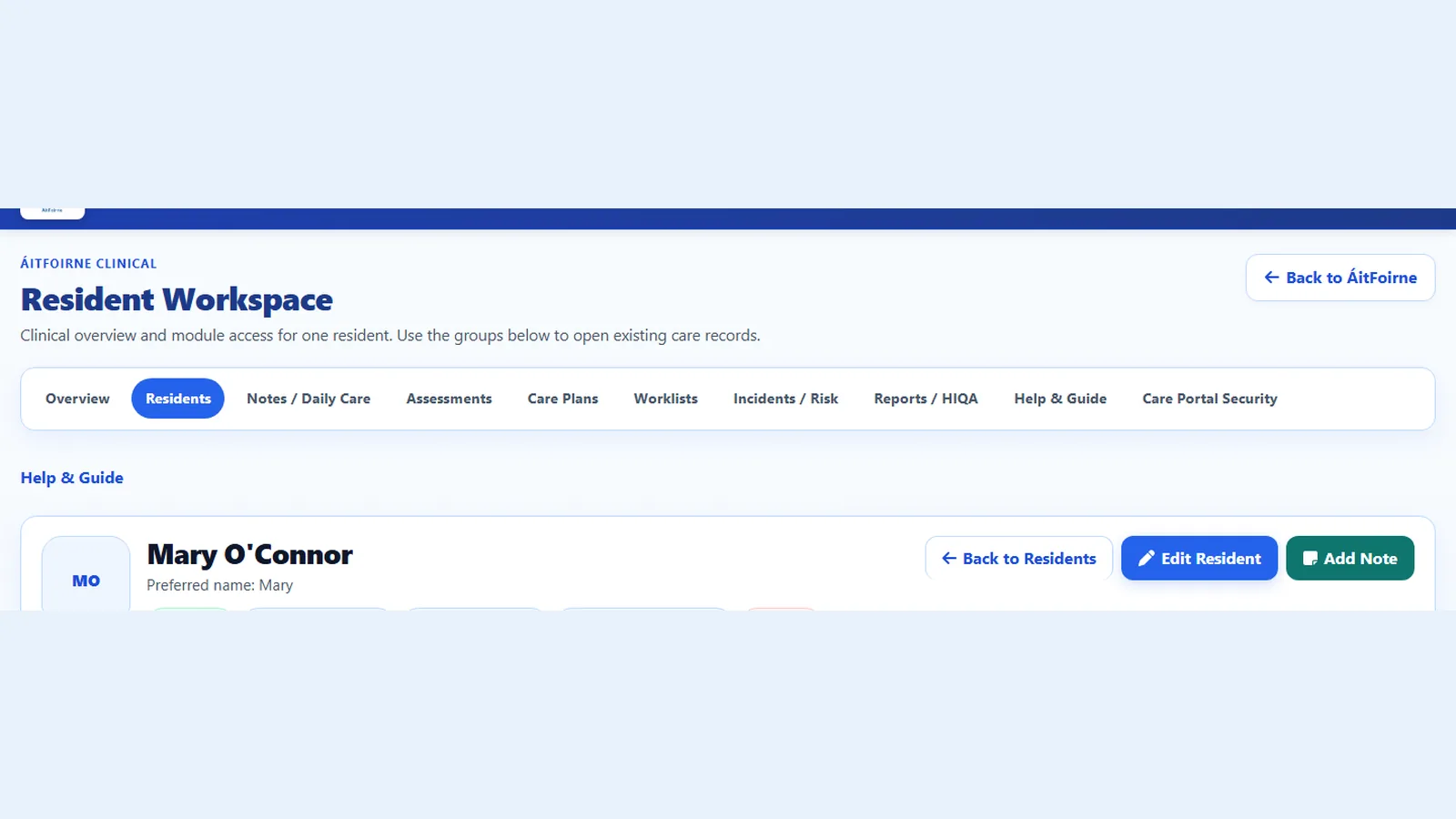
The resident Clinical file is the office folder for one resident. It holds identity, room, notes, assessments, care plans and the other Clinical records that belong to that person.
Open it from Residents after you select Enter Clinical.
This is not Care Portal. Care Portal is the short Daily Care form on the tablet. The resident file is the wider Clinical picture.
Before you start
- Sign in with your own ÁitFoirne management login.
- Select Enter Clinical.
- Only record information that belongs in the resident’s care record.
- Do not put Clinical information in Family Portal, email or a shared chat.
Step-by-step: find a resident
- In the Clinical menu, select Residents.
- Type the resident’s name, or look down the list.
- Check the room and status. Status can be current, hospital, temporary leave or discharged.
- Open the correct resident.
- You should land on that resident’s workspace.
If the person is not listed and they have been admitted, select Add Resident. Enter the name, status and placement carefully. If you are not sure, ask the Clinical Manager before creating a new resident.
What the workspace shows
The workspace is the front page of the resident file. It usually shows:
- the resident’s name and preferred name
- room or bed
- important flags
- cards for the Clinical areas already in use
Common cards include:
- Daily notes
- Nursing care
- Documents
- What Matters to Me
- Assessments
- Care plans
- Observations
- Skin integrity
- STOP AND WATCH
- Clinical tasks
- Incidents
- Risk management
- Appointments
- Referrals
- Specimens and vaccinations
The numbers on the cards tell you what already exists. They are not a to-do list unless the card says something is due.
Where to write what
Use the matching area. Do not put everything into one note.
- Care Portal Daily Care — short care that happened during the shift, recorded on the tablet.
- Daily notes — a fuller note about how the resident is today, a family conversation, or a change on the shift.
- Nursing care — nursing records and the follow-up that belongs with them.
- What Matters to Me — the resident’s preferences, routines and what matters to them.
- Assessments — planned reviews such as falls, nutrition, skin or mobility, with a review date.
- Care plans — the plan, goals, actions and review tracking.
- Observations — vital signs and other recorded observations.
- Skin integrity — skin checks, wounds and dressings.
- STOP AND WATCH — an early-warning record when a resident may be becoming unwell.
- Clinical tasks — follow-up work with a due date.
- Documents — letters, consents and files that need to stay with the resident.
If you are on the floor with a tablet, record Daily Care in Care Portal. If you are in the office with the resident file open, use the matching card. Do not copy the same sentence into every box.
Step-by-step: add a Daily note
- Open the resident.
- Open Daily notes.
- Start a new note.
- Write in plain English. Say what you saw, what you did, and who you told.
- Save the note.
- Check it appears on the resident’s note list.
Daily notes are separate from Care Portal Daily Care. One does not copy itself into the other.
If a resident is missing from Care Portal
Check the resident file first:
- Is the resident active?
- Is the status current, hospital or temporary leave?
- Is the name spelled the way staff search for it?
- Has the staff member been given Clinical access?
Do not create a second resident with a slightly different name. That splits the file.
Questions people ask
Can I record Daily Care from the resident file?
Daily Care for the shift is recorded in Care Portal. The resident file is where you read the wider picture and keep office Clinical records.
Where do medicines go?
Clinical does not replace a medication chart. Keep medicines in the home’s medication process. Do not invent a medicines list inside a Daily note.
A family member asked us to change a preference.
Update What Matters to Me in the resident file. Do not leave the new preference only in a WhatsApp message.
I opened the wrong resident and started typing.
Do not save. Go back, open the correct resident, and start again. If you already saved, tell the Clinical Manager and follow the home’s correction process.