
ÁitFoirne

Employee Portal

Policies

Your employer may publish company policies that require your acknowledgement. This section keeps all policies in one place so you can read and confirm them at any time.

Last updated 29 May 2026

Reading and Acknowledging a Policy

From your dashboard, click Policies. A list of company policies will be displayed. Click on any policy to read it in full. Once you have read a policy, click Acknowledge to confirm that you have read and understood it. Your acknowledgement is recorded and visible to your manager.
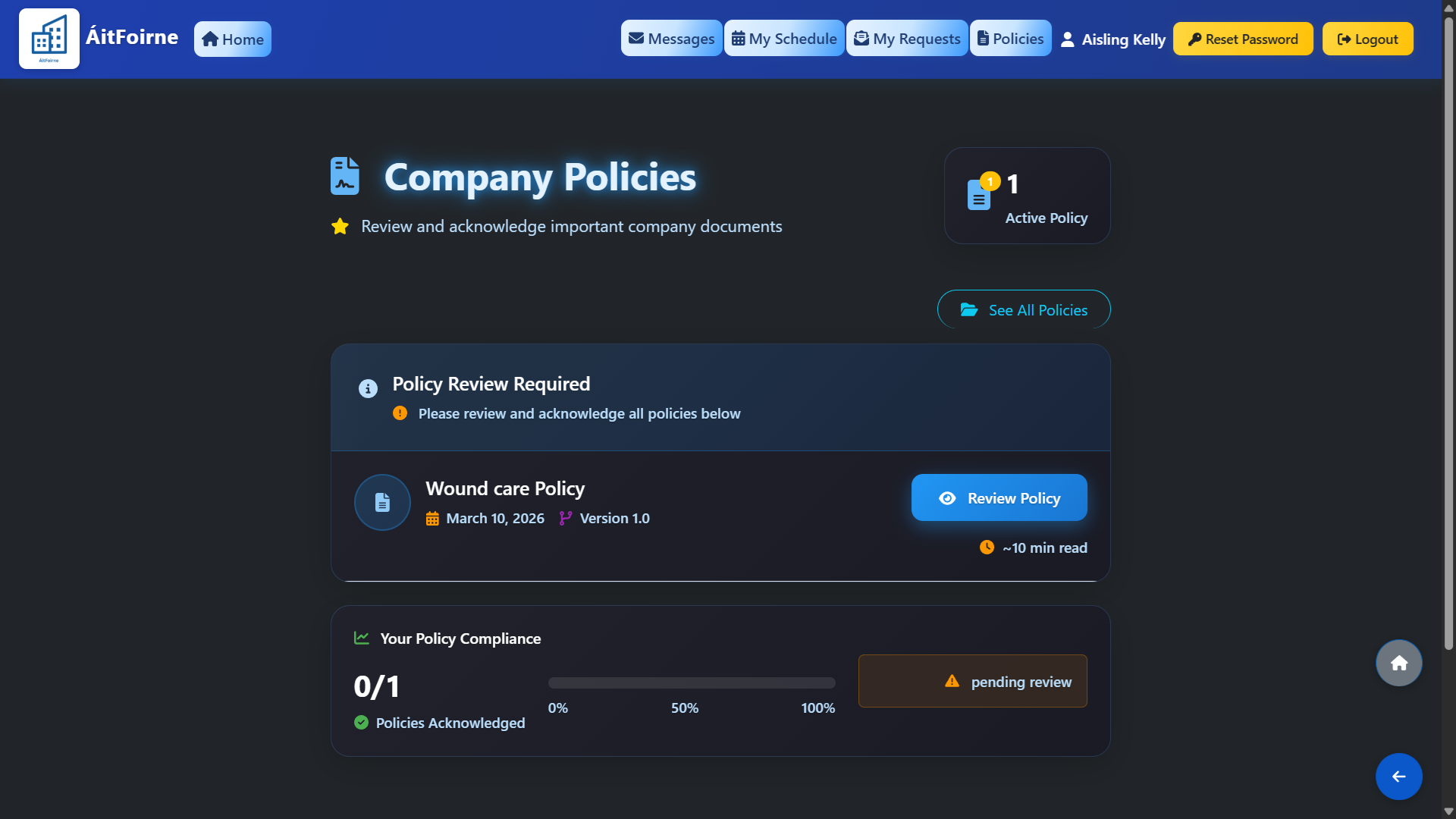
Reading and Acknowledging a Policy

Pending Policy Acknowledgment

For example you have 1 policy left to review and acknowledge. This helps you instantly see when a company policy requires your confirmation — so nothing gets missed, and you stay compliant.
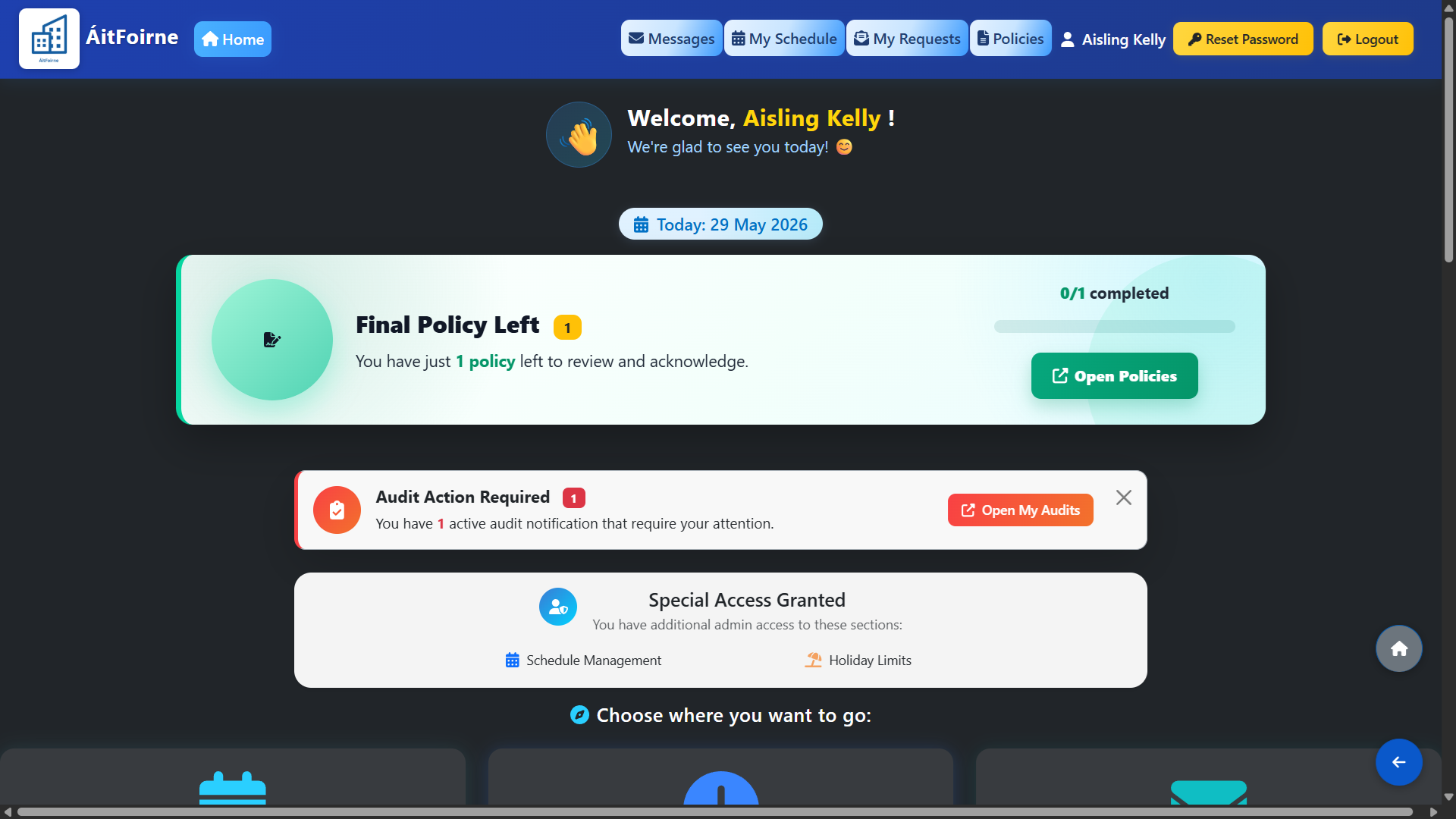
Pending Policy Acknowledgment
Back to Employee Portal All Help Centre topics

Still need help?

Contact ÁitFoirne support and tell us what you are trying to do. We will point you to the right guide or walk through it with you.

Contact support
Back to top