
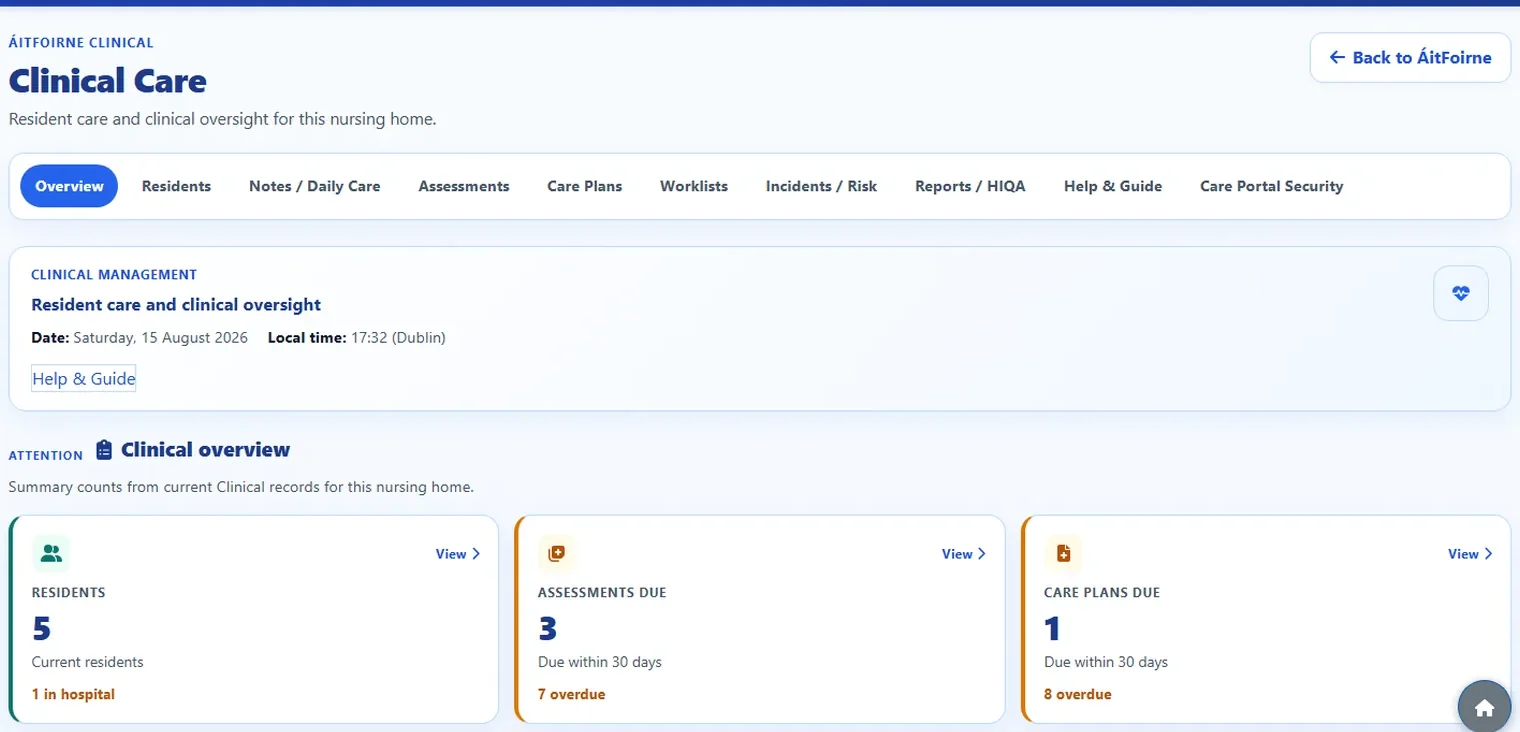
What this area is for
Clinical is the resident-care part of ÁitFoirne. Staff use it to record care, review what happened today, and keep the resident file in one place.
Clinical is not the same as:
- the rota or Schedule
- the Employee Time Clock
- the Employee Portal
- Family Portal
Those tools are for staff hours, requests and family updates. Clinical is for resident care records.
Think of ÁitFoirne as the office for staff, and Clinical as the care folder for residents. They sit in the same building, but they are different rooms.
The two ways people use Clinical
There are two different doors.
1. Care Portal — for staff on the floor
Healthcare Assistants and Nurses use Care Portal on a workplace tablet, phone or ward computer.
They:
- Confirm they are at the workplace.
- Select their own name.
- Enter their own six-digit Care Portal PIN.
- Find the resident.
- Select Record Daily Care.
Care Portal is a simple tool for recording care during the shift. It does not open the full Clinical office.
2. Clinical Care — for managers and Clinical office work
Authorised managers sign in to ÁitFoirne as usual, then select Enter Clinical.
They can open:
- Overview
- Today’s Care
- Residents
- Notes / Daily Care
- Assessments
- Care Plans
- Worklists
- Incidents / Risk
- Reports / HIQA
- Help & Guide
A job title on its own does not open Clinical. Someone must be given the right Clinical role and, for managers, an ÁitFoirne management login.
Who does what
- Healthcare Assistant — records Daily Care in Care Portal with their own PIN. They do not open the Clinical office from the ÁitFoirne dashboard.
- Nurse — records Daily Care in Care Portal, and can review some records that need a nurse look. They do not approve formal corrections.
- Clinical Manager — opens Clinical from the ÁitFoirne dashboard, grants Healthcare Assistant and Nurse access, and creates Care Portal PINs.
- Director of Nursing, Assistant Director of Nursing, or Person in Charge — can review Today’s Care and the Resident Day Timeline when they have an ÁitFoirne management login. They do not create Care Portal PINs unless they are also the Clinical Manager.
- Ordinary company administrator — can run the rota, time clock and HR. That does not automatically make them a Clinical Manager.
If you cannot see Enter Clinical, Clinical Access, or Today’s Care, stop and ask the Clinical Manager or ÁitFoirne support. Do not guess, and do not borrow someone else’s login.
What Clinical does not do
Clinical helps the home keep care records. It does not:
- send reports to HIQA for you
- give medicines or replace a medication chart
- message a nurse for you
- replace speaking to the nurse when you are worried
- keep anyone signed in on a shared tablet
If a resident is unwell or you are worried, speak to the nurse on duty first. Then record the care.
Questions people ask
I am a Healthcare Assistant. Do I sign in like the office staff?
No. You open Care Portal on the workplace device, confirm the workplace, select your name, and enter your Care Portal PIN. You do not need the office dashboard.
I am a Nurse. Is my Care Portal PIN the same as my Time Clock PIN?
No. They are different. The Time Clock PIN is for clocking in and out. The Care Portal PIN is only for recording care.
Our Director of Nursing can see Today’s Care. Why can they not give a PIN?
Today’s Care is for reviewing what was recorded. Clinical Access and Care Portal PINs are managed by the Clinical Manager. Seeing care is not the same as giving access.
Can I use Clinical from home?
Care Portal is for the workplace. The device must confirm it is at the nursing home before staff names or residents appear. Clinical office pages are for authorised management logins, not for sharing a tablet PIN.