
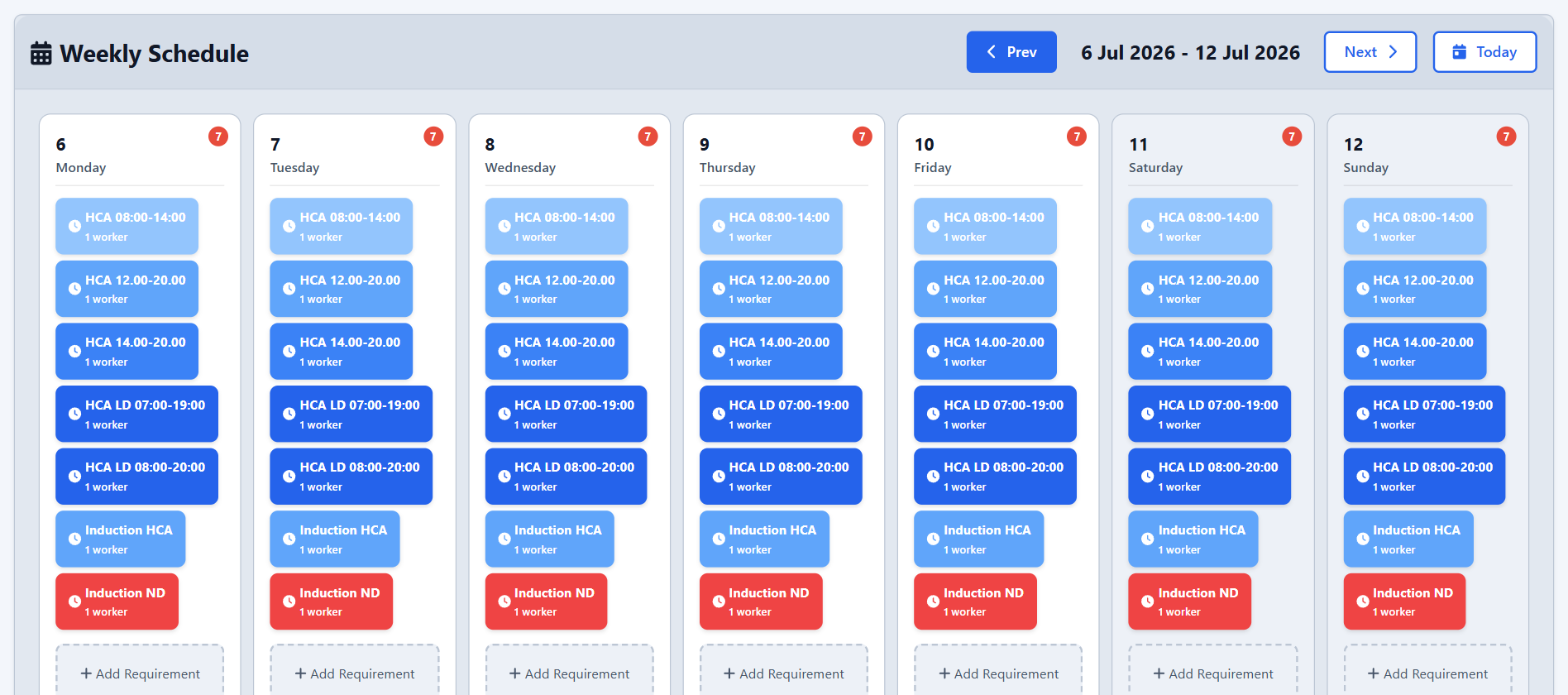
What this area is for
Requirements describe the cover your home needs: how many staff each shift type needs on each day of the week, per department. Everything else about staffing gaps follows from that.
Requirements drive:
- Auto Schedule — how many slots to fill.
- Worker Missing — the comparison between the live schedule and what is required.
- Weekly Cover — the coverage percentage for the week.
Set requirements before you generate a rota for the first time.
What Worker Missing means
Worker Missing means that, for that shift slot, the live schedule does not have enough real staff assigned to meet the requirement.
- It is a placeholder, not a person. It simply says "we still need someone here".
- The generator creates Worker Missing rows in the draft when it cannot fill a slot, for example when everyone is on leave or a weekly hours limit is reached.
- Worker Missing is calculated from the live schedule only. Draft gaps do not affect the official count until you publish.
Step-by-step: close a cover gap
- Check who is away in Leaves and Holidays for those dates.
- Add a real employee to the draft, using Add Shift on the calendar or the manual week editor.
- If the target itself was wrong, adjust the Requirements for that shift type and day.
- Publish the week so the live schedule updates and Worker Missing is recalculated.
Using Weekly Cover
Weekly Cover shows a grid of the week: each row is a shift type and each column is a day. Cells show how well you are covered against requirements.
- Green — fully covered or better.
- Amber — around 75% or more.
- Red — understaffed.
At the top you can choose the source:
- Live — what is officially published. This is the default and the right choice for day-to-day operations.
- Draft — a preview while you prepare the week.
Selecting a cell opens the detail: assigned staff, absences, open shifts, paid hours and break time. The grid can be exported to Excel for meetings or records.
Important notes
- Coverage is based on requirements and assigned real staff. Worker Missing never counts as covered.
- Paid hours in the cell details come from the shift type definition, not from clock-in data.
- A typical rhythm is: check cover on Monday morning, switch to Draft before publishing next week, and use Live for the official picture.
Questions people ask
We have people on the calendar but still see Worker Missing. Why?
The requirement may ask for more people than you assigned. For example, if two nurses are required on an AM shift and only one is assigned, the slot is still short. Count real employees rather than Worker Missing rows.
I published and Worker Missing is still showing. What now?
The live schedule may still be short against the requirements. Either assign more real staff, or adjust the requirement if the original target was wrong.
Does Worker Missing appear in reports about staff?
No. Worker Missing is a scheduling placeholder, not a person. It is excluded from paid-hours totals, attendance monitoring and policy compliance counts.