
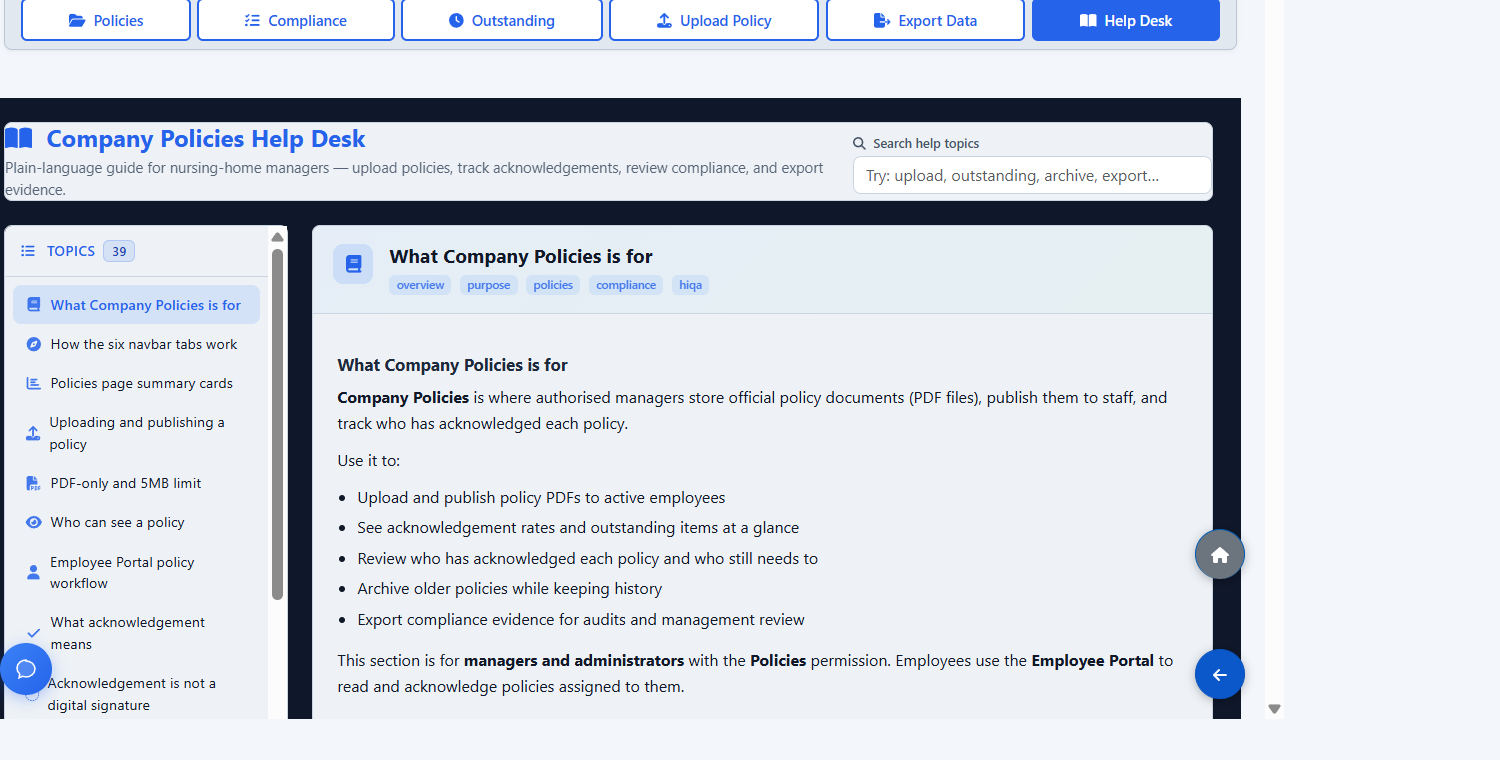
What this area is for
Company Policies is where authorised managers store official policy documents as PDF files, publish them to staff, and track who has acknowledged each policy.
Use it to:
- upload and publish policy PDFs to active employees;
- see acknowledgement rates and outstanding items;
- review who has acknowledged each policy and who still needs to;
- archive older policies while keeping history;
- export compliance evidence for audits and management review.
This section is for managers and administrators with the Policies permission. Employees use the Employee Portal to read and acknowledge policies assigned to them.
The main tabs
- Policies — main list, summary cards, search, filters, open document, archive, delete.
- Compliance — organisation-wide acknowledgement overview by policy.
- Outstanding — employees and policies that still need acknowledgement.
- Upload Policy — add a new policy PDF and publish it immediately.
- Export Data — download Excel, PDF or CSV compliance reports.
- Help Desk — the in-app guide for this section.
Step-by-step: upload and publish a policy
- Open Upload Policy.
- Enter a clear policy title, for example Manual Handling Policy.
- Choose a PDF file from your computer.
- Select Upload and publish.
When upload succeeds:
- the policy is saved and becomes active immediately;
- all eligible active employees can see it in the Employee Portal;
- outstanding acknowledgement counts increase by one pair for each eligible employee who has not yet acknowledged it;
- a success message appears at the top of the screen.
There is no draft mode. Upload means publish.
PDF rules
- File type must be
.pdfonly. - Maximum size is 5 MB.
- A missing title, missing file, wrong file type or oversized file is rejected with a clear message.
Who can see a policy
- Active policies are visible to active employees in the Employee Portal.
- Archived policies stay visible to managers when filtered by Archived, but are hidden from employees.
- Soft-deleted policies are hidden from the normal admin list and from employees.
There is no per-department publish list. Active policies are visible to all eligible active employees. Use titles and categories to organise documents, and use Outstanding with department filters when following up with specific teams.
Archive, restore and delete
Use Archive when a policy is no longer current but you want to keep the record and acknowledgement history. Employees no longer see it, outstanding counts decrease for that policy, and it is excluded from live compliance percentages.
Use Restore if a policy was archived by mistake. It becomes active again, reappears in the Employee Portal, and outstanding acknowledgements return for employees who have not acknowledged it.
Delete performs a soft delete: the policy is hidden from normal views, removed from live compliance, and acknowledgement records are kept for audit purposes. Prefer Archive for retired nursing-home records.
Revised policies
When a policy document is updated:
- Upload the revised PDF as a new policy with a clear title, including the year or version if helpful.
- Archive the old policy when it is no longer in use.
ÁitFoirne does not automatically replace an old policy when you upload a new file with a similar name. Each upload creates a separate policy record, and each policy needs its own acknowledgements.
Important notes
- There are no automatic email or SMS reminders when new policies are published. Follow up using supervision and the Outstanding page.
- Acknowledgement history for archived or deleted policies is kept where records still exist.
- Exports are available only to authorised managers with the Policies permission.
Questions people ask
Why is Total Policies higher than the active list?
The Total Policies card includes active and archived policies that are not deleted. Filter the list by Active to see only current ones.
Why did the upload fail?
Check that the file is a PDF under 5 MB and that you entered a title.
Can I publish a policy to one department only?
No. Active policies are organisation-wide for eligible active employees. Use department filters on Outstanding and Who acknowledged when following up by team.
Should I archive or delete a superseded policy?
Archive is usually safer. The policy stays easy for managers to find, and acknowledgement history remains clearly linked.